WooCommerce Pages won't display my Brizy templates.

Hi, I followed the tutorials to set up templates for an online WooCommerce store but there doesn't seem to be any way to style the WooCommerce pages to match my Brizy pages. I've updated the pages to display Brizy templates I created instead of the WooCommerce defaults but it has no effect.
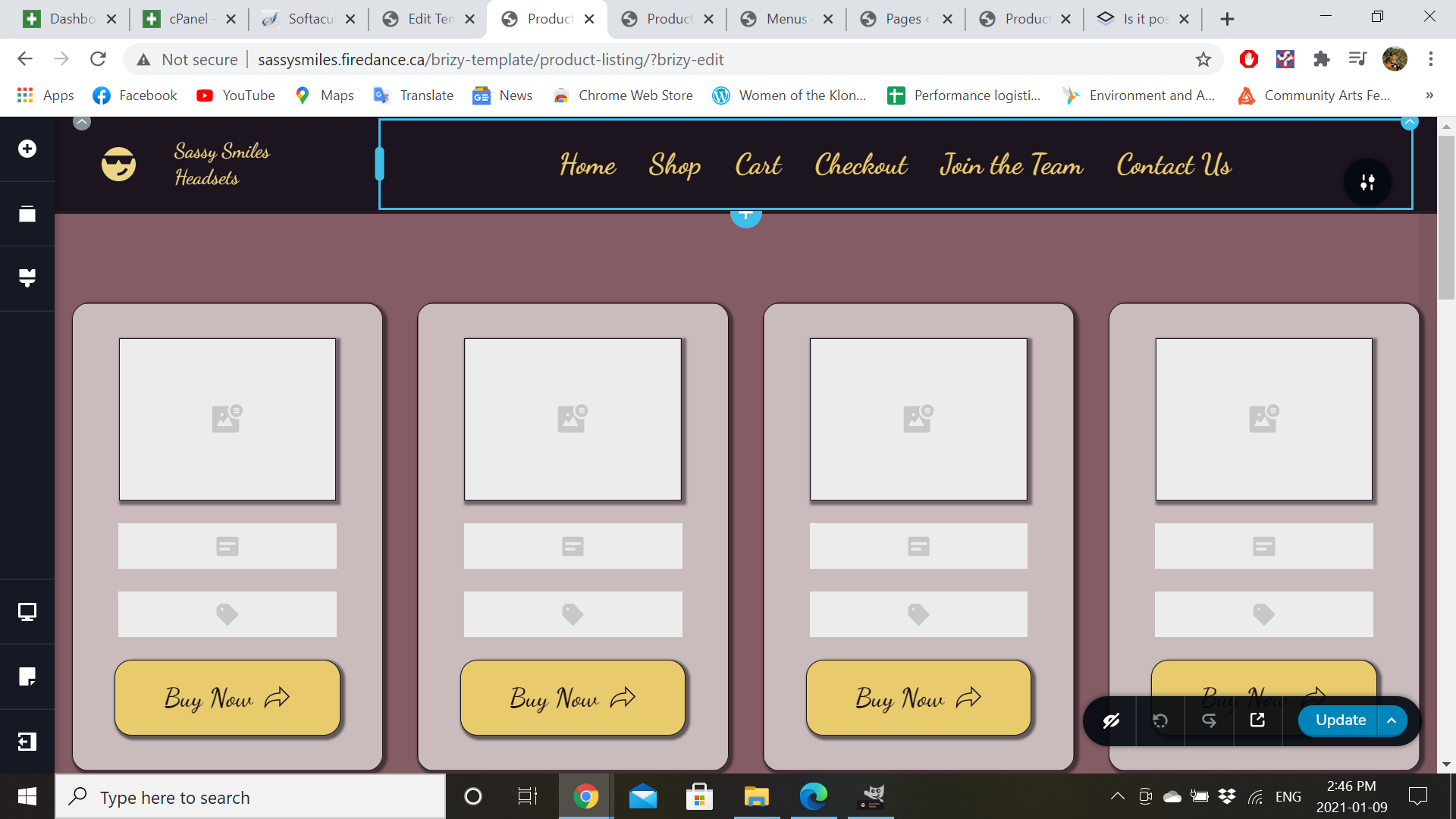
Staging site here: Sassy Smiles Headsets – Hard-to-find gear for film workers (firedance.ca) - is there any way to have a consistent style everywhere, or am I just stuck with an ugly store?
-
I want my shop page to display this template, but it defaults to the WooCommerce theme.
 0
0 -
Further to the above, I activated Brizy for products in the settings and updated all the products to select Brizy templates, as well as the page to display Brizy - now it's completely broken and not even displaying the default WooCommerce theme. Some detailed guidance on how to set this up would be REALLY helpful. It's not intuitive at all, and the tutorials available don't cover the entire process, just little pieces of it here and there. Going to work backwards so I have something to show my client that sorta kinda works more or less OK, but I was really hoping for more.
0 -
Well it looks like something I did in the past two hours of farting around made it work, but I don't know what. So, here are the steps I took:
1. built the store and tested it with the default woo theme to make sure it worked properly.
2. created Brizy templates for a product archive and product listing as per the tutorial.
3. activated Brizy on the Store page and added a header & footer block, with the Woo Products template between. (Not sure if that's what I added - my elements menu was very different from the tutorial).
4. As it still defaulted to the Woo theme, I checked the settings - Brizy wasn't activated for "products" - so I fixed that.
5. Went through all the products and selected Brizy template instead of default.
6. Went through the Pages menu and selected Brizy template for Shop page.
7. Tested the site - everything was PHENOMENALLY broken. Page would either display nothing, display a bunch of code before an unstyled default product archive, or display my Brizy template embedded inside the Woo template. Everything I tried to do made it worse.
8. Went back to the earliest revision available to at least try to get back to the default Woo store settings, which were ugly but at least functional.
9. Suddenly it worked.
I don't recommend this process.0 -

Hi,
There are a lot of wrong moves and that's why your pages looked destroyed. I will try to make some light.
Here's a video on how to customize the single product page: https://youtu.be/U3tBa4AL5mM For the Shop page we don't have a video ready yet but I will try to explain it to you in a few simple steps.
1. First configure in the WooCommerce settings which page you want to set as the Shop page https://jmp.sh/bdxiyGA;
2. Go to Brizy -> Templates -> Add new and create a template https://jmp.sh/V7gT3G2;
3. In the template add a suggestive name and most important add the right display condition. For the Shop page, you have to select the Product Archive and from here add the "Include -> Shop page". See here https://jmp.sh/mcF5TiR. Don't forget to click on "Add" and after this on the "Publish" to publish the template;
4 - Inside this template, you have to add the elements you want to display on the Shop page (header, footer, block with Archive element - we suggest adding this element because it will select all products from all categories and will display on this page) https://jmp.sh/xMRRb1G.One important thing is that the Shop page in "Pages" should not have been edited with the Brizy editor (therefore step 3 was wrong).
In fact, the idea is very similar to how to create a blog page with Brizy, so you might find this video useful: https://youtu.be/cWJEetL4f-s
0 -

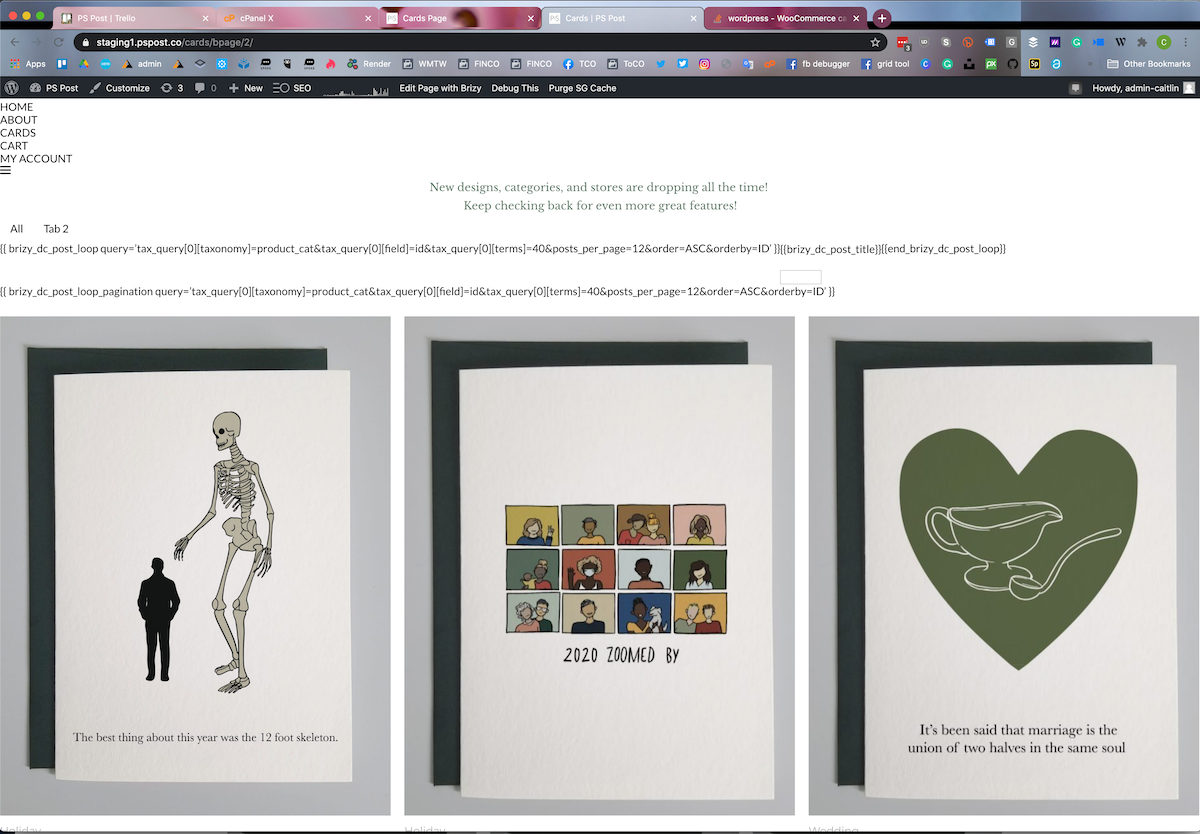
I'm having trouble as well. I followed the steps for single product but for the shop page. and this is the error I get. In the tab area is where I was trying to figure out how to use the template. The products below are part of the old shop page that I have not deleted because I didn't want to lose the work.
 0
0 -
Hi,
can you please confirm you have this issue with the latest Brizy versions - Free 2.2.4. and PRO 2.2.1? Also, do you have the same problem if you disable all your external plugins?
btw: are there any errors in the browser console?
0
Please sign in to leave a comment.
Comments
6 comments