Single product template product gallery

Hiiii guys, i have a problem with brizy single product template, when i show a variable product the image of product become smaller and an empty space appear
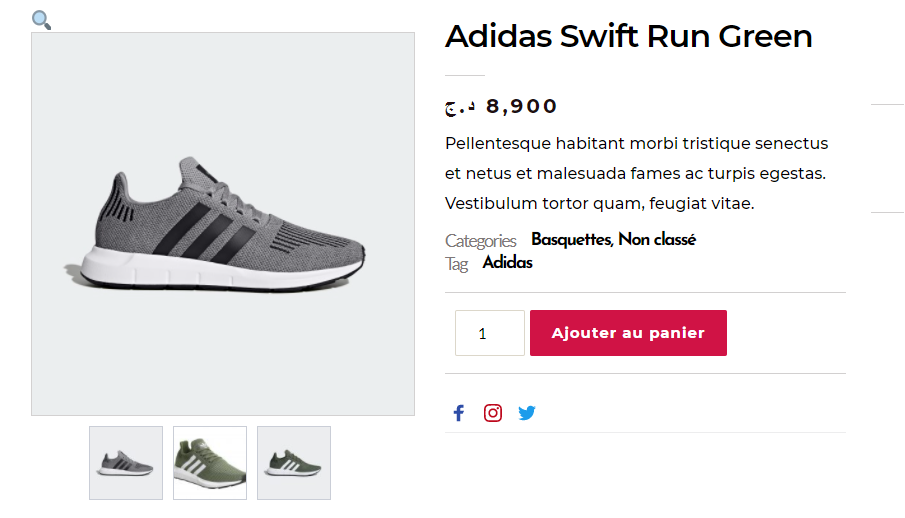
-

Hi,
In Brizy we are using the WooCommerce shortcodes for displaying the products and some WooComemerce elements. Yes, we offer the ability to customize some details of displaying elements but it doesn't modify in the essence the WooCommerce elements.
The way may display some WooCommerce can depend on the theme you are using. See this example https://jmp.sh/uRCt2XS. Here I show you how the same variable product, with the Brizy template show in 2 different ways. The only difference I made was to change the theme. Therefore, could you please check what theme did you use? Also, could you check please if you have the latest versions for Brizy Free 2.2.3 and Brizy Pro 2.2.0?Thanks and Merry Christmas!
Best regards,
Sandra0 -
Thank u for your help, i use the latest version for brizy free and brizy pro and Astra theme
0 -
Hiiiii again, after a long time (4 days) i realize that the problem is not about the theme that i use but it is about brizy because whene i desactivate brizy it works fine. So when i clear the add to cart button the image become full width but when i add it the image become smaller
0 -
Hi,
We checked this inconvenience and found that it is caused by the Astra theme. It happens only in this theme. It generates a special code that rewrites the existent one and therefore causes this inconvenience. We informed our team regarding this problem and they will inspect this aspect. They said that we will do all the best to solve this issue from our side.
Thank you!Best regards,
Sandra0
Please sign in to leave a comment.
Comments
4 comments