slider full width settings

Dear Brizy Support,
I am trying to make an image slider with images that are full height, filling the entire screen and text hovering in front of it.
Attached a screenshot which look I am trying to achieve:

As you can see the image covers the whole screen, the navigation bottons can be seen on the bottom end, great.
-
When trying to achieve the same look in Brizy I run into trouble. First I am setting the element heigtht to full height, then i add a background image and enlarge it until it fills the full element, and the navigation dots can be seen on the bottom end. Then I add the rest of the text elements.
Now saving the image element seems to big (thaller than full height) the image does not fit on the screen. The text gets cut off and I have to scroll down to see the navigation bottons....not ideal.
Do you know what I am doing wrong?
by the way I am working on a laptop with 15" screensize.
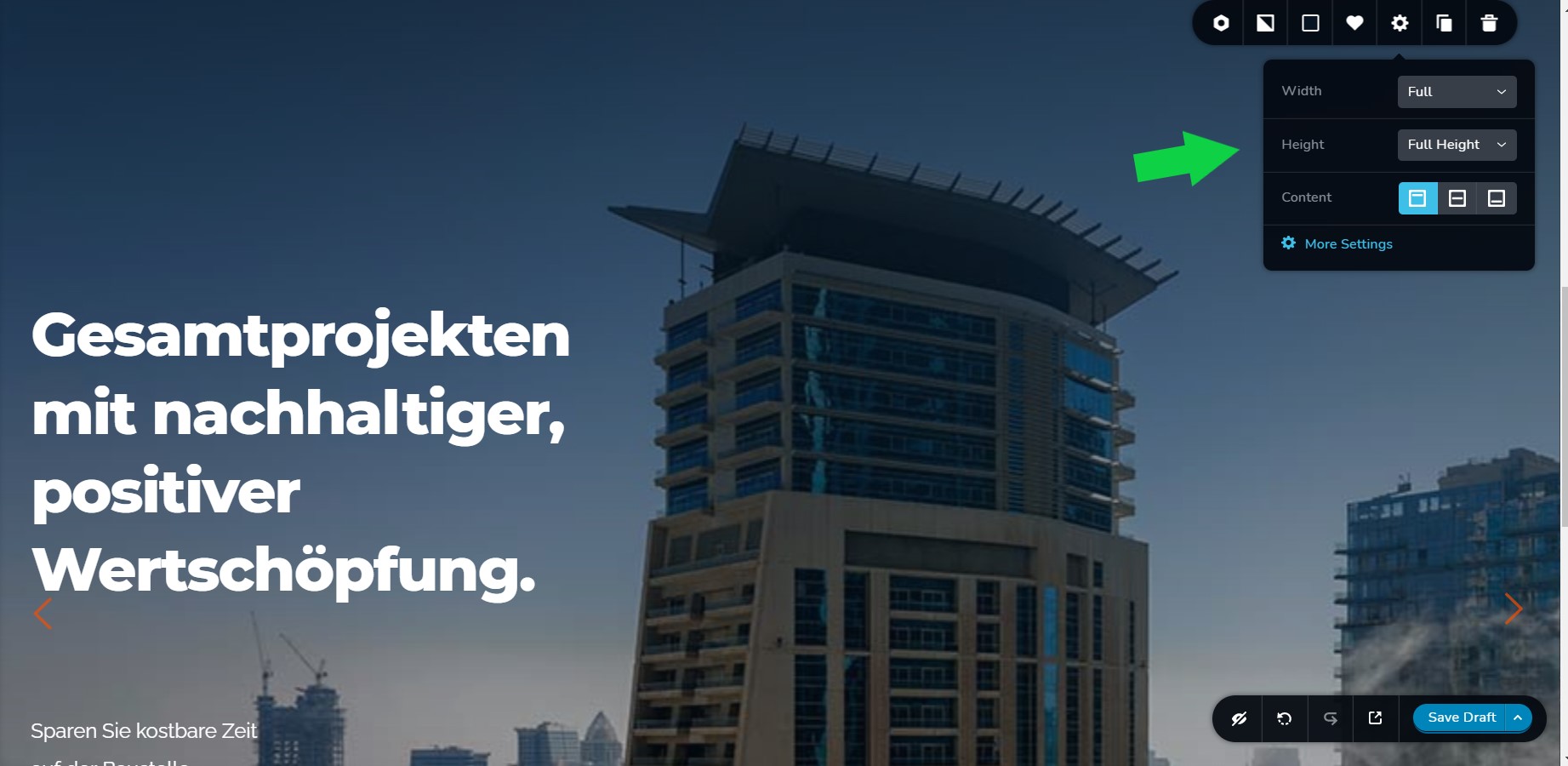
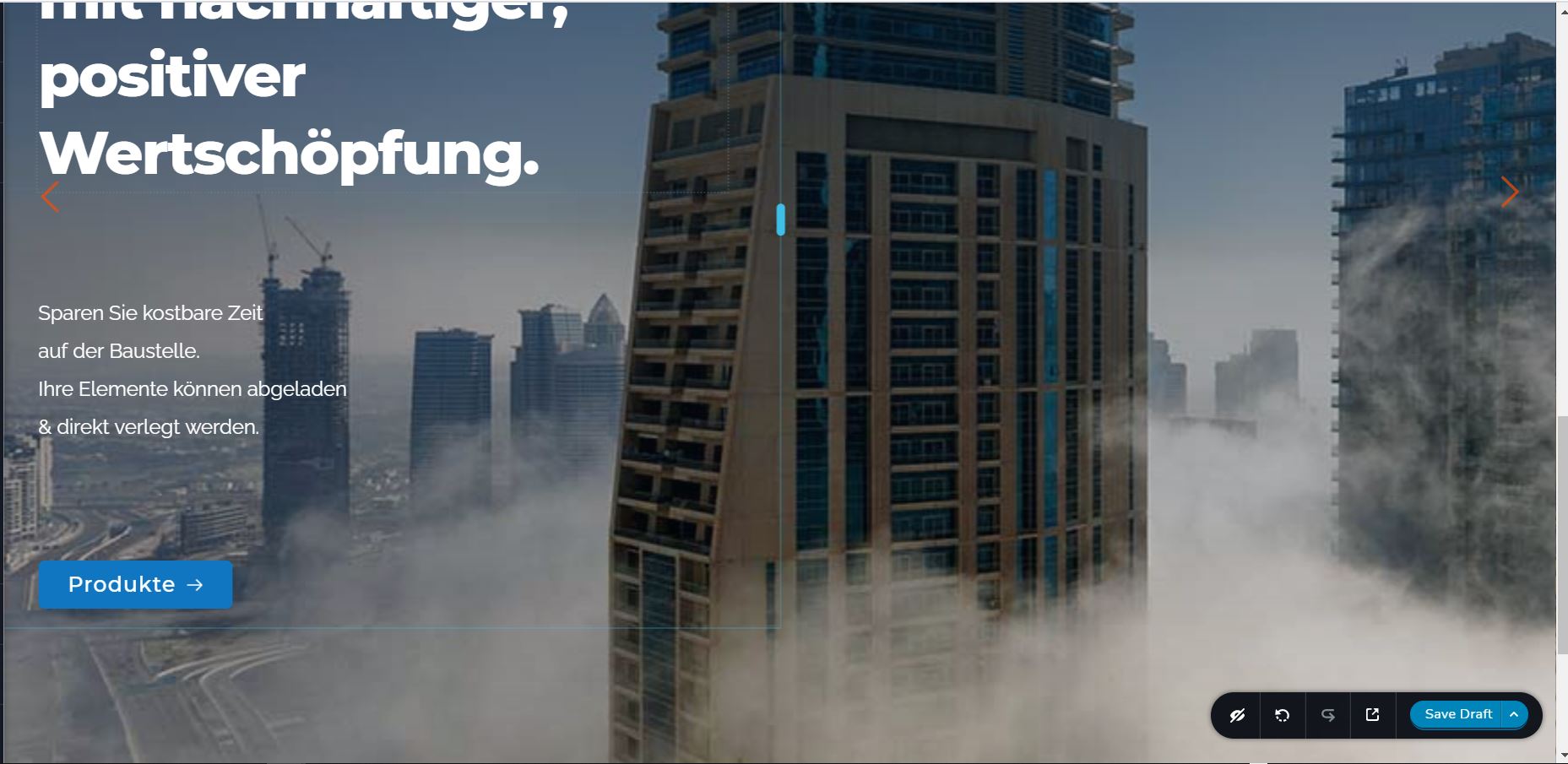 0
0 -

Hi,
firstly, the example sent by you contains less text but there is a lot of text and a lot of space on the slide you create, so it doesn't seem to fit the height of the screen. All you have to do is set the section height to Full (as it is now) and align it vertically to the center: https://jmp.sh/U8Ay2Zv
btw: you can use one of the available pre-made layouts that contain a slider as a starting point and modify it to suit your needs.
0 -
Hi Alex,
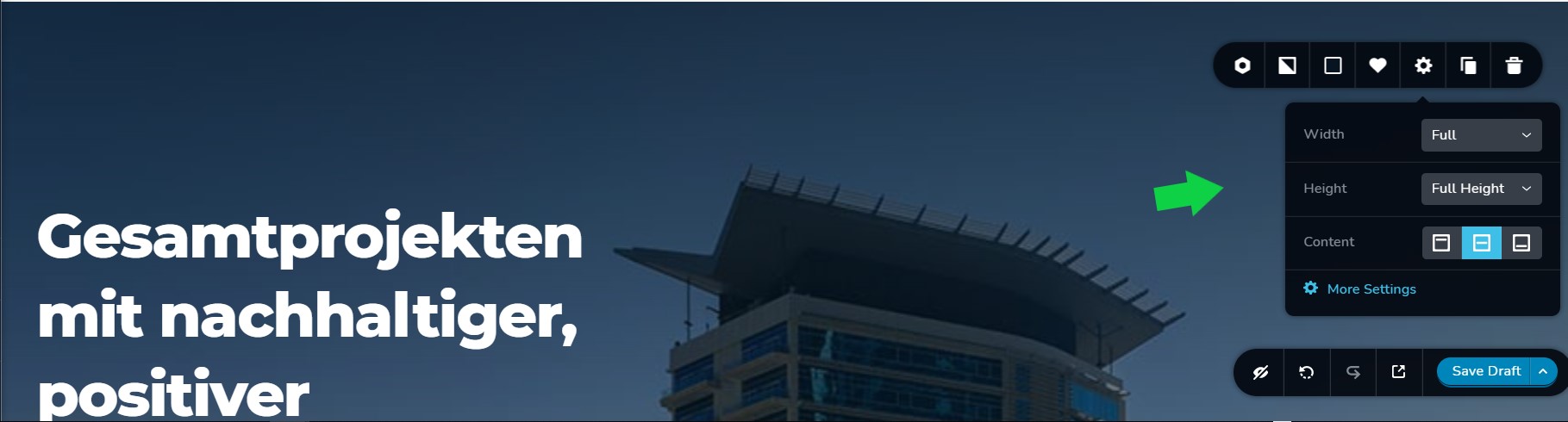
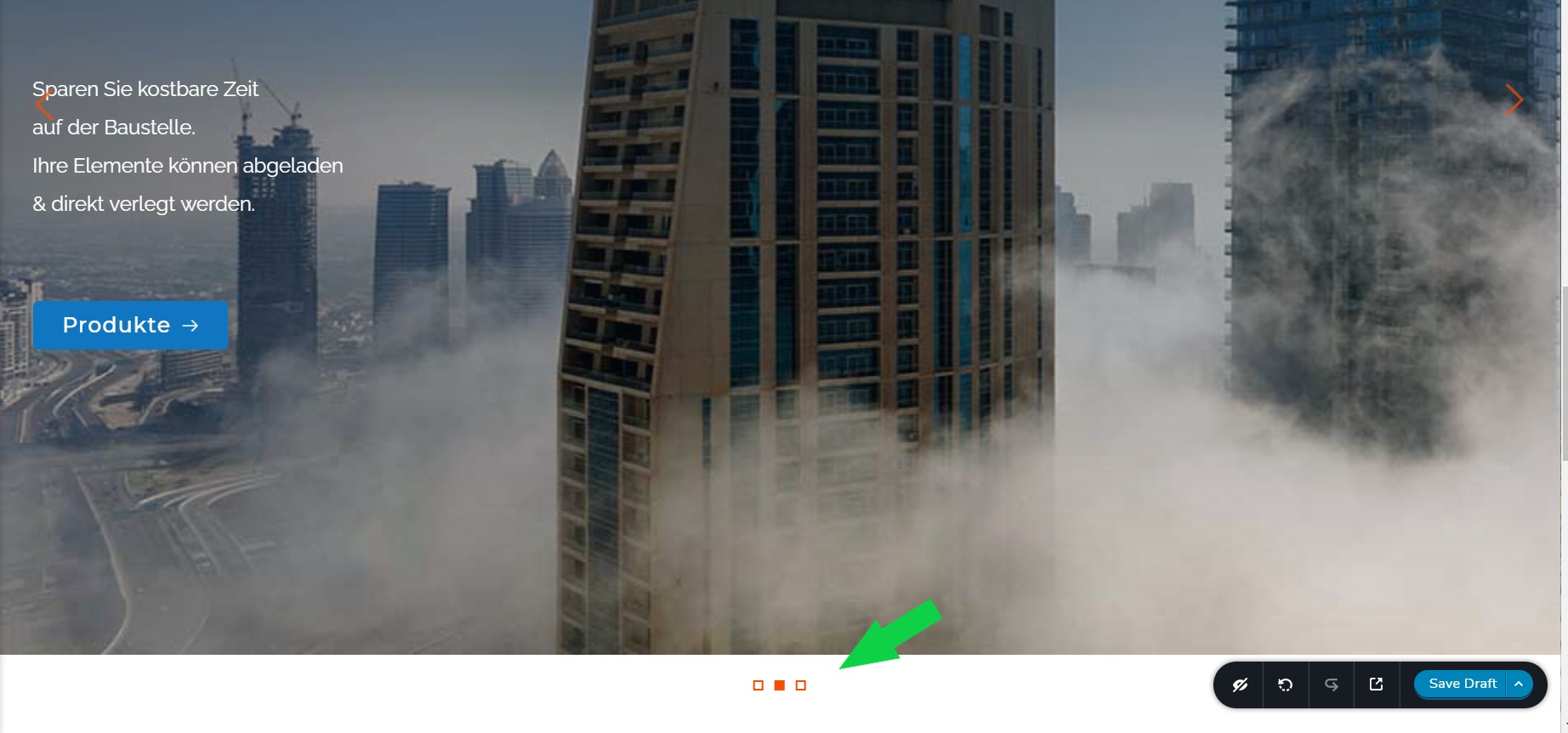
ok so Text size and how much text I put can be adjusted no problem. The issue is more on how to set the height so it fills the whole screen by default. I did as you said and set up the contet to be full height and centered. Now I can adjust the height additionally by moving the spacer elements above and below my text elements. Here the question arrises how much spacer to give for it to appear full height. In one of JBs tutorials I saw that one adds spacer until the background image starts to stretch, thats when you know you are at the border of full with. With the slider one has the navigation "dots" on the bottom end of the slider. I increased the spacing until i saw the navigation dots to start mooving as well, knowing that now i exceeded full height. So just before that point should be correct right? If I set it up like that the slider ist too thall when looking at the final site.
I can play around with the presets, no problem, but I would like to understand and learn a way how to set up a slider element full height propperly myself if possible.
0 -
slider full height setting:
slider not high enough - dots in white area:
slider supposedly high enough - dots in the image and about to start mooving:
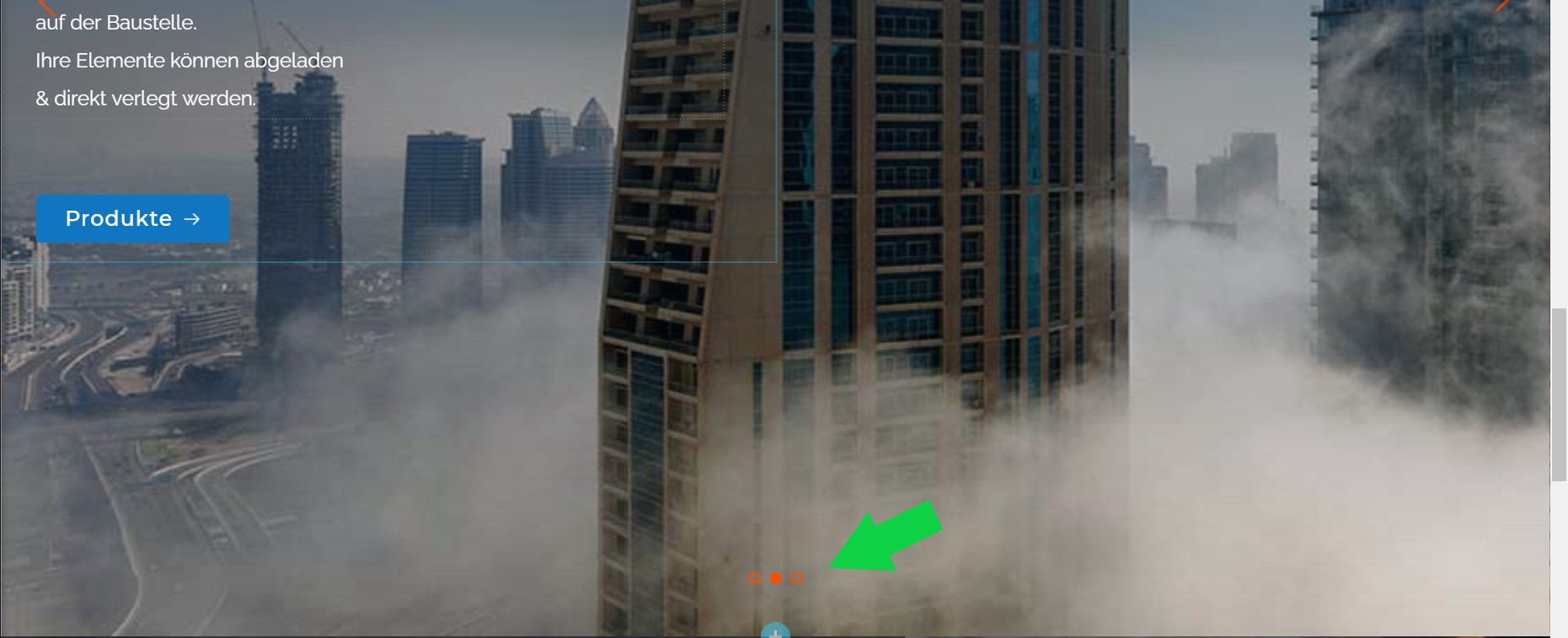
slider in front end view - cut off - more than full height:
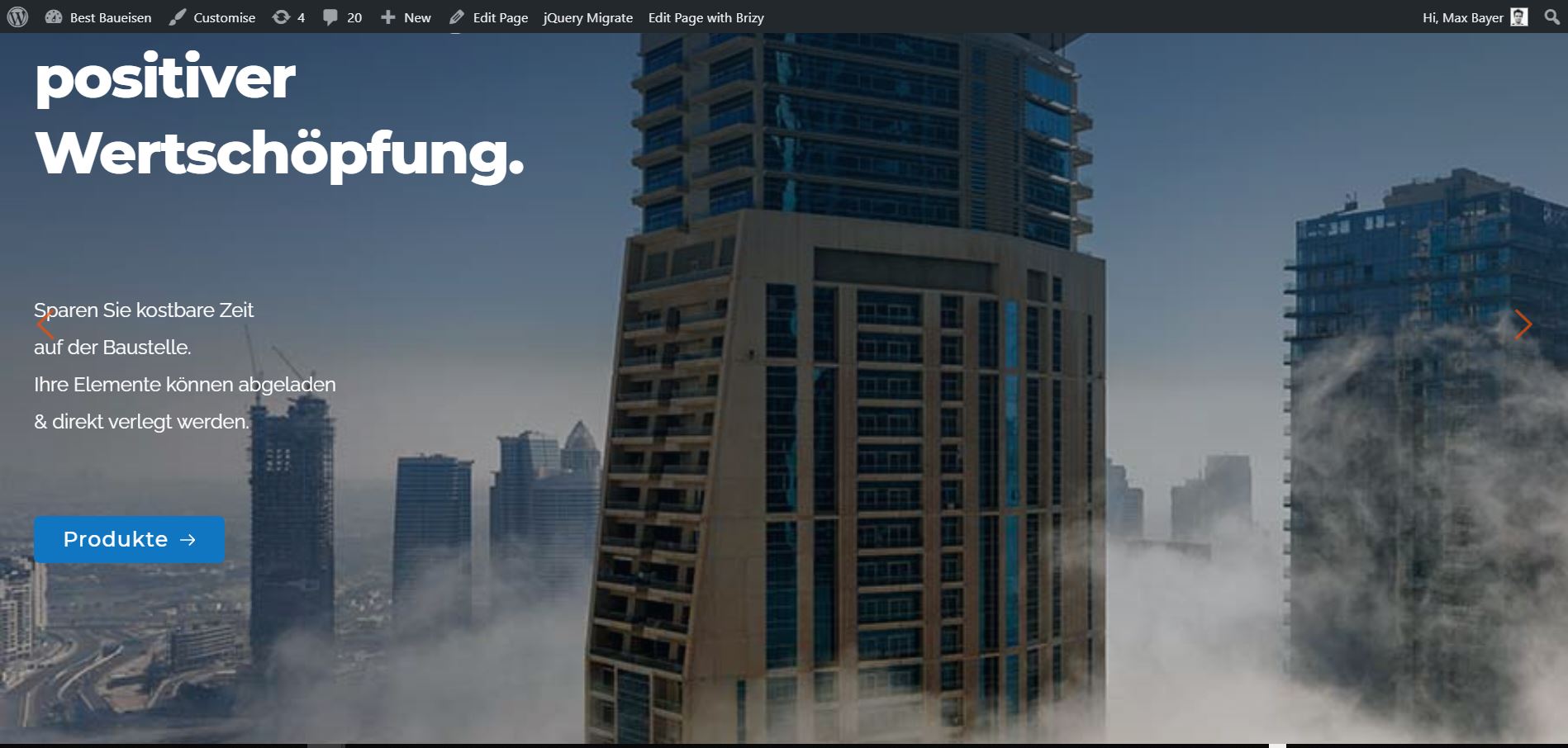 0
0 -
Also when using one of the Brizy template blocks I do have the same problem. In live view the block is thaller than screensize.
 0
0 -
Hi,
If you have set full-height and vertical align to middle then there is no need to add any space. See here how I created a full-height slider based on a pre-made layout: https://jmp.sh/d19DgIJ
0 -
Hi,
ok cool, when I do it like in your video it does work. I do get a slider that is full heigt with text and button. But if I want to have a spacer between the text and the button I have to do change the arrangement and run into trouble. i can show you in my video what is my problem.:
https://jumpshare.com/v/lA6QqxeiQfZ7eEdhSVa9
What would I need to modify to get the sliders i constructed to fit full height, including the dots marks on the bottom to fit in full height?
Thank you for your support.
0 -
Hi,
Please note that the height of the slider depends on the height of all slides. So, if you reduce the space on the first slide, you won't see the difference because the other slides are still at a higher height. You need to reduce the space on all slides, and then the dots will look like on my screen recorder.
0 -
Hi Alex,
that was it, thank you for clarifying!
Best regards,
Max
0 -
Also quite similar issue to the full height sliders we talked about before. So when I put the video as background and implement it via Youtube, the problem is the video gets cut off on the top end althought the element is set to full height and no padding, margin aso.
https://jumpshare.com/v/BeiVmkJsr4A2KPmHMCjd
Do you know what could cause this?
In case you would like to check, this is the original video uploaded to youtuben.
https://www.youtube.com/watch?v=954oMPoig7c
Best regards,thank you for your support,
Max
0 -
Hi Max,
did you check this on a different section or page? If you add a background image will the same be cut at the top? There could be something related to the section above that overlaps this section with the video background. On my part, everything works well: https://jmp.sh/DCEJiIA
0
Please sign in to leave a comment.
Comments
11 comments