domain change .io to .de and now the redirect isnt working

Hi Team,
we changed our domain from contracthero.io to contracthero.de.
The change itself works, however many times the error occurs that when clicking on a link I get the message that the connection is not safe.
I checked and apparently when clicking on a subpage of contracthero.de, e.g. Preise, the first link goes to contracthero.io/preise and then gets redirected to contracthero.de/preise immediately after and this provokes an error because there is no ssl for the .io any more.
Please assist.
Thank you.
Best,
Sebastian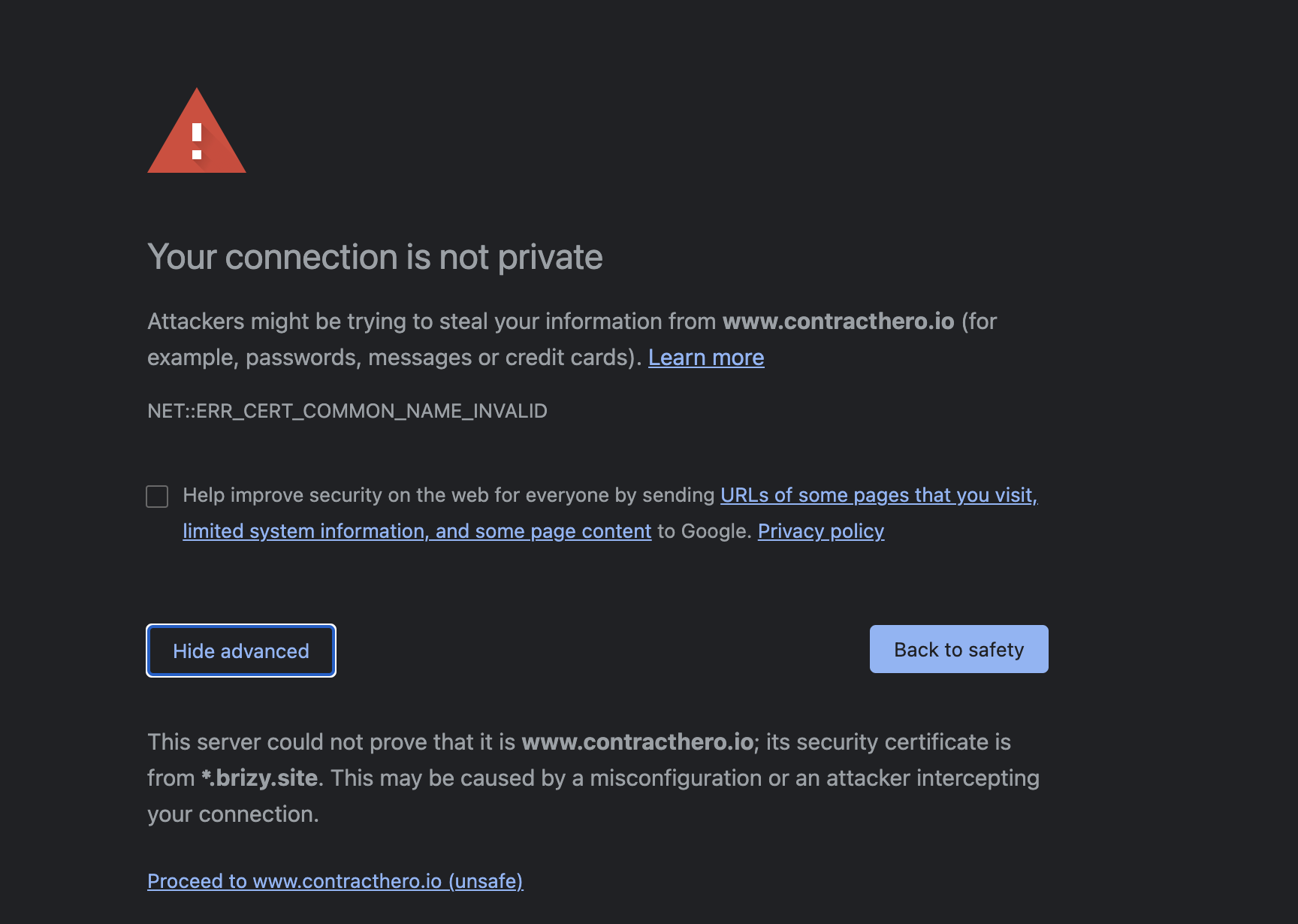
-

Hi Sebastian,
Thank you for all these details. I checked the contracthero.de site and all seems to load fine. See here. Also, I find that on some elements, for example, the logo https://jmp.sh/vW6kwjR is added the link to the previous domain with .io. I suppose that on some elements you added manually the link to the site, therefore it was added "hardcoded" and it can be updated automatically when the domain is changed. To fix this inconvenience, I suggest to check all link from the site and replace the contracthero.io with contracthero.de.
For the future, I would recommend using the short URL structure (e.g. /page1) and not the long URL structure (e.g. https://www.site/page1) because if you will use the short URL structure, in case you will change the domain. At the moment, it will not work for the logo or the elements you want to link to the homepage because there you have to indicate the full URL structure but for any other cases and pages, I recommend using the short URL structure.Thanks!
Best regards,
Sandra0 -
Hi Sandra,
thanks a lot for your reply and explanation.
I changed the links I found to .de and it seems to work now.
I didnt fully understand your recommendation to change links to short URL structure, could you give me an example?
E.g., on the page: https://www.contracthero.de/digitale-ablage I am linking to the homepage: https://www.contracthero.de/.
What should I do here?
Or could you give me another example?
Thanks a lot for the great support.
Best,
Sebastian0 -
Hi,
Thank you for updating us regarding this inconvenience and I'm happy to hear that all is working fine now.
Regarding my suggestion - I will give 2 examples to describe what I want to say. For example, you have 4 pages: Homepage, About Us, Project 1 and Project 2. In the About-us page, you have added 2 important projects you worked recently - Project 1 and Project 2. On this page, you added only a short description of these project and also added 2 buttons for "Read more". One button will redirect you to the full page of Project 1 and another - to Project 2. In this case, for these 2 buttons from the About Us page, I recommend adding the short URL structure, for example,/Project_1 and respectively /Project_2 (instead of Project_1 and Project_2 you have to add the permalink of the page). In this case, when you will want to change the domain, the URL will be changed manually and the link will be sent you to the page from the new domain. We don't recommend adding links like https://site_domain/project_1 because in this case, the URL is something like hardcoded and it can't be changed when you will change the domain.
Example #2 - This suggestion will not work only for links that send the visitor to the homepage. If on the About-Us page you add a link to homepage, there you have to add the full URL link. In this case, when you will change the domain, you will need to take care and change all links to the homepage to the new domain URL.
Let us know if we can help you with something else.
Best regards,
Sandra0
Please sign in to leave a comment.
Comments
3 comments