Mailchimp integration is not working

Hello,
We do all the Mailchimp setup as indicated in the article but when filling out the form to test, the contact does not appear in our platform master list. What to do?
-

Hi,
Did you receive this problem on the Brizy Cloud or on the Brizy WordPress plugin? Could you send us a URL link of the page where is added the form? When you submit the form did you receive a message that informs you that the message was sent successfully? Do you integrate the form only with Mailchimp or with another integration too? Did you receive the lead in the Brizy -> Leads?
Thanks!
Best regards,
Sandra0 -

Hi,
I am having the same issue as him, getting this message when filled in the form + the layout of the last option is doubled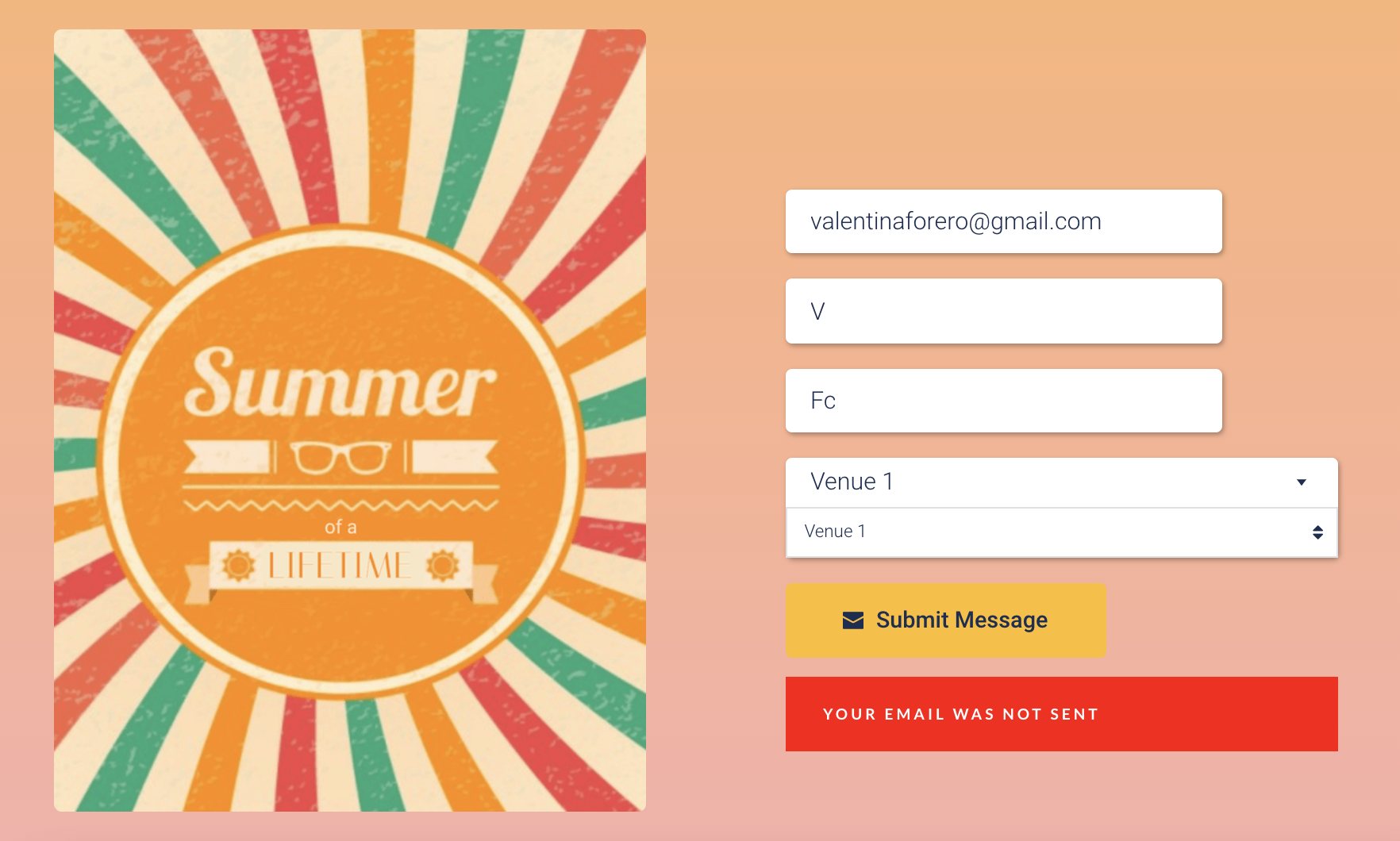
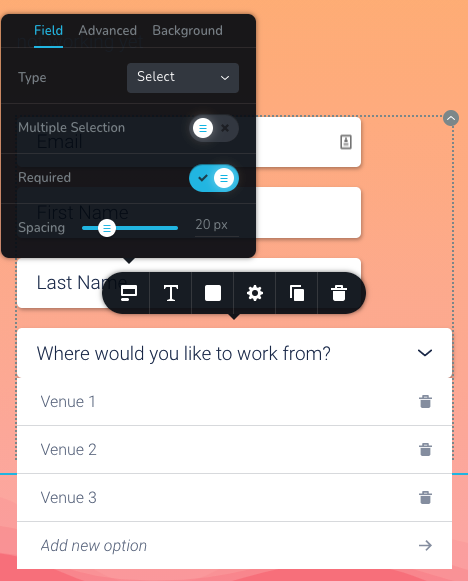
this is how it looks in the builder

I am getting the lead in Brizy but not in the MailChimp list, could you help me to check this, please?
URL here
Thanks!0 -
Hi Valentina,
Could you please give us more details about how did you ad this "Select" https://jmp.sh/7oLk4W8? I investigate its code and found that it isn't a Brizy one. Could you please remove this code?
Do you have the latest version for Brizy Free 2.2.16 and Brizy Pro 2.2.11?
Thanks!
Best regards,
Sandra0 -
I confirm I have the latest version of both plugins.
That's what I was also reporting, that in the builder it looks fine but on the page, itself two options are shown.I used one of the templates you have available, and just changed the type of field to select, that's all
 0
0 -
Hi,
Could you please temporary deactivate all external plugins (except Brizy Free and Brizy Pro) and activate a WordPress default theme? Do you receive the same problem? Unfortunately, the duplicated Select field isn't a Brizy one and I suspect it is added from an external plugin, or theme, or external embed (shortcode) code.
Could you please send us some screenshots of how did you connect the form with Mailchimp?
Best regards,
Sandra0 -
well, if there is an issue, with any of the plugins or the theme I am using well I don't see a solution. Because I am not going to disable any of the plugins I work with or change the whole theme of my page for this integration to work.
Thanks Sandra.0 -
It is only for testing purpose and it is a temporary action. After you deactivate all external plugins and activate a WP default theme, you will activate the theme and test again the form. If all will work fine, therefore the problem can be in the theme. If the problem still persists, you can activate the one by one plugin and test again the form. When you will activate a plugin and you will notice that the problem start to appear again, then the problem can be in the last activate plugin. After this, you can easily activate all the rest plugins.
Best regards,
Sandra0
Please sign in to leave a comment.
Comments
7 comments