UPDATE RUINED MY WEBSITE and can NOT restore it...

Hello,
I was trying to update my menus and despite the fact I deleted all the global blocks (menu and footer), I am getting them in multiple locations.
Here is how the page looks before the update...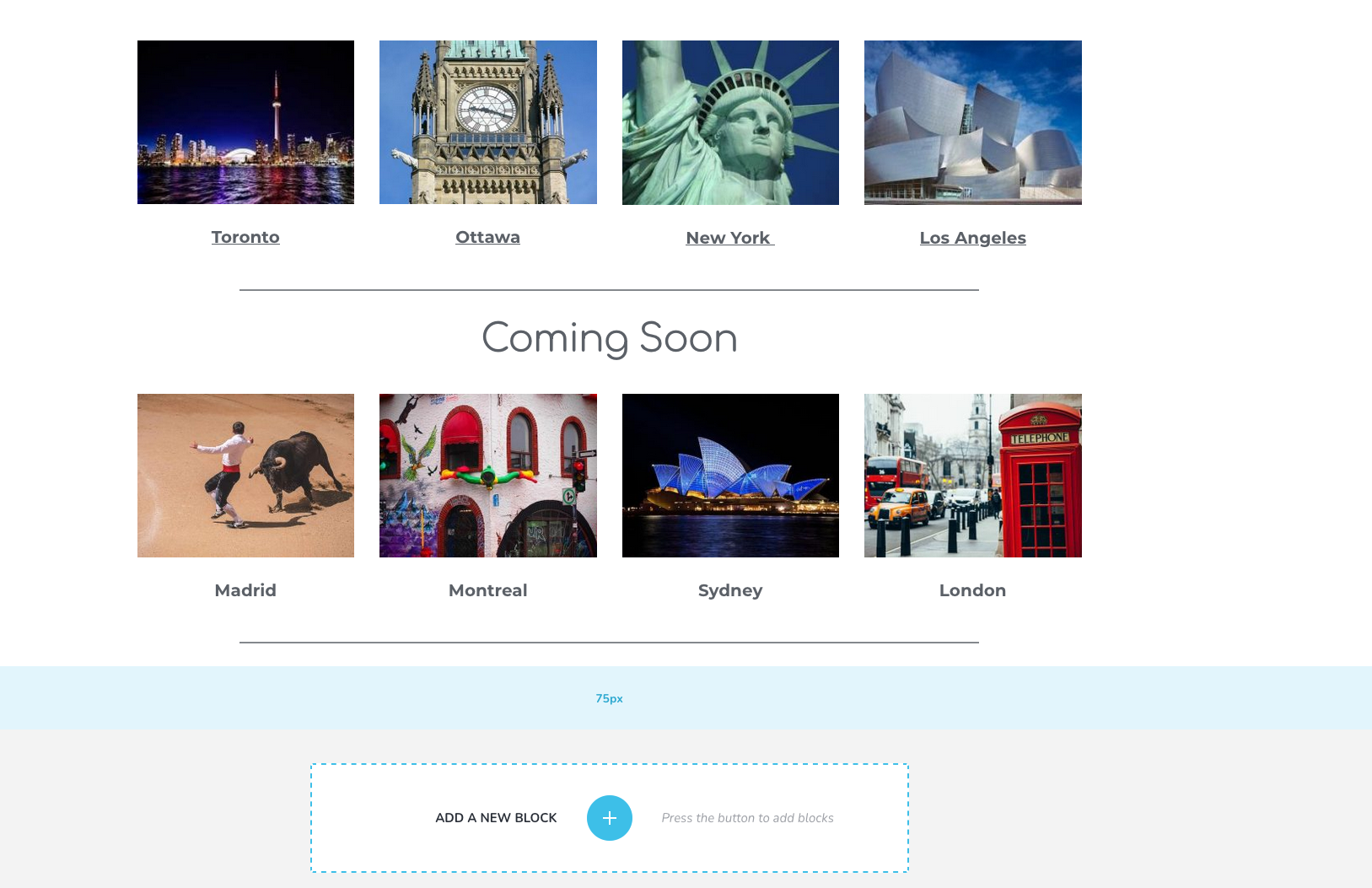 Once I update it, go back to the dashboard and then reopen the page to edit it with Brizy, here is what I get...
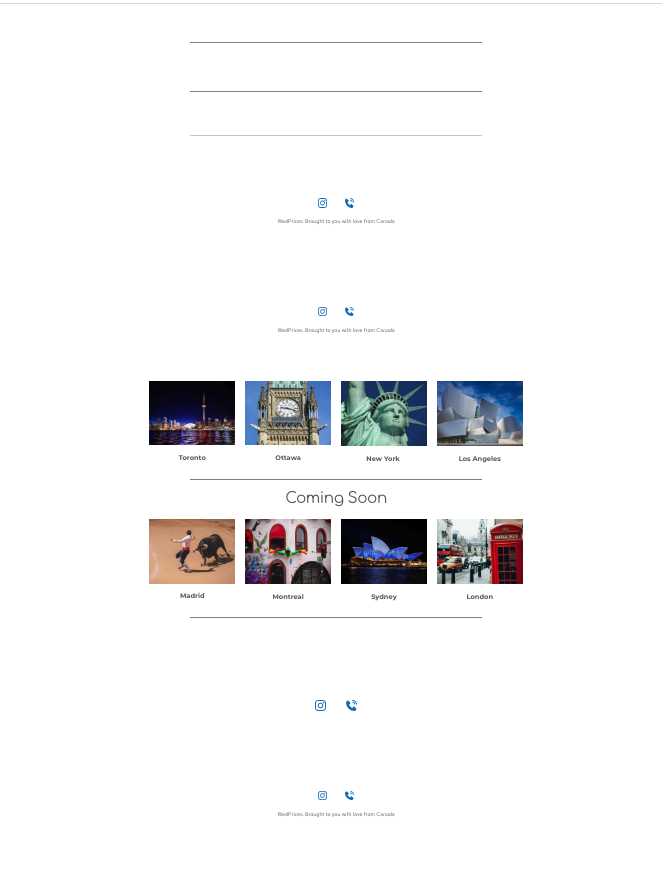
The interesting part is that the updates include an older version of the menu/footer, one I created about 7hours ago, saved it, then made it a global block. I believe when I saved it I was asked if I want to upload the global blocks onto the cloud (I might be wrong, but I think that happened).
I tried repeatedly to delete the rebel blocks, updated, but they reappear like the plague...
I would gladly give you the credentials to login and take a look.
I have the latest Brizy Free and Pro versions...
Also, I deactivated all external plugins including the cache ones...but that did not help.
Could you PLEASE help? My live website is a total mess...
Toate cele bune,
Calin
-

Hi Calin,
We will create a private ticket on this request but we need some other details. Did you encounter this problem only on this page? Is this happen on other pages too? Could you please check if these blocks from here are still the global one https://jmp.sh/OCEYjDl? What display conditions did you set for these global blocks?
Regarding this "I believe when I saved it I was asked if I want to upload the global blocks onto the cloud (I might be wrong, but I think that happened)." - if you save a block or layout, they are stored in the Saved blocks (they can't be added in the Global blocks too automatically) and if you want to share the saved blocks and layout from WordPress to Cloud, you have to connect with your Brizy account and sync them. See here more details regarding this feature.
Thanks!
Best regards,
Sandra0 -
Hi Sandra,
I replied to your email and those of your colleagues but I just realized they do not get through.
Here are my responses:
First, the most pressing one sent automatically by Wordpress
1) ========================
Begin forwarded message:From: WordPress <I removed this email>
Subject: [] Your Site is Experiencing a Technical Issue
Date: December 9, 2020 at 7:31:53 PM EST
Howdy!
Since WordPress 5.2 there is a built-in feature that detects when a plugin or theme causes a fatal error on your site, and notifies you with this automated email.
In this case, WordPress caught an error with one of your plugins, Brizy.
First, visit your website (https://www.wedprices.com/) and check for any visible issues. Next, visit the page where the error was caught (https://www.wedprices.com/wp-admin/admin-ajax.php) and check for any visible issues.
Please contact your host for assistance with investigating this issue further.
If your site appears broken and you can't access your dashboard normally, WordPress now has a special "recovery mode". This lets you safely login to your dashboard and investigate further.
https://www.wedprices.com/wp-login.php?action=enter_recovery_mode&rm_token=51seIbxWBrPyTyq9wYLfLR&rm_key=vQbOiNgXtvM5JCPhWO8rmM
To keep your site safe, this link will expire in 1 day. Don't worry about that, though: a new link will be emailed to you if the error occurs again after it expires.
When seeking help with this issue, you may be asked for some of the following information:
WordPress version 5.5.3
Current theme: GeneratePress (version 3.0.2)
Current plugin: Brizy (version 2.2.2)
PHP version 7.3.23
Error Details
=============
An error of type E_ERROR was caused in line 267 of the file /home/q89sjb1sa3a3/public_html/wp-content/plugins/brizy/admin/cloud/client.php. Error message: Uncaught Exception in /home/q89sjb1sa3a3/public_html/wp-content/plugins/brizy/admin/cloud/client.php:267
Stack trace:
#0 /home/q89sjb1sa3a3/public_html/wp-content/plugins/brizy/admin/cloud.php(120): Brizy_Admin_Cloud_Client->getCloudEditorVersions()
#1 /home/q89sjb1sa3a3/public_html/wp-includes/class-wp-hook.php(287): Brizy_Admin_Cloud->initializeActions('')
#2 /home/q89sjb1sa3a3/public_html/wp-includes/class-wp-hook.php(311): WP_Hook->apply_filters(NULL, Array)
#3 /home/q89sjb1sa3a3/public_html/wp-includes/plugin.php(478): WP_Hook->do_action(Array)
#4 /home/q89sjb1sa3a3/public_html/wp-settings.php(568): do_action('wp_loaded')
#5 /home/q89sjb1sa3a3/public_html/wp-config.php(102): require_once('/home/q89sjb1sa...')
#6 /home/q89sjb1sa3a3/public_html/wp-load.php(37): require_once('/home/q89sjb1sa...')
#7 /home/q89sjb1sa3a3/public_html/wp-admin/admin-ajax.php(22): require_once('/home/q89sjb1sa...')
#8 {main}
thrown2) My other email is here:============================
Hello Sandra,
To answer to your questions:1. Yes, the issue appears on all pages edited with Brizy. The ones that have been created with Beaver Builder (BB) are fine (except for the formatting as I deactivated BB - if I have BB activated, I cannot edit with Brizy2. I believe once I connected the cloud and wp, but I checked and it looks like there are no global blocks on the cloud.Here is a video that hopefully helps…If you need any more info, please don’t hesitate to ask me.All the best,Calin0 -
Salut Calin,
Thank you for all details and especially for the video you send us! I will respond to all question in the order you address them.
1 - Notification from WordPress - Could you please update the Brizy Free to our latest version 2.2.3? Also, make sure you have the latest version for Brizy Pro. Now the latest version for Brizy Pro is 2.2.0. Do you still receive the same problem?
2 - To solve this problem, I suggest to go to the display conditions of the Global block and delete the condition that makes to show the block on all pages. Therefore, you have to delete the condition "Include - Pages - All". If it is the unique condition and you don't want anymore this block, you can deselect the "Global" option and in such a way it will be a simple block. After this, you can delete it and Update the page. On the Refresh, the block will not appear on the page.
Also, I want to add that the Brizy Global blocks can be displayed only on pages that were edited with Brizy. On the non-Brizy pages, it isn't possible to display a Brizy block.
Could you please try to apply this suggestion and check if all is working fine?
Multumesc mult!
Cu respect,
Sandra0 -
Hi Sandra,
Here is the video answering to all your questions (this is in Romanian). Unfortunately, the problems have NOT been solved.
https://www.berrycast.com/conversations/45b6653b-91f1-5c63-ad03-045851be5862
Hopefully you will find a solution to put this to bed.
Sarutmina,
Calin
0 -
Buna Calin,
Voi raspunde si eu in romana si sper sa nu se supere ceilalti Brizy users.
1 - In privinta problemei pe care ati primit-o de la WordPress, cea de aici. In mesajul lor este specificat versiunea pluginului Brizy 2.2.2, de aceea v-am rugat sa verificati daca acum aveti ultimele versiuni si daca acum totul este ok.
2 - Cu privire la blocurile care apar pe pagina desi ele sunt sterge. Din primul video prezentat am vazut ca anume acele blocuri sunt setata ca si global. Daca dati hover pe un block, veti vedea ca are o iconita albastra in colt ceea ce inseamna ca blocul este global https://jmp.sh/9AcWD3z. De aceea va recomand sa dechideti Block option si de la Header option, deselectati "Make it global" https://jmp.sh/s6McAlA. Daca, deasemenea apare aceeasi problema, voi crea un private ticket unde veti putea atasa WP credentials si noi voi intra in dashboard sa verificam acest comportament.
Multumesc!
Cu respect,
Sandra0 -
HI Sandra,
I was able to solve the problem. For the record, I was simply deleting the global blocks but after saving/updating the page, they kept reappearing.
The way to fix this was to delete the condition "Include all" as you suggested.
THANK YOU SO MUCH FOR ALL YOUR HELP AND PATIENCE SANDRA!
Calin
0 -
Hi,
Thank you for updating us regarding this problem! Great to know that all is working fine!
Let us know if we can help you with something else.Best regards,
Sandra0
Please sign in to leave a comment.
Comments
7 comments