Theme Edits - Where to start?

Hello,
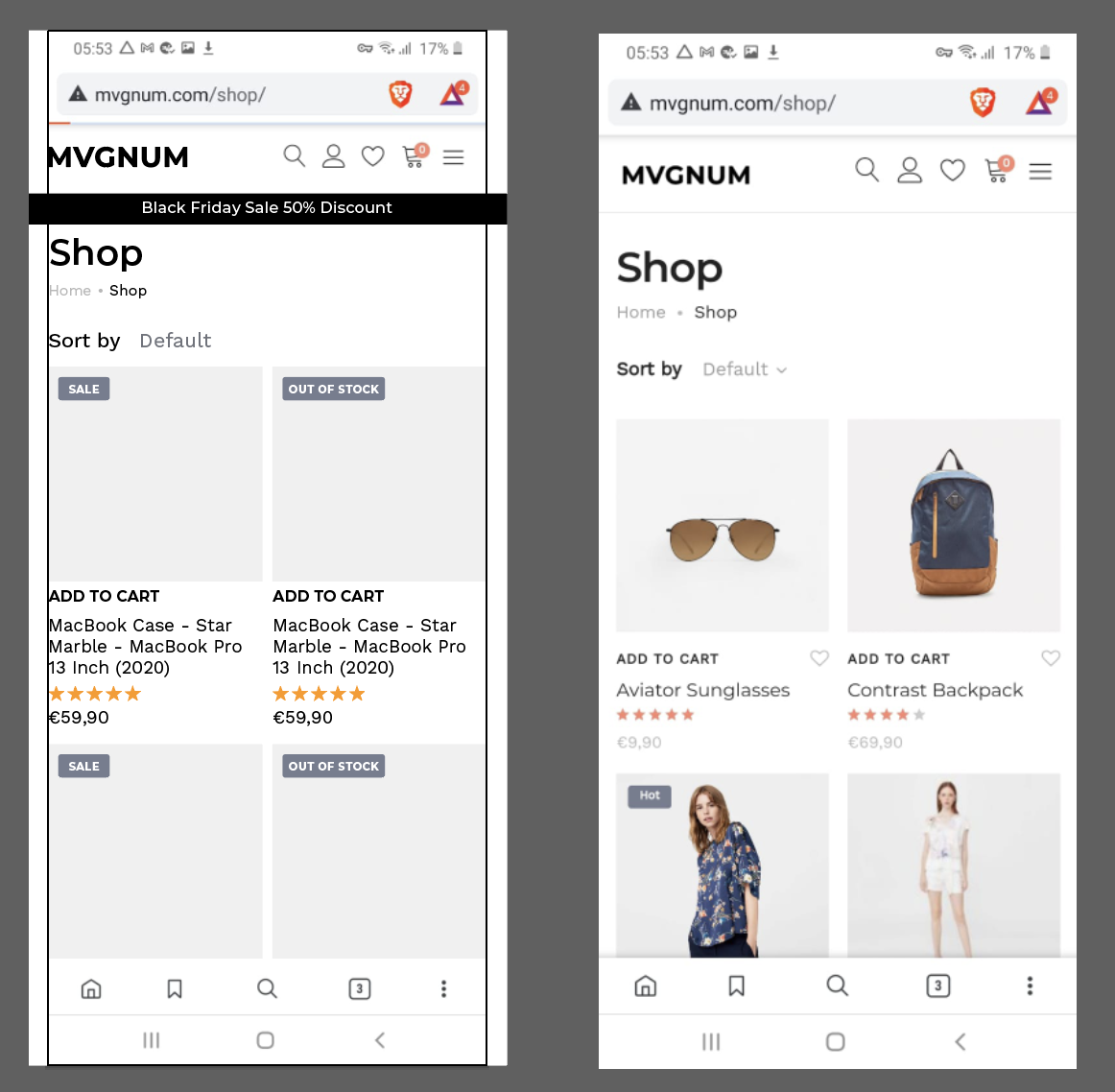
I purchased a WooCommerce theme for a new shop (Supro, see right in the screenshot) and I am quite happy with it, however I want to do some changes. I redesigned the look with an 8 pixel grid in Adobe Illustrator, as a reference.
The changes I want to do to the Supro theme are:
- add an announcement bar 'Black Friday...'
- change the spacing in between images on the shop page
- change the vertical positions of some elements on the pages
- change the typography (the theme editor is too limited for what I want)
- the product page of the Supro theme is limited to 4 images, but I need to expand it to 8.
- I want to build a totally new homepage
I purchased Brizy Pro and have some questions. I come from Shopify and have some knowledge about HTML/ CSS and Adobe CC.
My questions:
1. If I use Brizy and the Supro-theme as a starting point, to win time:
Can Brizy edit the blocks only, or also the spacing in between/ positions of the elements?
2. If Brizy can not edit the spacing (based on the existing Supro theme), can I code them in the theme editor first, and open that in Brizy to edit only the typography in Brizy.
3. Can I use the original theme, and just create a new home page from scratch. Use Brizy for individual pages only.
4. Please tell me where I can find a good tutorial, I did the WooCommerce startup series already.
Note: I do understand that you can create pages from scratch, but I don't want to reinvent the wheel if not needed.
Thanks for your help ;)
Paul
-

Hi Paul,
1. Can Brizy edit the blocks only, or also the spacing in between/ positions of the elements?
2. If Brizy can not edit the spacing (based on the existing Supro theme), can I code them in the theme editor first, and open that in Brizy to edit only the typography in Brizy.
We need to clarify a thing here. Brizy cannot be used in combination with another editor. Your page is either created with Brizy or created with another editor. If your shop page comes from the theme, it cannot be edited with Brizy to reduce space or for other changes.
3. Can I use the original theme, and just create a new home page from scratch. Use Brizy for individual pages only.
Yes, that you can do. You can use Brizy to create new pages from scratch that will practically not interfere with the theme.
4. Please tell me where I can find a good tutorial, I did the WooCommerce startup series already.
If you want to know more about Brizy, you might find our Youtube channel useful: https://www.youtube.com/channel/UCU-2U0NZ5vx_5jzOO0F0KgQ
If you are more interested in WooCommerce and how Brizy can work with it then this playlist will be useful: https://www.youtube.com/watch?v=8NMJ9juBx5o&list=PLSWJ3G5dn_5jWwDakIQ6LTcKEOM2eiVtf&ab_channel=BrizyWebsiteBuilder I think you referred to these videos in your question, but unfortunately, we don't have any other tutorials at this time. WooCommerce dynamic content was recently introduced in Brizy (less than a month I think).
0 -
Hi Alex,
Thank you for the clear explanation.
If I build from scratch, is it possible to build it like my screenshot, right now in Brizy.
So, some pages from original theme and combine them with pages build in Brizy?
I appreciate your reply.
Kind regards,
Paul
0 -
Hi Paul,
Recently in Brizy we added WooCommerce dynamic content so you could create these pages. Here is a video that will help you: https://youtu.be/xYc7jeU2iko?list=PLSWJ3G5dn_5jWwDakIQ6LTcKEOM2eiVtf
0
Please sign in to leave a comment.
Comments
3 comments