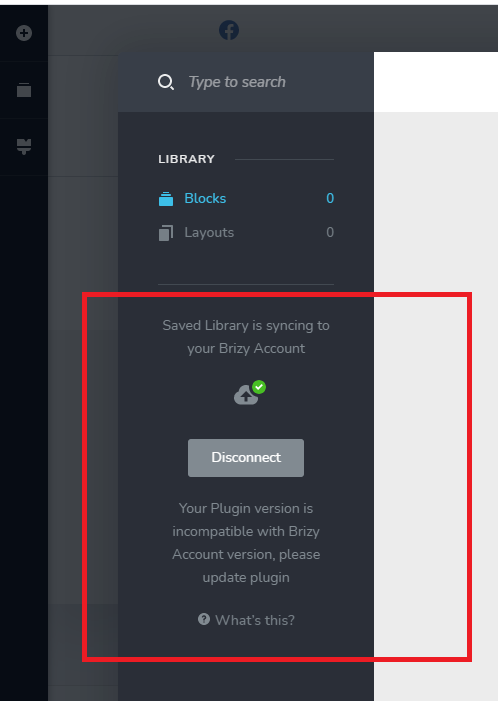
Your Plugin version is incompatible with Brizy Account version, please update plugin

Bonjour
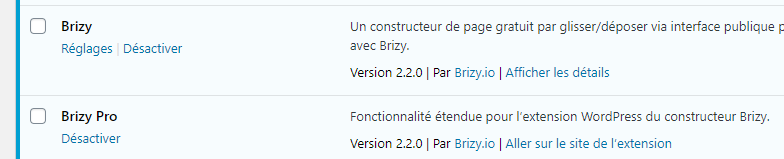
J'ai se message depuis que j'ai fais la mise à jour des 2 plugins 2.2.0 (Your Plugin version is incompatible with Brizy Account version, please update plugin) Pour (Saved Library is syncing to your Brizy Account) ?
Que Faire ??????
Merci
Hello
I got the message since I updated the 2 plugins 2.2.0 (Your Plugin version is incompatible with Brizy Account version, please update plugin) For (Saved Library is syncing to your Brizy Account)?
What to do ??????
Thank you
Google traduction
-

Hi,
Could you please give us more details regarding this problem? Where did you encounter it? Could you please send us a screenshot with it?
If you temporary deactivate all external plugins (except Brizy Free and Pro) and activate a WP default theme, did you receive the same problem?Thanks!
Best regards,
Sandra0 -
 0
0 -
Hello
If you temporarily disable all external plugins (except Brizy Free and Pro) and enable a default WP theme, have you received the same issue?
HIS DOESN'T CHANGE EVEN PROBLEM
Thank you!
Best regards,
Denis0 -
Hi,
Thank you for these details. Could you please check if you receive the same problem is you Disconnect from Brizy account and then try to Connect again?
Thanks!
Best regards,
Sandra0 -
Hello
It's ok its walk,
Thank you
0 -
Hi,
Great to know this! Thank you for updating us regarding this!
Best regards,
Sandra0 -

I am having the same issue. Signing out of the plugin and then signing in again does not solve the issue either. Deactivating and reactivating the standard and pro versions of the plugin does not solve the issue either.
0 -

I'm having the same issue even after I followed the steps above.
0 -
Hi there,
Could you please make sure that you have the latest Brizy Free 2.2.7 and Brizy Pro 2.2.4? Actually, this inconvenience can appear when on the Brizy Cloud isn't release the update because in the first instance we release an update for Brizy plugin for WordPress and after 1-2 days we release the update for Brizy Cloud. Therefore, in this period can persist the problem with incompatibility with the Brizy account versions. After the Brizy Cloud update, all should work fine.
Best regards,
Sandra0 -

Hi Sandra,
Will put my hand up to say I'm having issues too. Running latest Brizy Free and Pro. Is it possible to update when the Cloud version is updated so I can sync the layouts?
Thanks,
Matt
0 -
This may seem like a silly question, but has your team considered coordinating release of all three products; Brizy Free, Brizy Pro, and Brizy Cloud? This would avoid issues like this and free up hours of troubleshooting for your customers and hours of support time which costs your company money. Do you have an ETA on the Brizy Cloud update?
I certainly have both plugins up to date. I think there maybe an issue with the update though. The last version of the plugin did not have this issue or show the error. I was hoping that maybe the incompatibility of the older plugin on one site and the newer on the other would be the issue that could be fixed by updating. That doesn't really make sense though. It makes more sense that the cloud service is the issue. Nevertheless I only see the error message on the updated plugin.
 0
0 -
Hi there,
We are working on the new Brizy Cloud update and it will be released soon. When we will have the update, we will inform you here regarding this. Please allow us a bit more time!
Thank you for your understanding!
Best regards,
Sandra0 -

Hello, I have the same problem with a new installation of WP. I need to move some blocks and layouts from the website 1 to my new website n2 (new installation, just 1 day ago), however I have that problem, the same error: "Your Plugin version is incompatible with Brizy Account version, please update plugin"
I already updated all Brizy plugins, in both websites. I checked in Brizy Cloud and the blocks and layouts are sincronizad, but in the WP website No. 2, they did not.
What do I have to do?
0 -
Hi Christian,
I'm sorry for this inconvenience. We already released the Brizy Cloud update but it was a big and important update and therefore now the version of Brizy Cloud is higher than the version of the Brizy plugin for WordPress and for this reason this issue is still present on the dashboard. I want to say that we are working on the new update for Brizy plugin and at the beginning of next week we plan to release it. Launching this update this problem will be solved and you will be able to sync saved blocks and layouts between Brizy Cloud and Brizy pages from WP.
Thank you in advance for your patience and understanding!Best regards,
Sandra0 -

Hello Sandra,
any news regarding the new plugin version? I have the same problem on multiple accounts. I need to sync some complex layouts and I'm stuck.
Thanks.
0 -
Hi,
We are working on the new update and we will strive to release it this week. Now, we released the Update for Brizy Free and in the next days will release the Brizy Pro too and this inconvenience will be fixed.
Thanks!
Best regards,
Sandra0 -
Hi,
I wanted to inform you that this inconvenience is now fixed and you can use the Sync feature to transfer the saved blocks and layouts between Brizy Cloud and Brizy pages from WordPress. Make sure that you have the latest Brizy Free 2.2.8 and Brizy Pro 2.2.4 versions and try to use the Sync option now!
Thank you for your patience!Best regards,
Sandra0 -

Hi. I am receiving the same problem with Sync to the cloud. I just downloaded the lastest WP update. Is this because the Cloud hasn't been updated yet?
Thank you.
0 -
Hi,
Yesterday, we released updates for Brizy Free and Brizy Pro plugins and for this reason you receive this inconvenience. Now, we already released an update for Brizy Cloud too and now all have to work fine. Could you please check this?
Thanks!
Best regards,
Sandra0 -

Hello Brizy Team,
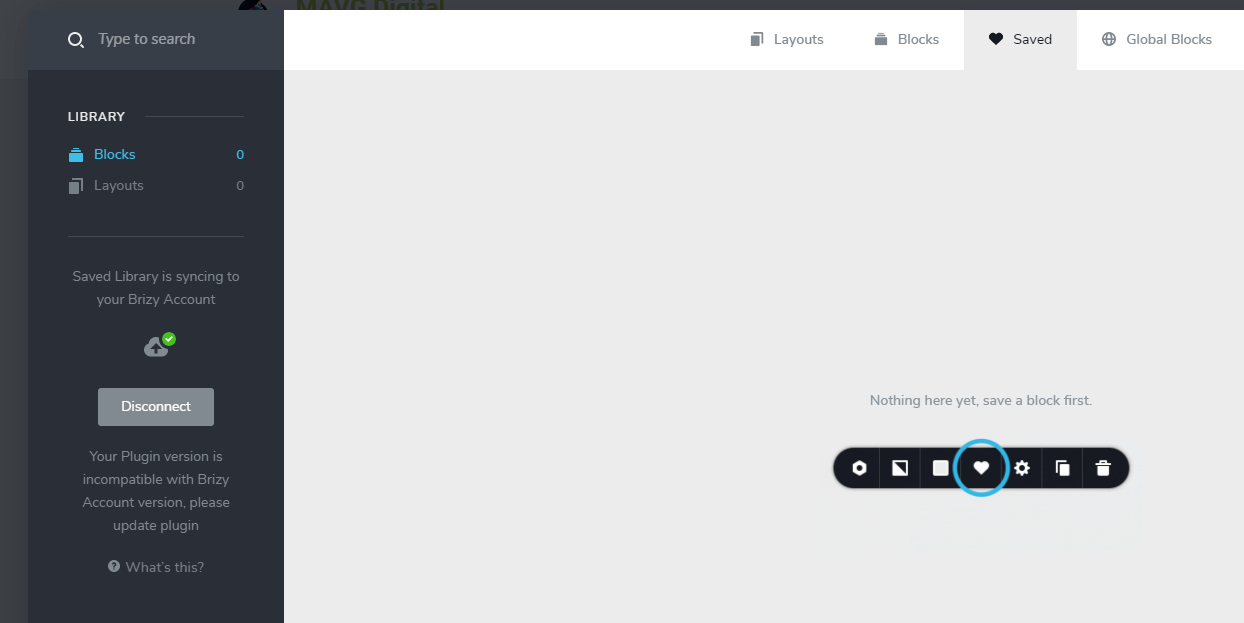
I received the prompt "Your Plugin version is incompatible with Brizy Account version, please update plugin". I can't sync to my cloud layout to my wordpress.
I have the latest Brizy Free and Brizy pro plugin.

Brizy email is = arvinvgarcia#gmail.com
I tried > Disconnecting and reconnecting using my credentials and it is not working for me.
This happen after receiving the new layouts. I can't sync to my cloud layout to my wordpress. I seek your assistance. Thank you.
 0
0 -
Hi,
Yes, we know about this inconvenience and it is caused because recently we updated the Brizy plugin for WordPress but not also the Brizy Cloud version. At the moment, we are working on a new update and in a couple of days, it will be released live. I'm sorry for this inconvenience!
Best regards,
Sandra0
Please sign in to leave a comment.
Comments
21 comments