Brizy template not found in Reading settings

Hello,
Need some help on how to fix this. Currently running Brizy 2.2.0 and Brizy pro 2.2.0
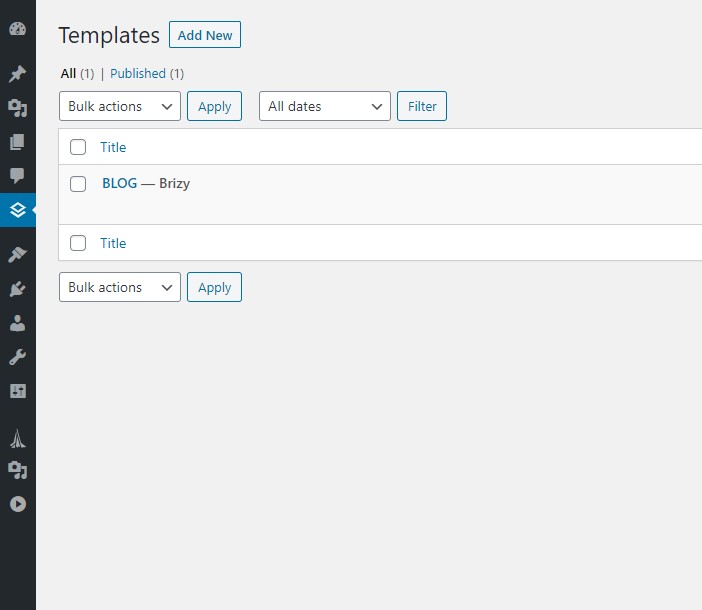
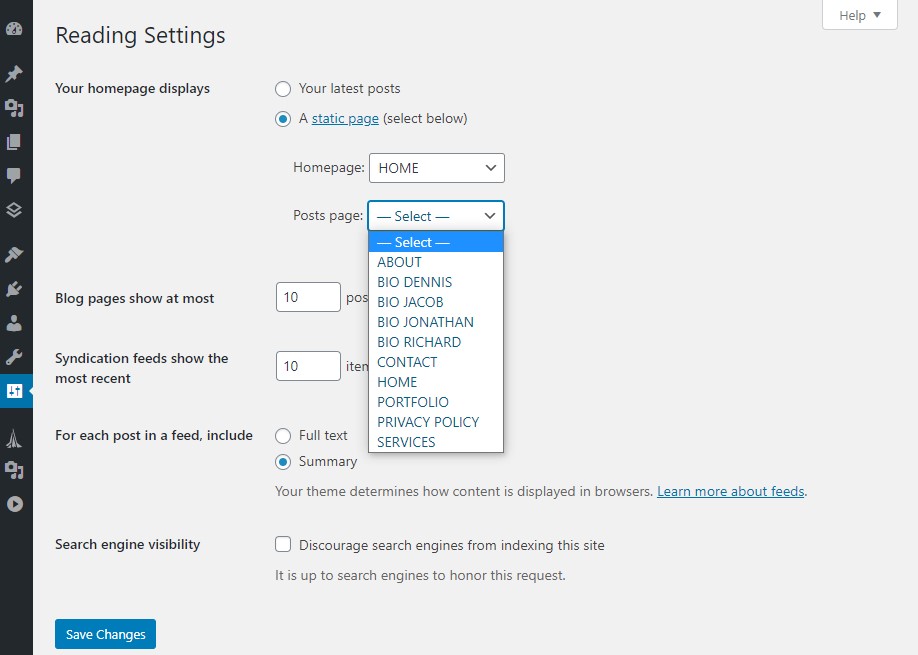
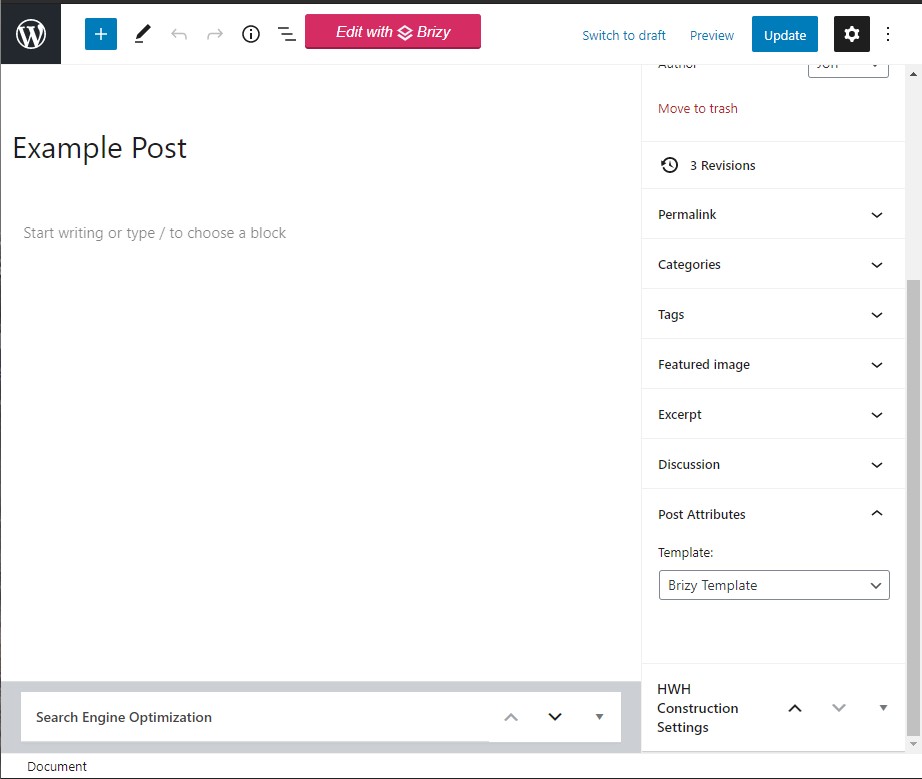
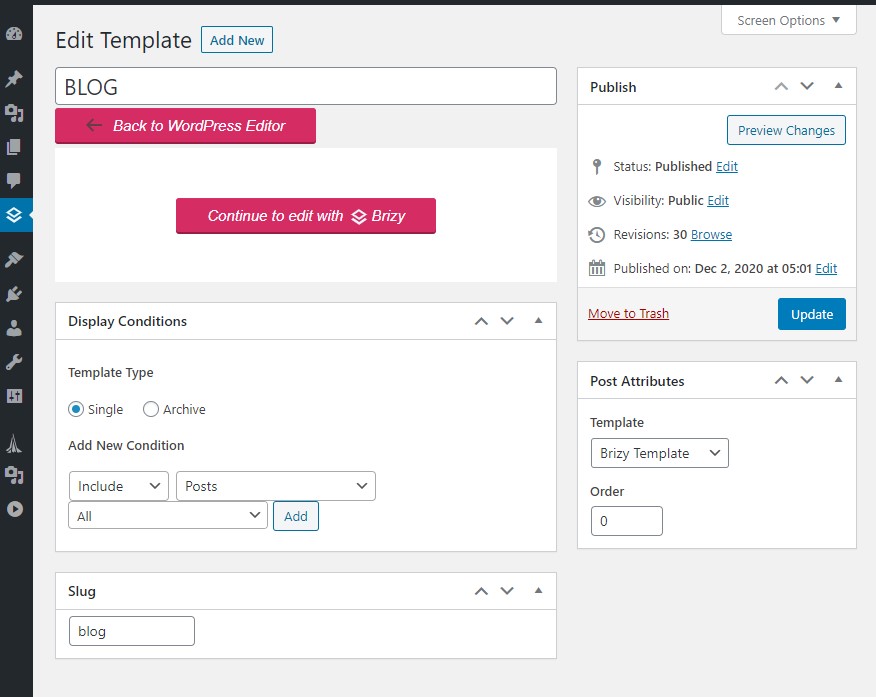
I'm not able to find my Brizy template (for blog posts) in reading settings. Nor is the post connecting to the Brizy template created. I've attached screen shots of my settings.
How do I get the BLOG template to show up in the reading settings? And how do I connect new posts to the Brizy template if the attributes already say Brizy template?
-

Hi,
The Brizy template isn't a page or a post and therefore you can't find it in the page or post list. It is something like a sketch you create for page/post, category or posts and design it how do you want to look that page. In the Brizy template is recommended to use dynamic elements like Posts element, Post Content, Post title, Featured image and so on. Therefore, the template will get all the dynamic information it needs from the page/post where it is applied and will show you that information in the structure you set-up in the Brizy template.
To create a blog page with a Brizy template you have to:
1 - Create a new page and name it "Blog" for example;
2 - Go to the Settings -> Reading and select this page ("Blog" page) for the Posts page https://jmp.sh/qdf311o;
3 - Go to the Brizy -> Templates -> Add new and create a new template;
4 - For this newly created template add a specific name and set the right display condition. For the Blog page, the right condition is - template type Archive and the condition "Blog/Posts page". See here https://jmp.sh/0XSdZXR;
5 - Publish the template;
6 - Inside the template, you can add the elements and blocks you need to display.An important detail is to check if on the Blog page from the "Pages" if there isn't activated the Brizy editor. If you see in the Pages this https://jmp.sh/Rw4Cw3k, you have to deactivate the Brizy editor for this page in such a way https://jmp.sh/ma1flFo.
Best regards,
Sandra0 -
Ok got it! Thank you Sandra. Was taking advice from another user which clearly was wrong. Thank you for the direction! This makes more sense.
0 -
Hi,
Thank you too for getting in touch with us! It's my pleasure to help you!
If we can help you with something else, feel free to ask us!Best regards,
Sandra0
Please sign in to leave a comment.
Comments
3 comments