Popup active but not working

when testing my page https://www.contracthero.io/ in incognito browser to test the popup, it doesnt show.
This makes no sense since I published it correctly and also linked all CTA Buttons with it.
Also strange: in normal browser (not incognito) it works).
Can someone assist please?
-

Hi,
I checked the pop-ups in the incognito browser and found that there the pop-up is blocked by the Cookie code you have installed. See here. On the incognito mode of the browser, the cookies aren't saved and maybe this cause this inconvenience. Could you try to deactivate the cookie code and scripts and check if all is loading fine?
Thanks!
Best regards,
Sandra0 -
Hi Sandra,
thanks for your message. I deactivated cookiebot and now it works again!
1. Actually, I installed cookiebot upon recommendation from brizy: https://trello.com/c/x5xvsZKM/66-appsumo-gdpr-cookie-consent-functionality.
What do I have to adjust in cookiebot or on brizy in order to make it work? I think that more people will have that problem if they use cookiebot and brizy.
Also, what is not solved is regarding the popup:
2.on mobile, after sending the popup sucessfully, I get trapped, I cannot close it or anything.3. success message after sending lead form on popup: still the old version, although I updated it days ago. Why is that? (see screenshots)
Thank you!
Best,
Sebastian
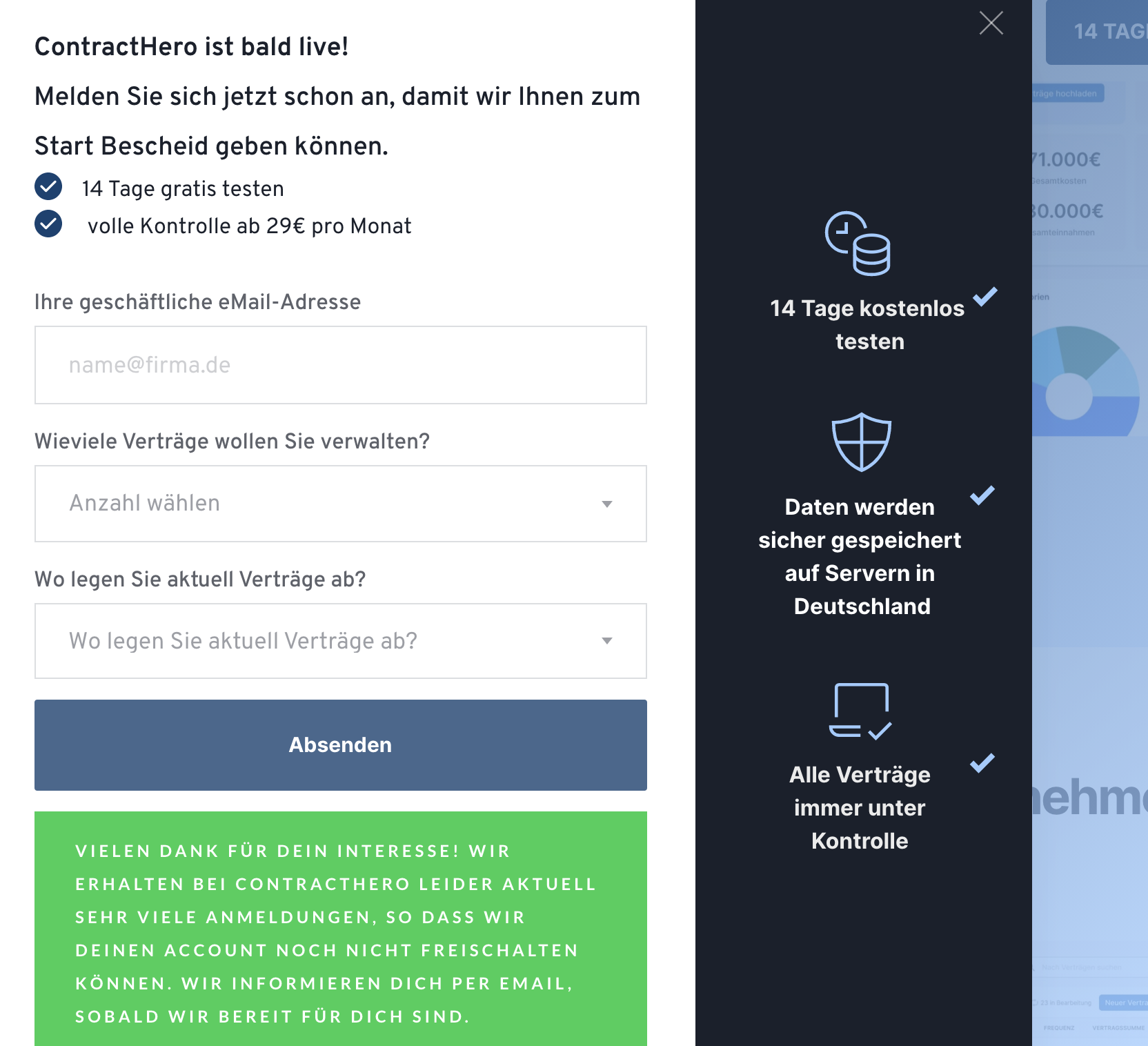
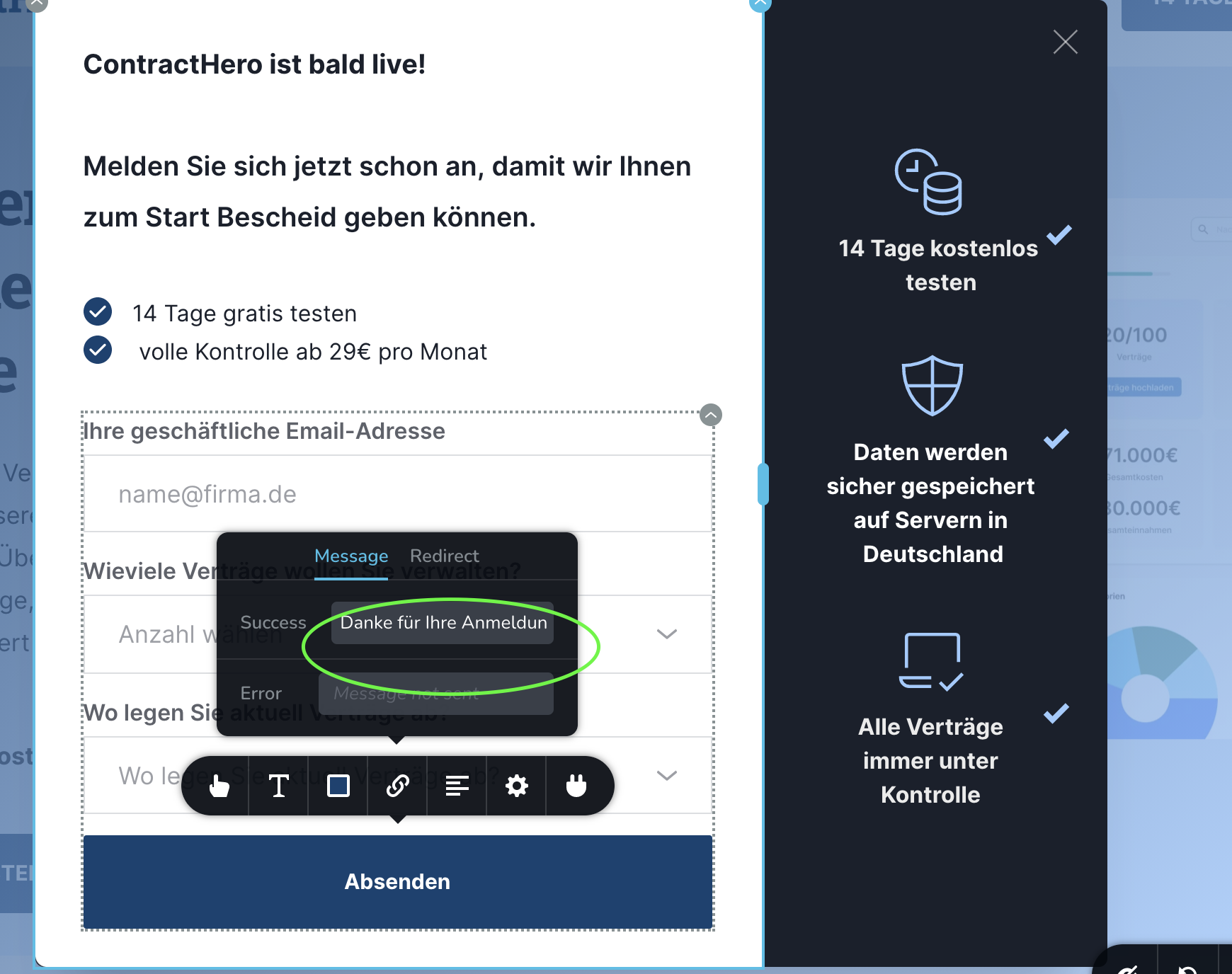
Best,Sebastian
0 -
Hi Sandra,
can you please assist regarding the cookiebot question? All other issues are solved.
We need to install some cookie consent fast in order to be compliant.
Thank You.
Best,
Sebastian
0 -
sorry, saw your comment in the other ticket. nevermind
0 -
Hi Christoph,
We noticed that you deleted the script from cookie bot. Could you please add it again to be able to continue the investigation on your site?
Thanks!
Best regards,
Sandra0 -
Hi Sandra,
done. I added cookie bot code again with code injection.
Best,
Sebastian
0 -
Hi Sandra,
any updates on this one?
We´ve included cookiebot as you said 3 days ago and since then the website is basically not working.
This is hurting our business.
Can you please assist?
If cookiebot doesnt work with brizy I need to look for an alternative fast.
Thank you.
BEst,
Sebastian
0 -
Hi,
Thank you for adding the Cookie bot again. I send it to our team and we are investigating this issue. Please allow us a bit more time for it. When we will have notifications from the team, we will inform you too.
Thanks!Best regards,
Sandra0 -
Hi Sandra,
any updates here?
This is time-critical for us and if it doesnt work, we need to find an alternative cookie-consent tool quick.
Thank you!
Best,
Sebastian
0 -
Hi Sebastian,
We are still investigating this inconvenience. At this moment, we don't receive a notification from the team regarding it.
If I understand correctly and from all our tests, we find that the pop-ups are showing on the normal mode of the browsers, therefore the users will see pop-ups when will click on buttons. The problem is manifesting only in the incognito mode, therefore, there can't be also the inconvenience from the Cookie bot. With other words, we are still investigating this behaviour on the incognito browsers and when we will receive some certain responses we will inform you too.Thanks!
Best regards,
Sandra0 -
Hi Sandra,
thanks for your reply. FYI: it is not only in incognito browser. I use incognito browser to test from a new visitors point of view.
I also tested from a new device in normal browser and the same problem occurs.
Best,
Sebastian0 -
Ok, thank you for informing us about this aspect too. We will continue to investigate this case too.
Thanks!
Best regards,
Sandra0 -
Hi Sandra, nevermind. I deleted cookiebot and am using now cookiefirst.
Works fine.
Best,
Sebastian
0 -
Hi,
Thank you for updating us regarding this inconvenience. Great to know that now all is working fine with a new cookie script.
Let us know if we can help you with something else.Best regards,
Sandra0
Please sign in to leave a comment.
Comments
14 comments