Hidden elements in mobile edit mode

Hi,
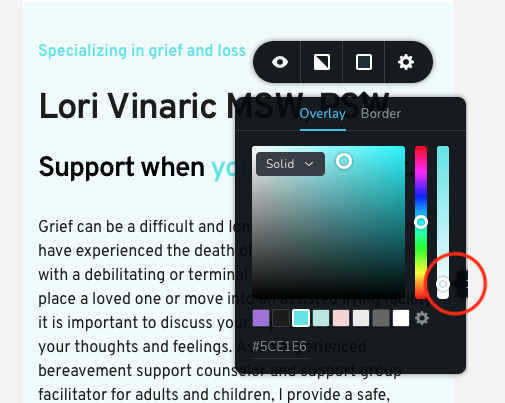
When editing in the Mobile view, part of the color picker is hidden. Specifically in the photo below, the opacity% is hidden. This the case when editing in Safari and Chrome. Is there a way to make this visible?
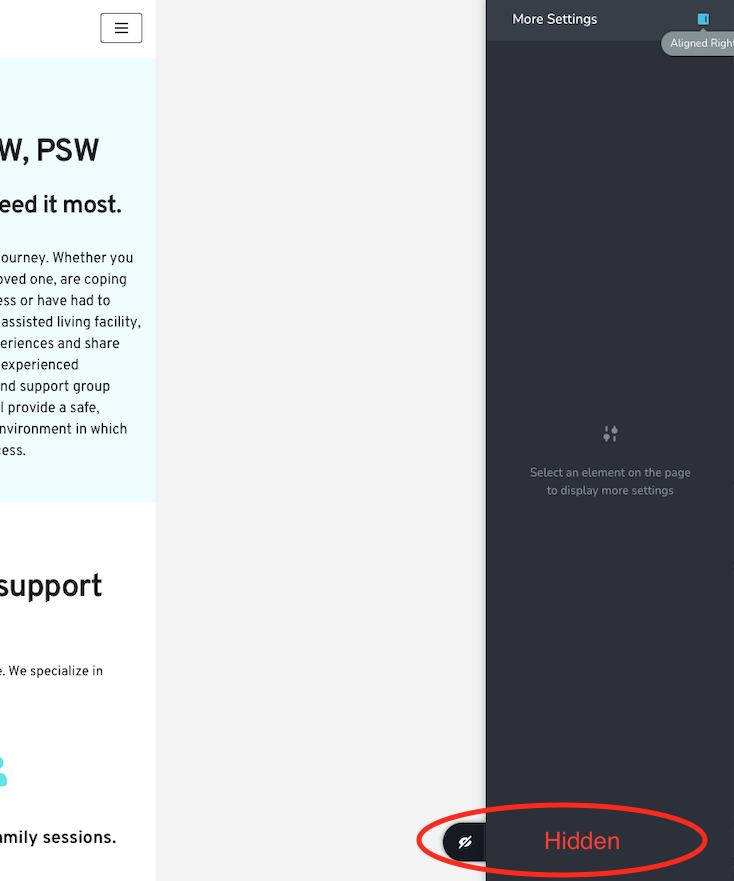
Separately, again in mobile view, when the More Settings pane is on the right, it hides the update button on the bottom. Is there a way to request a UI change in a future version?
Thank you for your help,
Jonathan
PS: Absolutely loving Brizy, keep up the good work!
-

Hi,
Thank you for reporting this. Yes, we could reproduce the first inconvenience you encounter and we already send it to our developers to investigate it.
Regarding the second part of the message, with left sidebar - in such a way is working the mobile mode and for accessing the "Update", "Undo", "Redo", "Hide" options from the page, I suggest to change the position of the sidebar from the left part to the right part.Thanks!
Best regards,
Sandra0 -
Hi,
I want to inform you that the inconvenience with the hidden value of the opacity is already solved and now it is visible on the mobile mode.
Best regards,
Sandra0
Please sign in to leave a comment.
Comments
2 comments