Update failed: No activation found for this installation

Pro was successfully activated.
Will not update to 2.2.0
-

Hi,
Could you please check if you have activated a Licence key to this dashboard. Please go to the Brizy -> Settings -> License https://jmp.sh/wvX7tbm and check if there are activated a license. If it isn't activated, could you please generate and activate it? For this you have to:
1 - Go to your Brizy account;
2 - Access the WordPress licenses;
3 - From there generate a license key for the site you want to activate it and the Brizy Pro plugin;
4 - Click on the license key to open it;
5 - Copy the entire license https://jmp.sh/TYnBH9R;
6 - Go back to the WordPress dashboard and access the Brizy -> Settings -> License;
7 - Here you have to paste the license https://jmp.sh/APqTpnb;
8 - Activate it.If you have activated a license key and you still can't update the Brizy Pro plugin, could you please check if your license isn't expired?
Thanks!
Best regards,
Sandra0 -
I have Brizy correctly activated on 2 domains.
One domain updated without difficulty (via the plugin interface). The second domain would not after repeated attempts.
I succeeded in updating the plugin manually on the second domain by downloading the latest version of the (Pro) plugin from your site.
Thank you
0 -
Hi,
Ok, thank you for updating us regarding this problem. If this problem will appear on the next update, please let us know and we will continue the investigation.
Thanks!
Best regards,
Sandra0 -

Hi Sandra.
I'm having the same issue on a client's WordPress install - won't update from v2.2.0 to v2.2.2 with the "No activation found for this installation" error.
I've checked and it's activated on my Brizy dashboard. So I'm seeing if you found another way other than downloading the zip and manually updating before I go that route.
Thanks in advance.
Keith
0 -
Hi,
Could you please check if your Brizy license isn't expired? For this, please log-in your Brizy account and check the "Expire" date of your Brizy License.
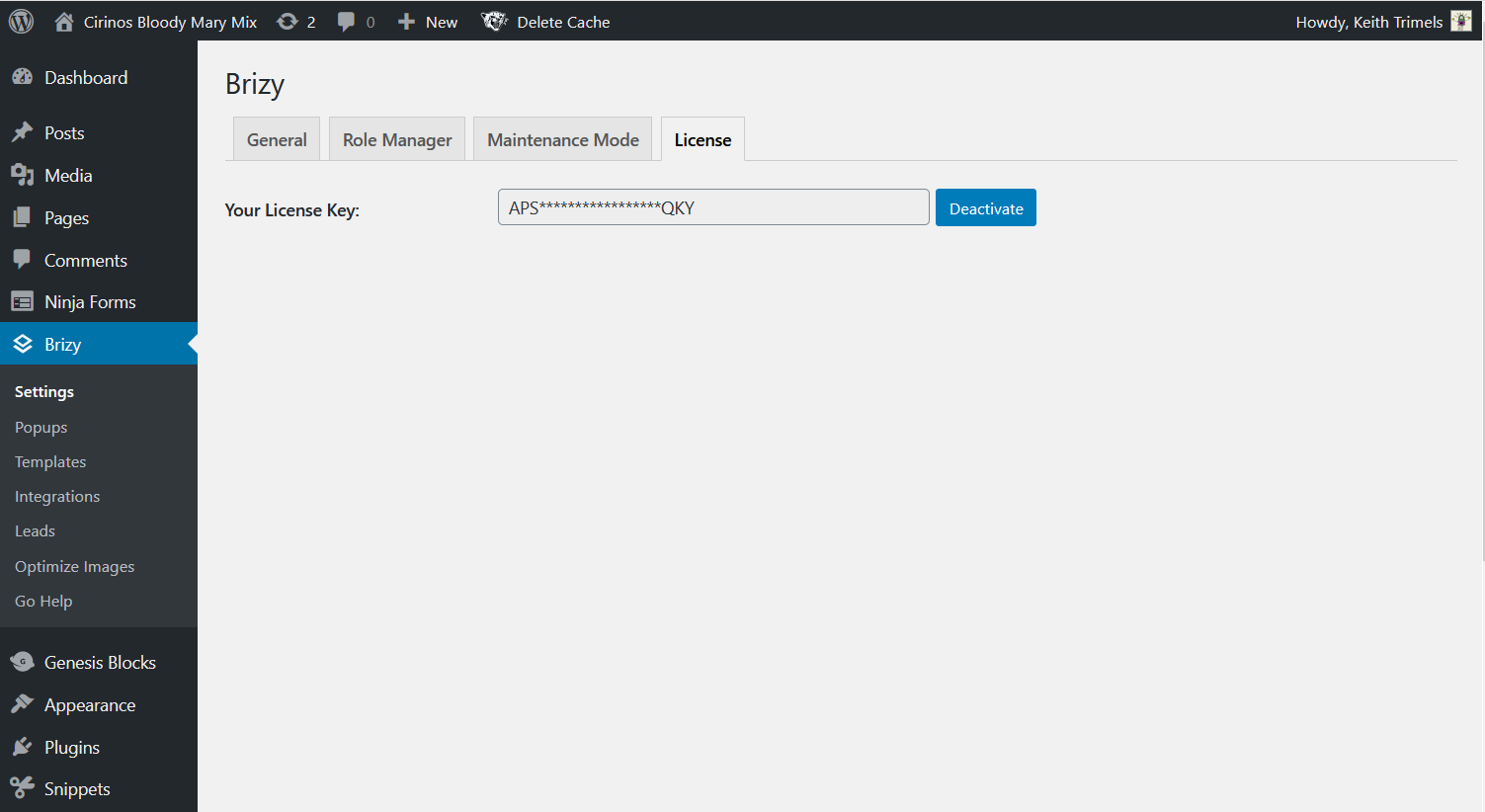
If the license is still active, could you please send us a screenshot from the WordPress dashboard -> Brizy -> Settings -> License?Thanks!
Best regards,
Sandra0 -

I am having this same exact problem. I checked and my license is definitely not expired. I also went in and "deactivated" the license (thought that it may help) and then went back in to activate it again and still not able to update. I was not wanting to download the plugin and install manually. Is there something you are able to do to help?
0 -
Thanks for the quick reply, Sandra!
I have a lifetime license - and it shows that in the Brizy account.
So, I have attached the screenshot as you requested.
Make it a wonderful start to your week!
Keith
 0
0 -
Hi Keith,
Thank you for all these details!
I have created a private ticket on this request. You had to receive a notification regarding this on email. Could you send us in that private message the WP credentials to this site? We want to check the site from your dashboard.Thanks!
Best regards,
Sandra0 -
Hi Scott,
Thank you for all these details!
I have created for you too, a private and distinct ticket on this request. You had to receive a notification regarding this on email. Could you send us in that private message the WP credentials to this site?Thanks!
Best regards,
Sandra0 -

I am having the same problem - I can't update Brizy Pro, it says unathenticated but I have a licence.
0 -
Hi,
If you receive this problem when trying to update the Brizy pro plugin this means that you didn't activate the Brizy license key. Could you please activate it? For this you have to:
1 - Go to your Brizy account;
2 - Access the WordPress licenses;
3 - From there generate a license key for the site you want to activate it and the Brizy Pro plugin;
4 - Click on the license key to open it;
5 - Copy the entire license https://jmp.sh/TYnBH9R;
6 - Go back to the WordPress dashboard and access the Brizy -> Settings -> License;
7 - Here you have to paste the license https://jmp.sh/APqTpnb;
8 - Activate it.Best regards,
Sandra0 -
Thanks Sandra but you have not understood. Like the other query, I have done all this and still getting an error. Previous updates have worked fine.
Can you help?
0 -
Hi Sarah,
Could you please send us the URL link of the site your receive this problem? We will check it.
Also, could you please check if the license key you added isn't expired? Did you renew the Brizy Pro license?Thanks!
Best regards,
Sandra0 -
Sure its http://edithandkiveen.k-hosting.co.uk/
It most definitely has not expired - it is fine until October and yes I have checked.
Thanks so much if you can help.
0 -
Hi,
We checked your account and we found that you have activated the license key only for one site. For this site http://edithandkiveen.k-hosting.co.uk/, the license isn't activated. See here.
We also noticed that you have a Personal license, therefore, you don't have the possibility to generate some license key but you can copy the existing license and use it for 3 sites. Therefore, could you please, open this license, copy it fully and go to the WP dashboard to activate it in the brizy -> Settings -> License?
Thank you!
Best regards,
Sandra0 -
Thank you - I'm not sure I understand - I see that it is registered to the wrong web address (we moved our site in development and will move it again once more when it goes live).
But I have already inserted the licence in the current site and yet its not working.
Am I supposed to change the web address in the licence? How would I do that?
Thanks again
0 -
Hi,
When you move a site from development to production, the license key isn't automatically moved. Therefore, you have to go to the Brizy account, disable the license for the development site (by clicking on "Disable", see here https://jmp.sh/AAHvvkc ) then copy the full license key, go to the production site and activate again the license in the Brizy -> Settings -> License.
Best regards,
Sandra0 -
Ah now I understand! Thank you, I will get back if it doesnt work but that sounds great.
Thanks for your patience
Sarah
0 -
Hi Sarah,
Great! Thank you for updating us regarding this inconvenience!
Best regards,
Sandra0
Please sign in to leave a comment.
Comments
19 comments