Where is the Archive Element in the newest versions????

Hallo,
after updating to lastest Brizy version (also pro) I got a shock:
the archive element doesn't exist any more - there is only the new post element.
I say 'only' cause an important and for two of my sites very essential feature is missing:
the possibility to change #PostExcerpt to #PostContent !!!
Please bring it back as soon as possible, or add this feature to the new Post element.
The much I love brizy the hard it is to work sometimes with it on productive sites. E.g. with the last version also some selectors changed, and it took me some time to get it fixed.
Thanks in advance for your effort.
kind regards
Markus
P.S. if it's not possible for you to embed it quickly, can you please tell me what the last versions have been with the archive element (brizy & pro) and give me a download link so that I can set it back? Thank you!
-

Hi,
The Archive element is available in the template type Archive and Product Archive https://jmp.sh/iNlwIO9. In the template type Single and Product, the Archive element isn't available.
Could you please give us more details regarding this "is missing: the possibility to change #PostExcerpt to #PostContent !!!"? - you can delete the Post Excerpt and add the Post Content element https://jmp.sh/kJlH7Jy.Thanks!
Best regards,
Sandra0 -
Hi Sandra,
thanks for your answer!
I think, I was not clear enough in my description - I ment the archive element inside the builder which is now replaced by posts element.
I was using it to create my search-results-template, and there it's neccessary to display the content (in this case the audio players) and not the excerpt.
I demonstrate in a short screenshot video (link below) for you how I did it - I guess it will make it more clear than a lot of words. (I was luckky to have older versions of brizy on my dev-server.)
First you see what I did, then the needed result at the frontend. (don't wonder at the end of the video that -with the random search results set- some players are empty; this is cause not all speackers have audio material on the website so far), but I guess it's clear what is needed for me and was working so far with the archive-element.
https://storage.luckycloud.de/f/b1b11601e381462ab0ee/?dl=1
kind regards
Markus0 -
Hi,
In the current versions of Brizy Free 2.1.5 and Brizy Pro 2.1.3, the Archive element wasn't eliminated from the Archive template type. See this video to find where is placed the Archive element. Also, inside the Archive element, you can delete the Post Excerpt element and add the Post Content element instead. See this video for this (I forget to integrate this in the first video).
Could you please check if you have the latest versions for Brizy Free 2.1.5 and Brizy Pro 2.1.3?Best regards,
Sandra0 -
Hi
yes, I have the latest versions installed (free & pro).
Thanks for your videos - it's there, (don't know what I did wrong before)
but unfortunatally it seems that a lot changed in the archive element.
I did the same as you in the video, deleted post excerpt and put in post content, but the content is not showing up any more (the audio players which are loaded by shortcodes in the posts).
Any idea what was changed, and why?
best regards
Markus
0 -
Hi,
Can you not see the content of the post in the editor mode or in the preview mode? The dynamic elements like post content, post excerpt, post title and so on aren't visible on the editor mode but they are visible on the preview mode. If you don't see the content in the preview mode, try using the old method and add the text element where you can add the "#Post Content" tag.
Thanks!
Best regards,
Sandra0 -
Hi,
the content is not visible in preview mode nor later at frontend.
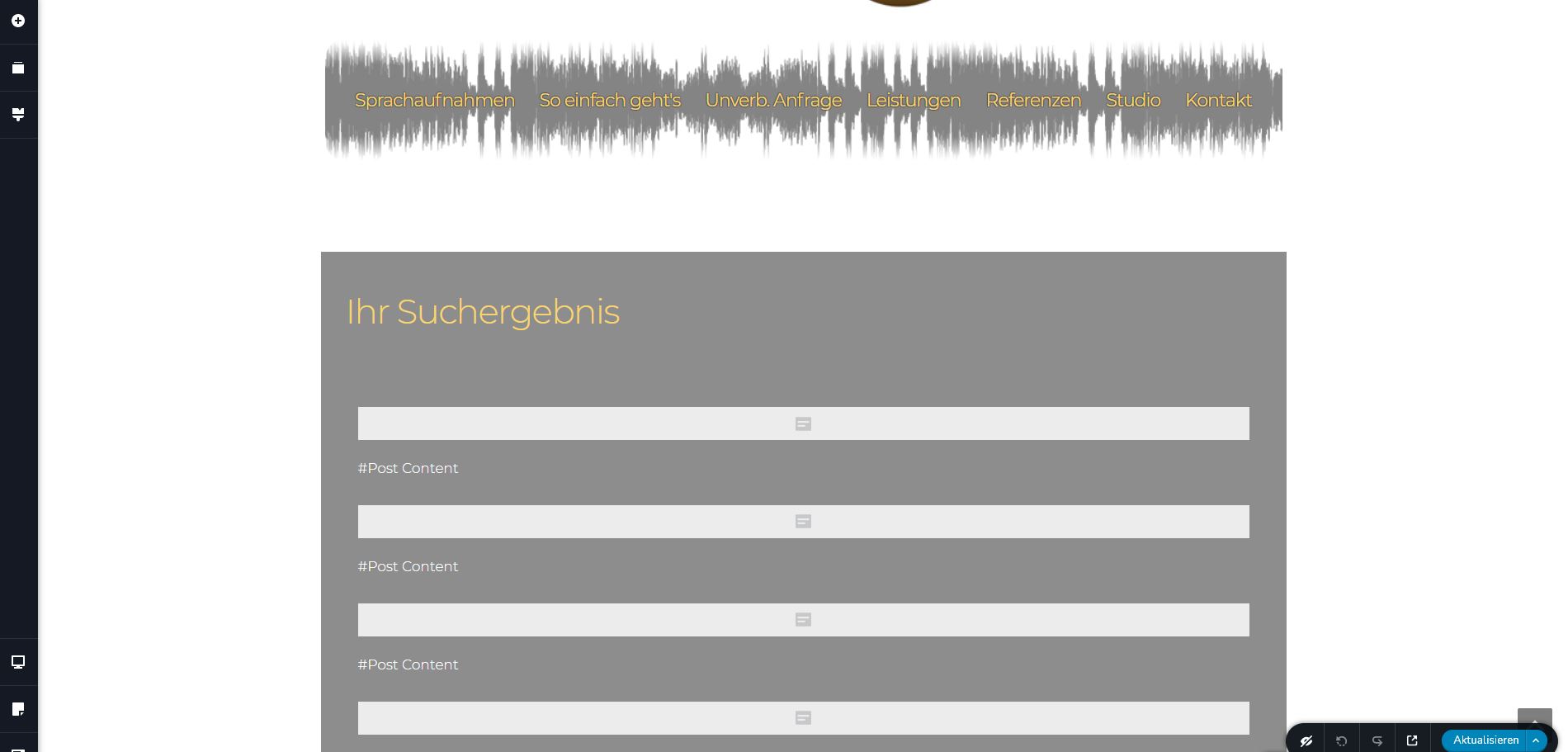
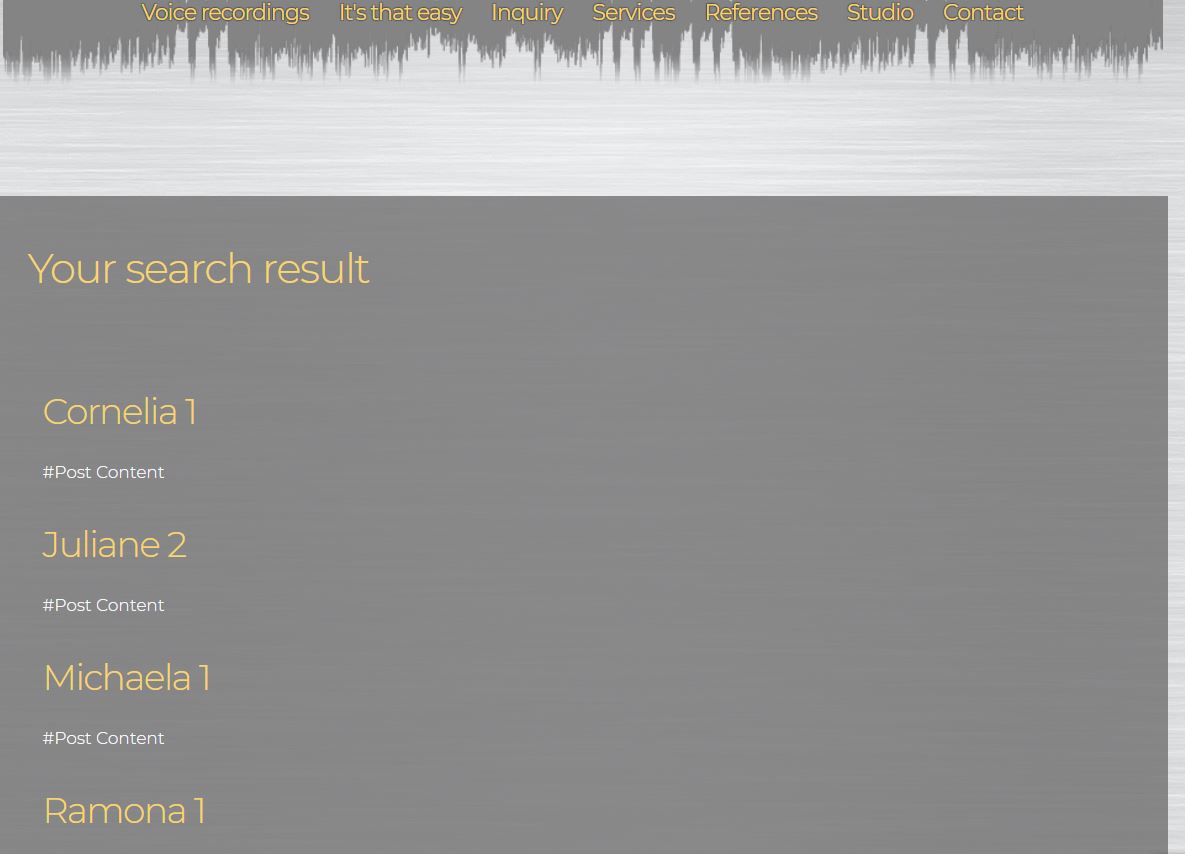
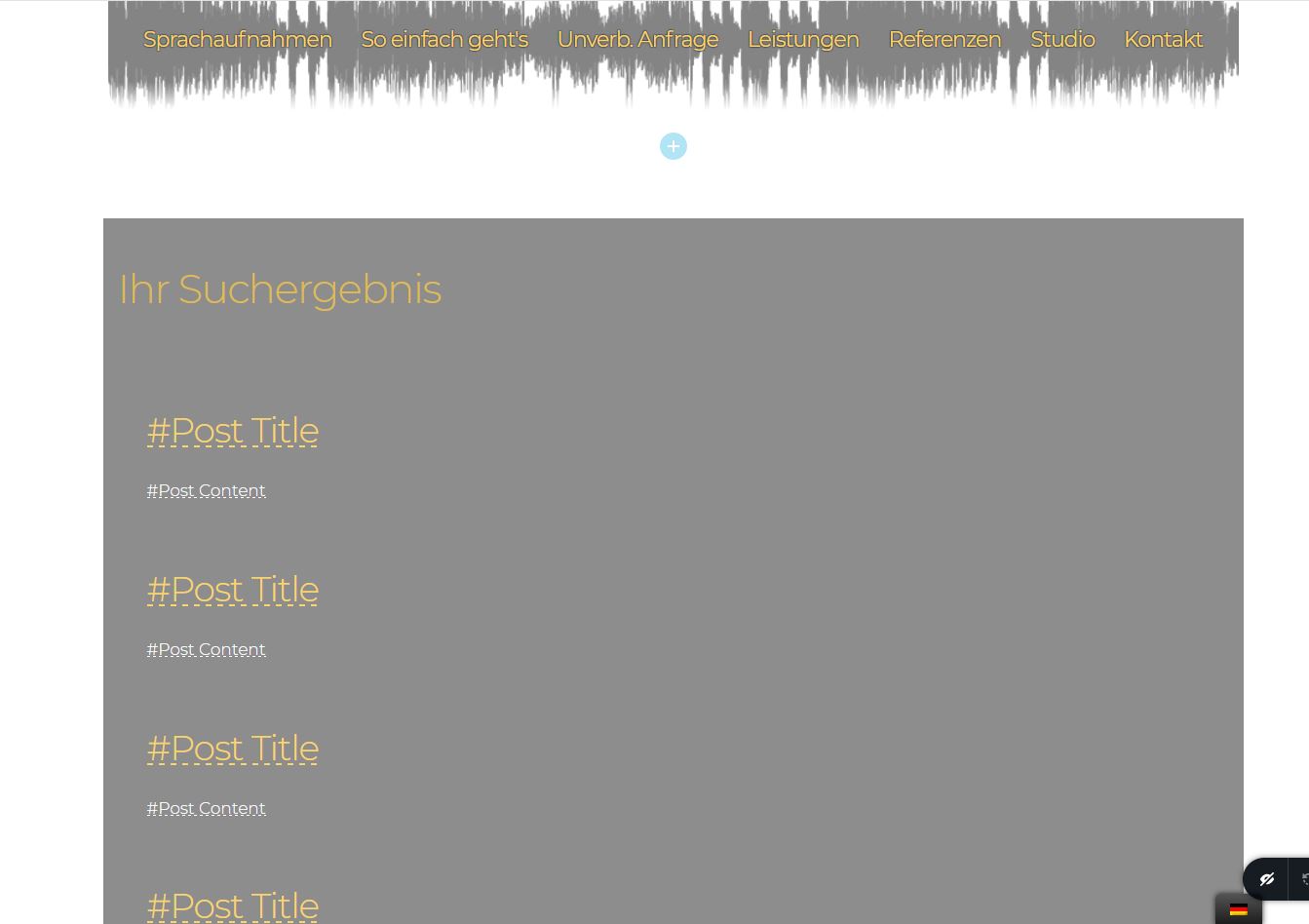
To add a textblock and type in there "#Post Content" (it's not selectable from the drop-down anymore as in the previous archive-element versions) I tried also - the result is, that the Website displays simply the text: "#Post Content".What are changes done with the archive-element???
best regards
Markus
0 -
Hi Markus,
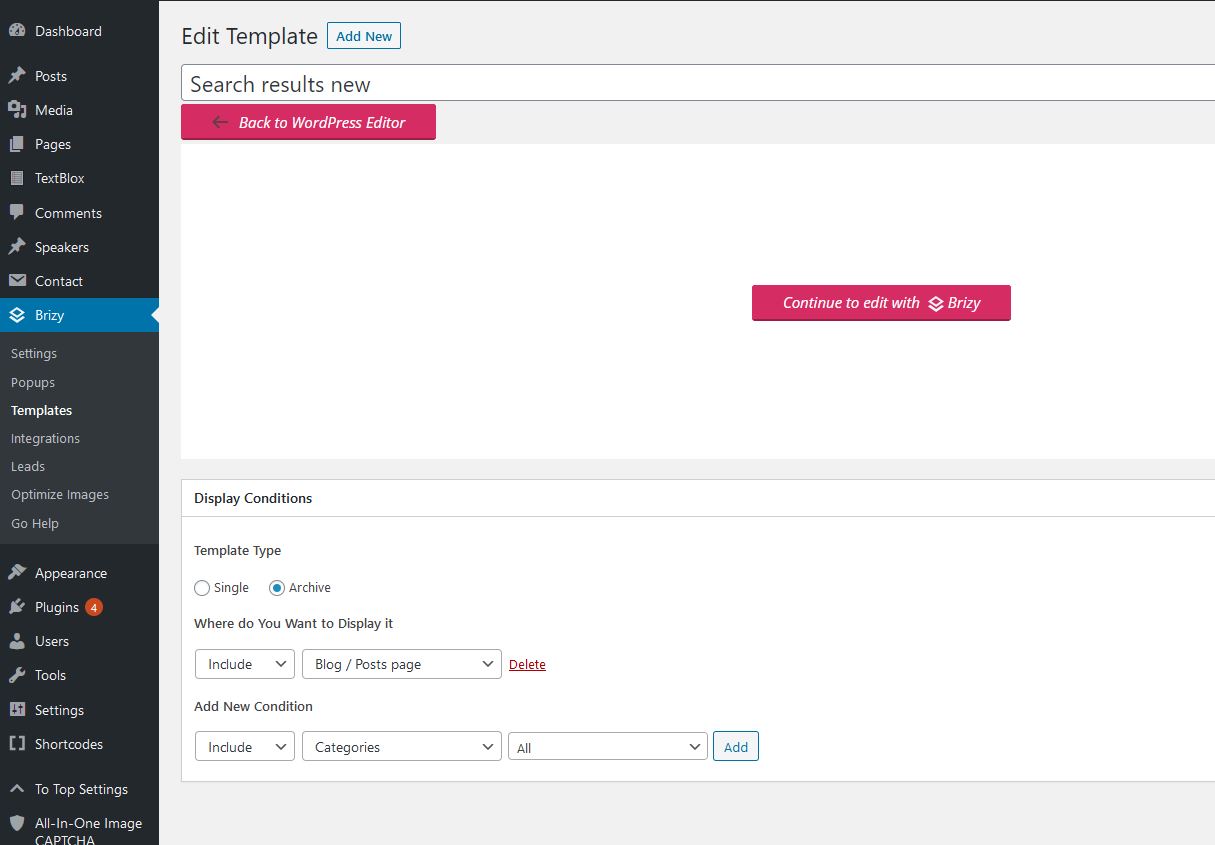
Could you please give us more details regarding the template where you try to add the Archive element? What are the display conditions? Where do you want to display it? Could you please send us a screenshot with the display conditions of the template?
Thanks!
Best regards,
Sandra0 -
Hi Sandra;
here are some screenshots - 3 also from the previous version of the archive-element, where you had the drop-down to choose "'#Post Content". This is missing in the new version. Of course vou can add a text-element and type it in there "'#Post Content", but this displays simply the text; and the Post Content element seems to be not able to render the shortcode any more which is the content of the posts. This was all working with the previous version. I built up with this the search-results-page.
best regards Markus
The screenshots in there order:
new version backend 1 / new version backend 2 / new version frontend-result / old version backend 1 /old version backend dropdown slect / old version frontend result - how it should be
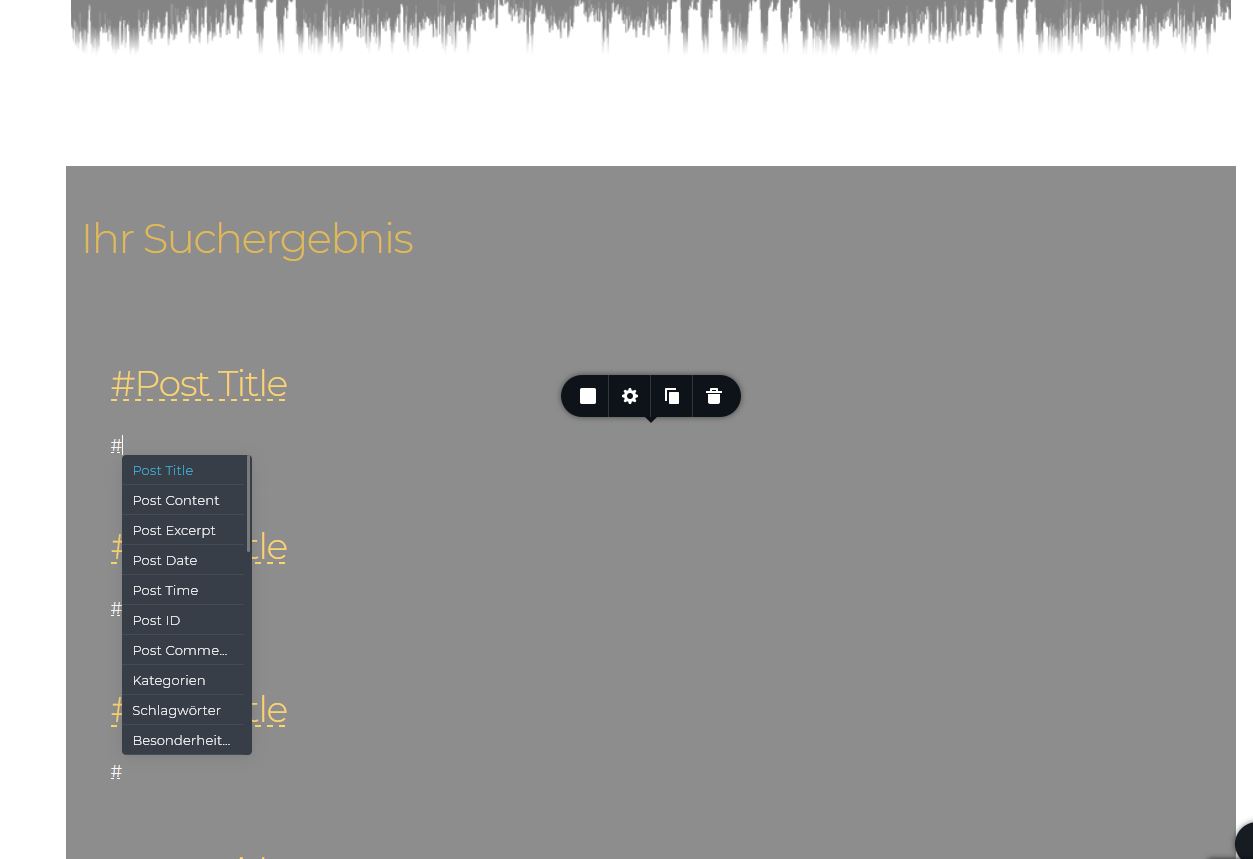
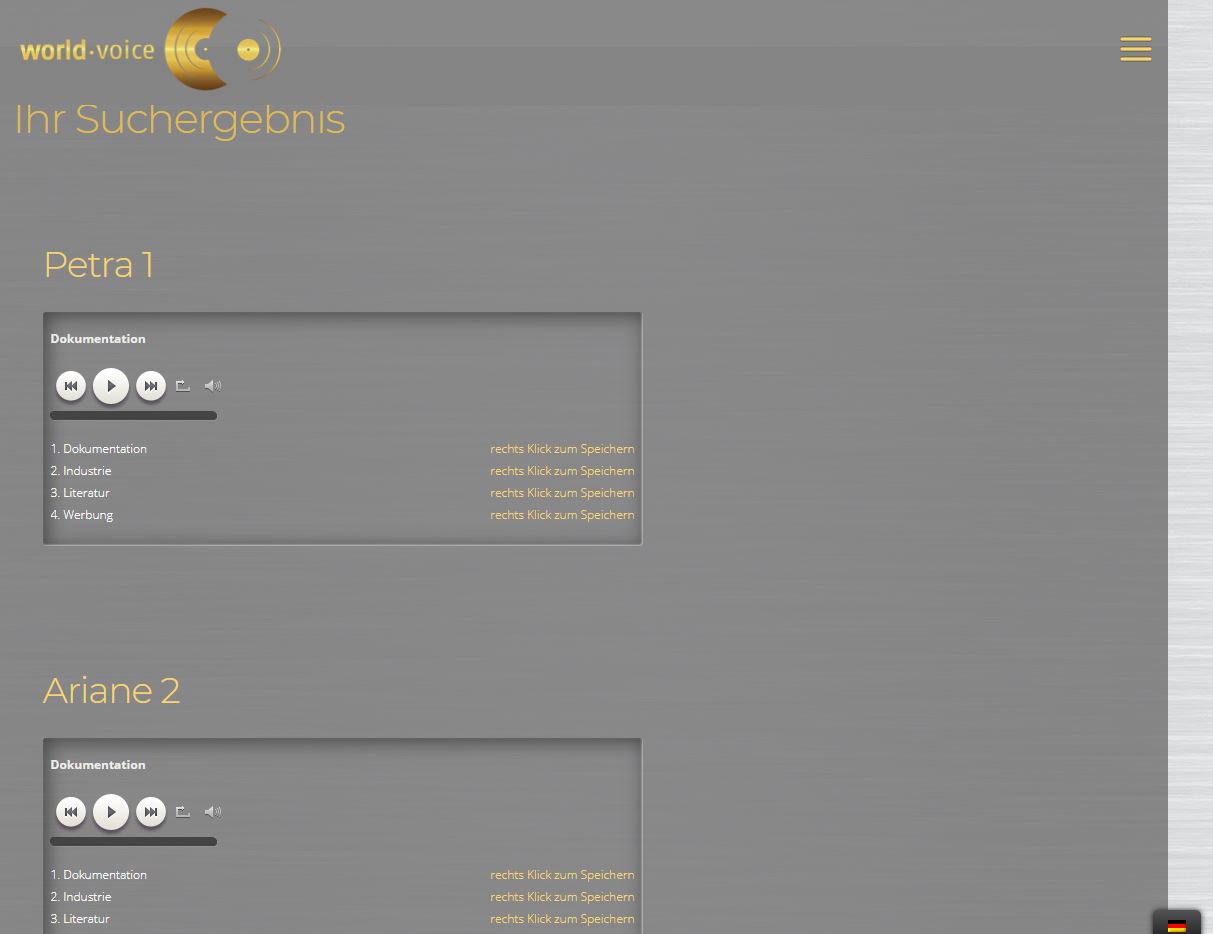 0
0 -
Hi Markus,
If you want to create a Brizy template for the Search page, you have to select another display condition. The right display condition in this case is:
Template type: Archive;
Display condition: Include - Search page.See here.
If you changed the display condition and you still can't display the "#Post Content" dynamic tag right, could you please send us the WP credentials? I created a private ticket for you where you can send us the WP credentials. Your ticket number is 10028. There, I already send you a private message.
Thanks!
Best regards,
Sandra0
Please sign in to leave a comment.
Comments
9 comments