Global blocks can't be changed, removed or moved

Hello,
I installed a Polylang plugin to build a multilingual site, then I created a "global block" for a menu in French. However, I found that this menu also appeared on all the pages in English and in Chinese. So I tried to de-select "make it global" of this global block of menu but it didn't work - Actually I can't save ANY changes on it, move it to another place on the same page, or delete it. This global block is now on top of each page and when I try to update a page, there's always a box appearing: "This page needs a refresh. You’ve probably updated this page (or another page) in a different tab or browser."
I've tried to fix it many times tonight but there's no solution yet... This is very annoying. Now I have two menus on almost all the pages: this global block (which I want to delete) followed by a separate menu for each language (which I want to keep). This can impact the image of my company as this website now looks strange (the website has been existing for a while; I just wanted to try the "global block" function earlier today). Could you please help me fix it ASAP?
Attached is the scanned screen.
Many thanks in advance, Kind Regards,
Chunyan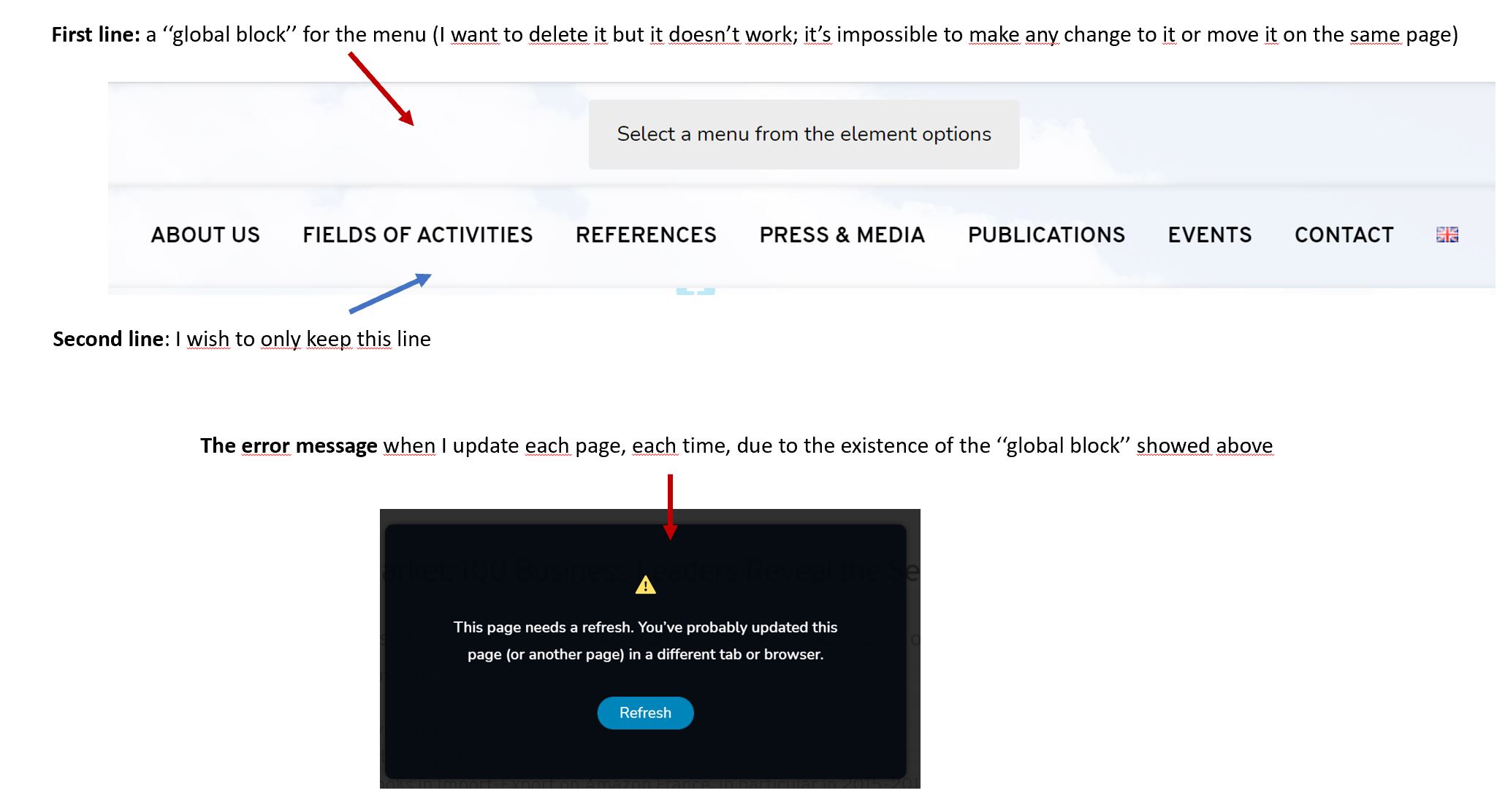
(P.S.: I've also typed my question under another post about a similar question. I've created this post just to make sure that you can easily find my question - https://support.brizy.io/hc/en-us/community/posts/360073437771-This-page-needs-a-refresh-You-ve-probably-updated-this-page-or-another-page-in-a-different-tab-or-browser-)
-

Hi,
I created a private ticket on this request. You had to receive a notification regarding this on email. Could you send to us in that private message the WP credentials to this site? Also, could you please check if you have the latest versions for Brizy Free 2.1.5 and Brizy Pro 2.1.3?
Thanks!
Best regards,
Sandra0 -
Dear Sandra,
As I also posted this question in the discussion forum, your colleague has already helped me fix this issue.
You can close this ticket. Thank you!
Best Regards,
Chunyan
0 -
Hi Chunyan,
Thank you for updating us regarding this question! Great to know that all is working fine now!
Let us know if we can help you with something else.Best regards,
Sandra0
Please sign in to leave a comment.
Comments
3 comments