Brizy cloud to WP

In cloud, you have option to insert custom code in header:
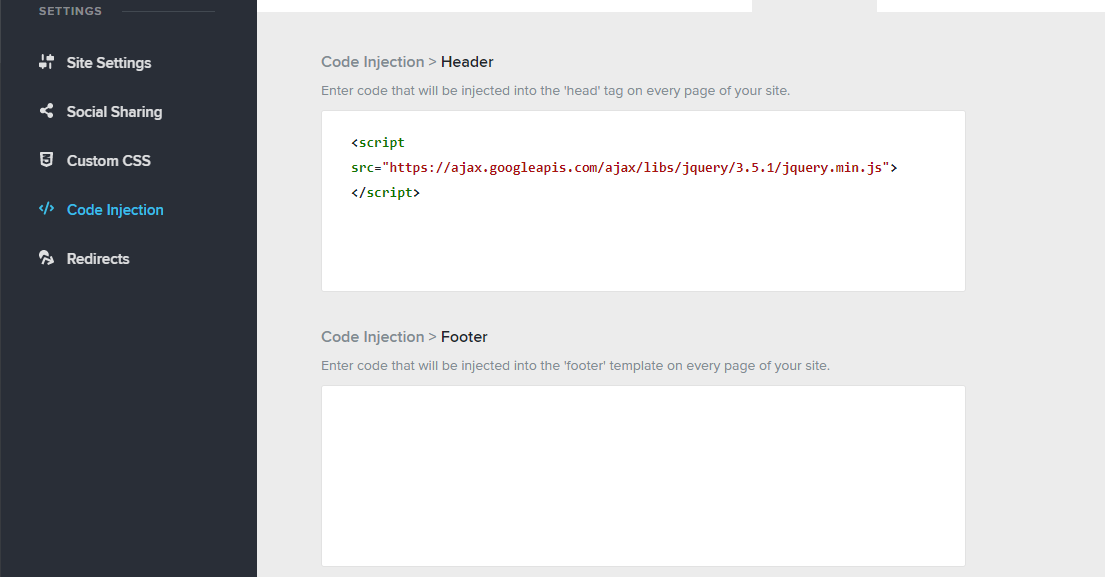
If you do this, save and save layout, then import this layout into brizy WP, the custom code does not download.
Why? I thought the idea with cloud was that whatever you could do on WP, you could do on cloud and vice versa. Similarly, if your WP plugin is out of date, you cannot connect into cloud because of the version mismatch (presumably so you can capture all functionality on cloud). But this functionality isnt working
How can I put code into header in cloud and have it come to WP or how do I put in directly to WP without using embed element.
Thanks
-

Hi,
sync feature will only sync the layout of the page, not the whole project. This means that only what was created directly with the editor will be transmitted (what is actually in the body): https://youtu.be/iid5ZagYpuE
0 -
Hi Alex,
Thanks. This is not entirely true. If I design something in cloud and sync it down to WP, I lose my styling. I must therefore design everything with custom styles or else face a complete redesign once I download.
I also have a ticket open about jquery code going missing when imported from cloud. It would be helpful to get this resolved.
There are limitations with whitelabel and cloud per above, it would be very, very helpful if this was detailed somewhere as I am only finding out "the hard way" after work has been done and having to rework it once I've synced into WP.
Thanks
0 -
Hi,
From what I saw, your ticket is still open. The thing is that such problems are directed to devs but devs do not work on weekends so the process takes time. I hope this week you will have an update on the issue with jQuery. Thank you for your patience.
0 -
No problem, thanks Alex.
0
Please sign in to leave a comment.
Comments
4 comments