Can't save blocks or make them global

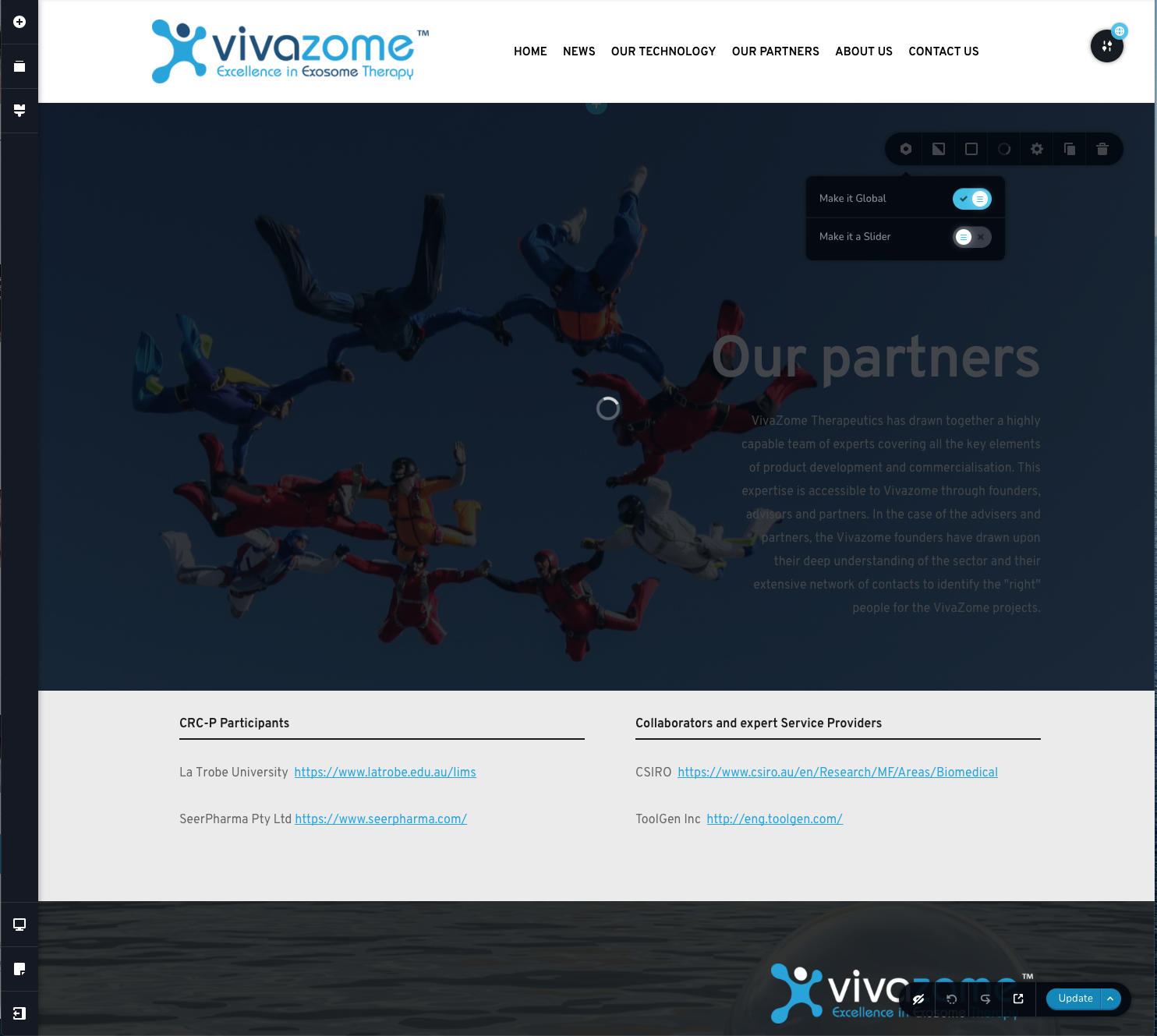
I can no longer save blocks or make them global in my site vivazome.com
When I try, the wheel just keeps spinning. I have tried logging out and in again. I have deactivated and reactivated the plugin. I have tried in Chrome instead of Safari but in Chrome, I can't even get the editor plugin to load (this may be an unrelated issue).
I have another site (https://www.kynetyka.com.au/) that worked as expected on Brizy 2.1.4 and Brizy Pro 2.1.2 with WordPress 5.5.3 but not no longer save blocks after upgrading to Brizy 2.1.5 and Brizy Pro 2.1.3. The wheel just keeps spinning for more than 30 minutes.
Please help.
-

Hi,
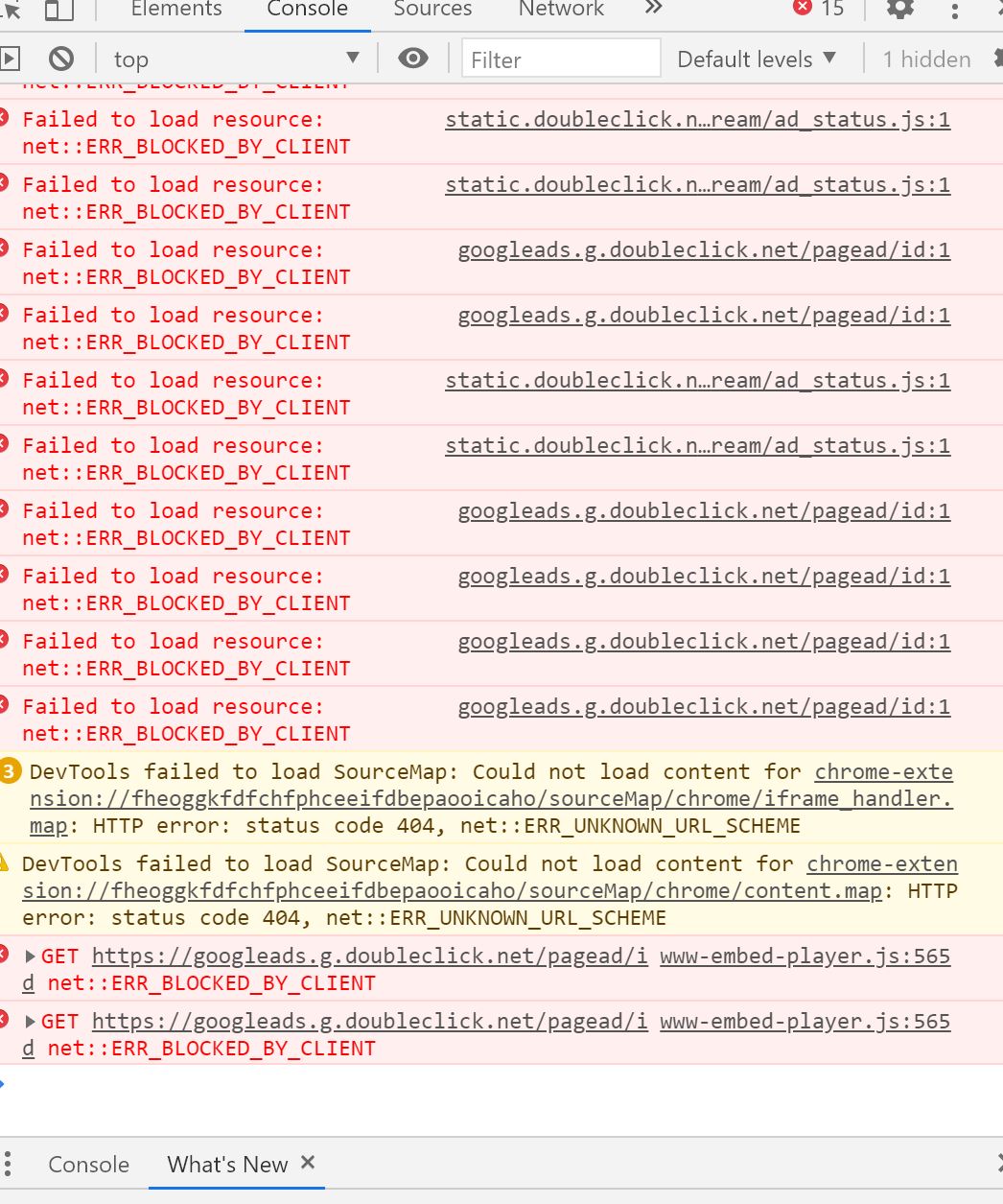
Could you please check if you have the same problem if you temporary deactivate all external plugins (except Brizy Free and Pro) and activate a WP default theme? Also, could you please send us a screenshot with the console when you try to make a block as global or saved? What version of PHP do you have and what is the WP memory limit?
Thanks!
Best regards,
Sandra0 -

I'm not a coder so I can't follow all that was said here. However, I'm having the same problem! Help!
 0
0 -
Hi,
I created a private ticket on this request. You had to receive a notification regarding this on email. Could you send to us in that private message the WP credentials to this site? We will check the problem you encounter.Thanks!
Best regards,
Sandra0 -
Hi Sandra. Thank you. I did not receive a private ticket and cannot find a method to email directly.
0 -
Hi Dina,
I checked the private ticket and found that you already send us the WP credentials and got in touch with my colleague Natalia. We will investigate the sites and when we will have a response for you, we will contact you. Please let us a bit more time.
Thank you!
Best regards,
Sandra0 -

Hi everyone,
i kinda got the same problem.
Im sorry if i can´t describe it well, because im not a coder and only use Wordpress for my school projects.
I installed xamp and started to build a Website (with apache and mysql), now i downloaded brizy and max mega menu for my local wordpress-site. I managed to build a solid header but it just won´t safe as a global block. The loading circle is just spinning all the time and does nothing. Can u help me out with this, maybe i did something wrong with the installation?
Thank you very much and best regards,
Gm
0 -
Hi Gm,
Thank you for writing to us! Unfortunately, if your site is hosted on localhost, we can't check it and found where is the problem. We would recommend migrating the site on the public free host with a free domain. In such a way we will be able to access your dashboard and check it.
Also, we would recommend checking if you have the latest version for Brizy Free 2.2.17, Brizy Pro 2.2.11 and WordPress.
Best regards,
Sandra0
Please sign in to leave a comment.
Comments
7 comments