Edit with Brizy

The "Edit with Brizy" button does not appear.
-

Hi,
Could you please send us a screenshot with this problem? Do you have installed and activated the latest versions for Brizy Free 2.1.5 and Brizy Pro 2.1.3?
Thanks!
Best regards,
Sandra0 -

Sandra, I have had (I purchased the Brizy Pro, lifetime version, for use with Wordpress.com) the same or similar problem for quite a few weeks (or even a couple of months or something), which I expected to get solved by itself with the updates of my Brizy plugin for wordpress.com. I always keep it updated, but the "edit with Breeze" button is still missing (you see in the photo: the "use Divi builder" button is there, but not the red "edit with Brizy" one. Before, both were present, and the Brizy one simply stopped appearing one day.
Also, yesterday (but this also happened once many weeks ago...), when I pressed the "add new post", a "fatal error" window appeared, and I received this e-mail:
Howdy!
Since WordPress 5.2 there is a built-in feature that detects when a plugin or theme causes a fatal error on your site, and notifies you with this automated email.
In this case, WordPress caught an error with one of your plugins, Brizy.
First, visit your website (https://pruebanuevositiocom.wpcomstaging.com/) and check for any visible issues. Next, visit the page where the error was caught (https://pruebanuevositiocom.wpcomstaging.com/wp-login.php?action=jetpack-sso&result=success&user_id=191120795&sso_nonce=wvrks6qouiaoe7ckireh) and check for any visible issues.
Please contact your host for assistance with investigating this issue further.
If your site appears broken and you can't access your dashboard normally, WordPress now has a special "recovery mode". This lets you safely login to your dashboard and investigate further.
https://pruebanuevositiocom.wpcomstaging.com/wp-login.php?action=enter_recovery_mode&rm_token=Lk6Xcyw3LoIuIAN4TVuF6h&rm_key=HxbErGvwu9uOZhMrCH2xlm
To keep your site safe, this link will expire in 1 day. Don't worry about that, though: a new link will be emailed to you if the error occurs again after it expires.
When seeking help with this issue, you may be asked for some of the following information:
WordPress version 5.5.3
Current theme: Perennial (version 1.0)
Current plugin: Brizy (version 2.2.1)
PHP version 7.3.25
Error Details
=============
An error of type E_ERROR was caused in line 92 of the file /srv/htdocs/wp-content/plugins/brizy/brizy.php. Error message: Uncaught Error: Class 'Brizy_Compatibilities_Init' not found in /srv/htdocs/wp-content/plugins/brizy/brizy.php:92
Stack trace:
#0 /wordpress/core/5.5.3/wp-settings.php(377): include_once()
#1 /srv/htdocs/wp-config.php(81): require_once('/wordpress/core...')
#2 /wordpress/core/5.5.3/wp-load.php(42): require_once('/srv/htdocs/wp-...')
#3 /wordpress/core/5.5.3/wp-login.php(12): require('/wordpress/core...')
#4 {main}
thrownIs this related with the disappearance of the "edit with Brizy" button?
0 -
Forgot the photo!
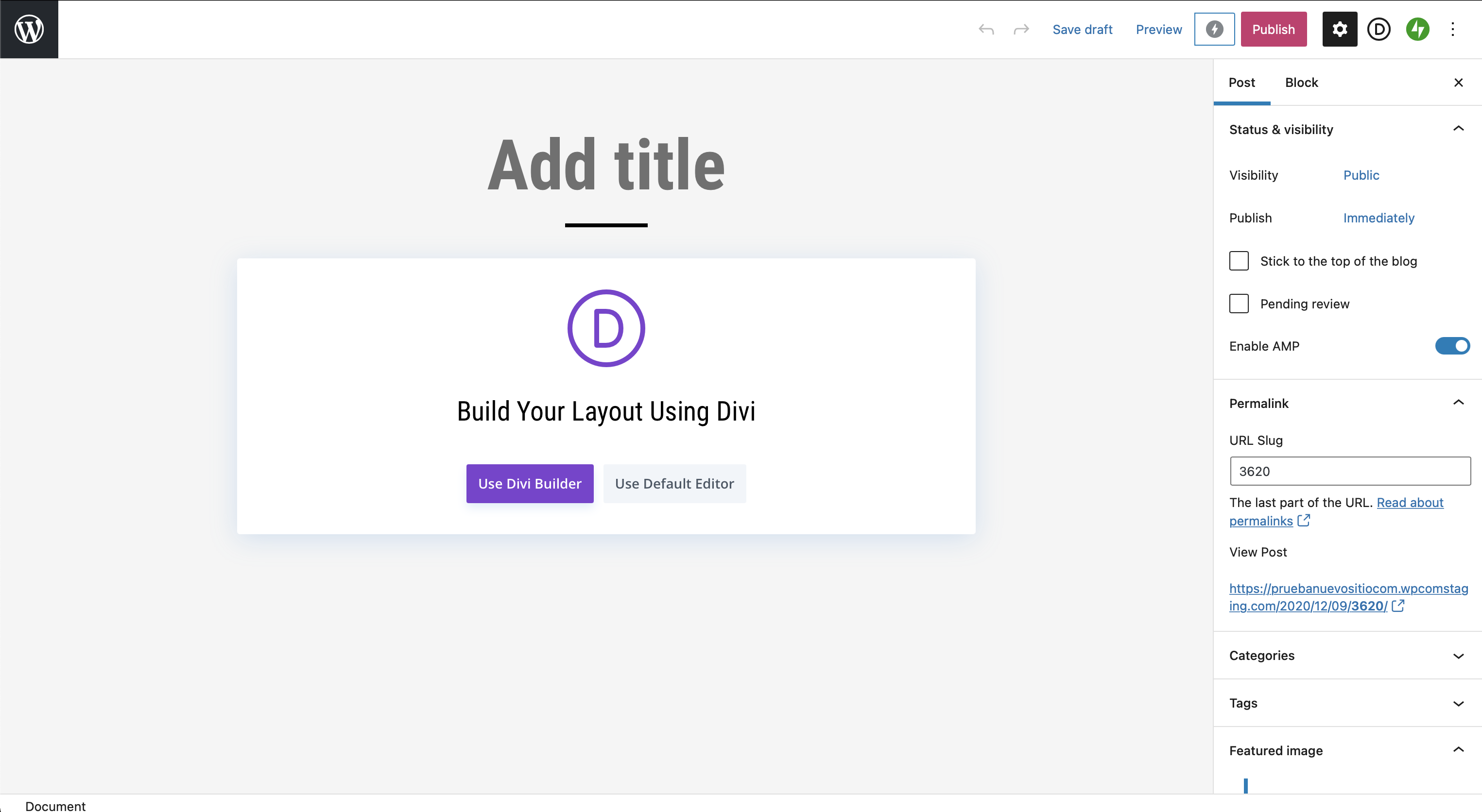 0
0 -
and this one too. On the top of this page it used to have both the Divi and a red "edit with Breezy" button. Not now...
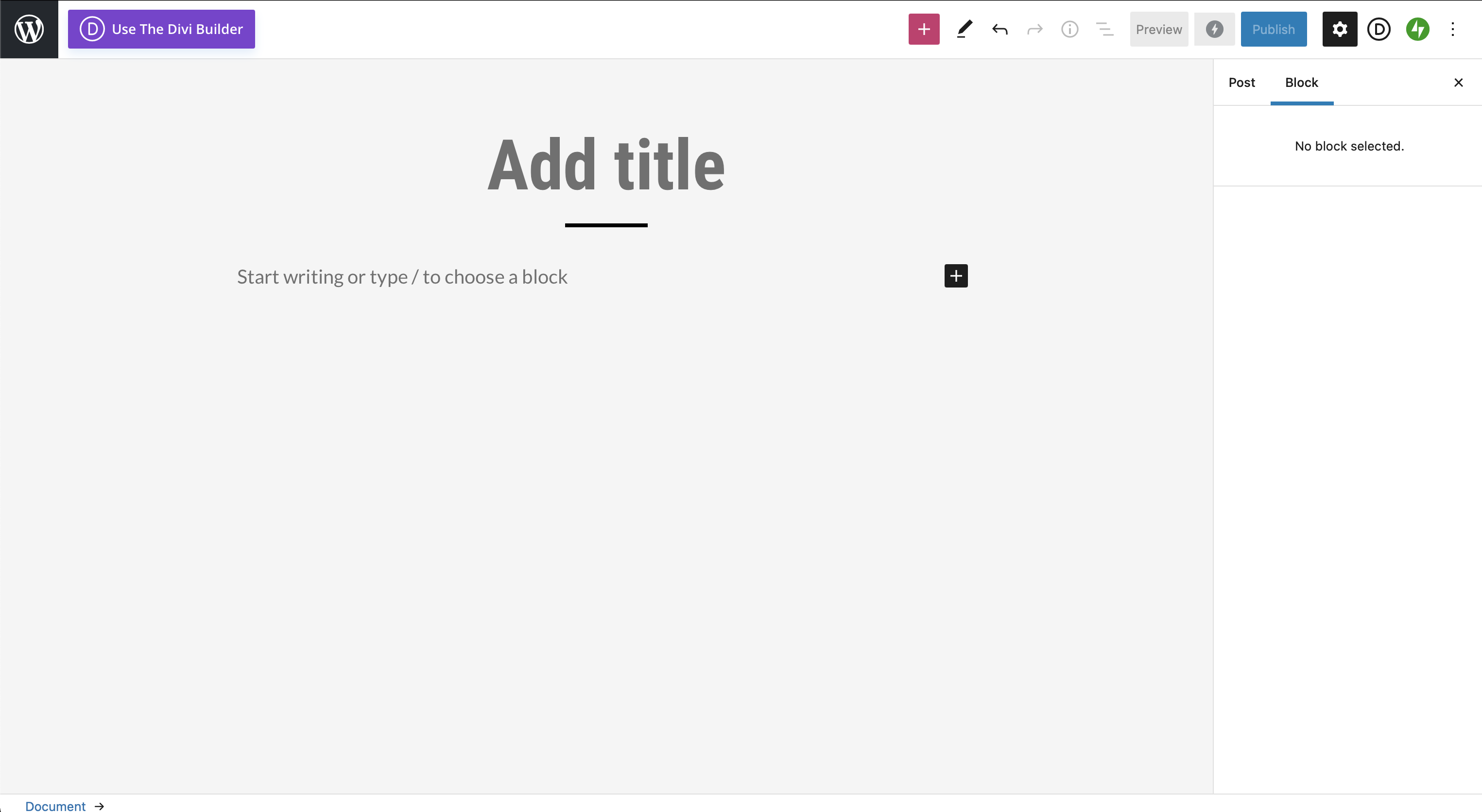 0
0 -
Hi Francisco,
We added a new update for Brizy free 2.2.3. Could you please update the plugin and check if you still have these problems. This update should solve all the problems you mentioned.
Thanks!
Best regards,
Sandra0 -
Yes, Sandra, thank you very much, it works perfectly fine now!
0 -
Hi Francisco,
Great! Thank you for confirming this to us!
Best regards,
Sandra0
Please sign in to leave a comment.
Comments
7 comments