Woocommerce is not seeing woo pages and not update prices

hi guys,
When i use brizy to make the woocommerce page somethings is not going well:
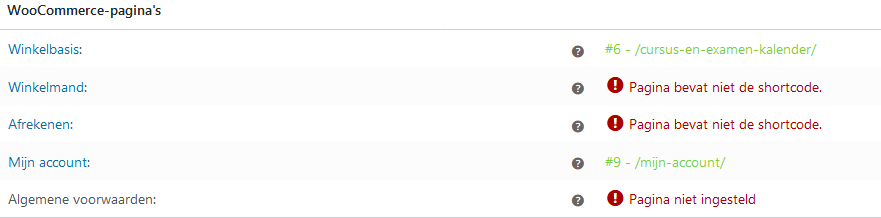
As you can see the pages are not seen by woocommerce.
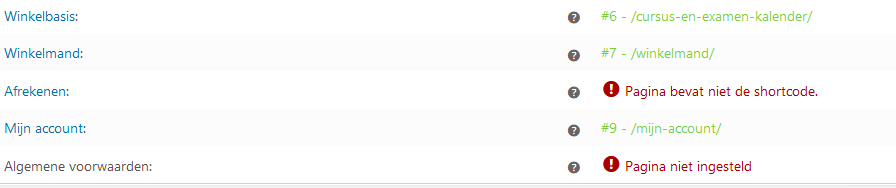
When i dont make it whit brizy it works see the shopping cart (winkelmand)
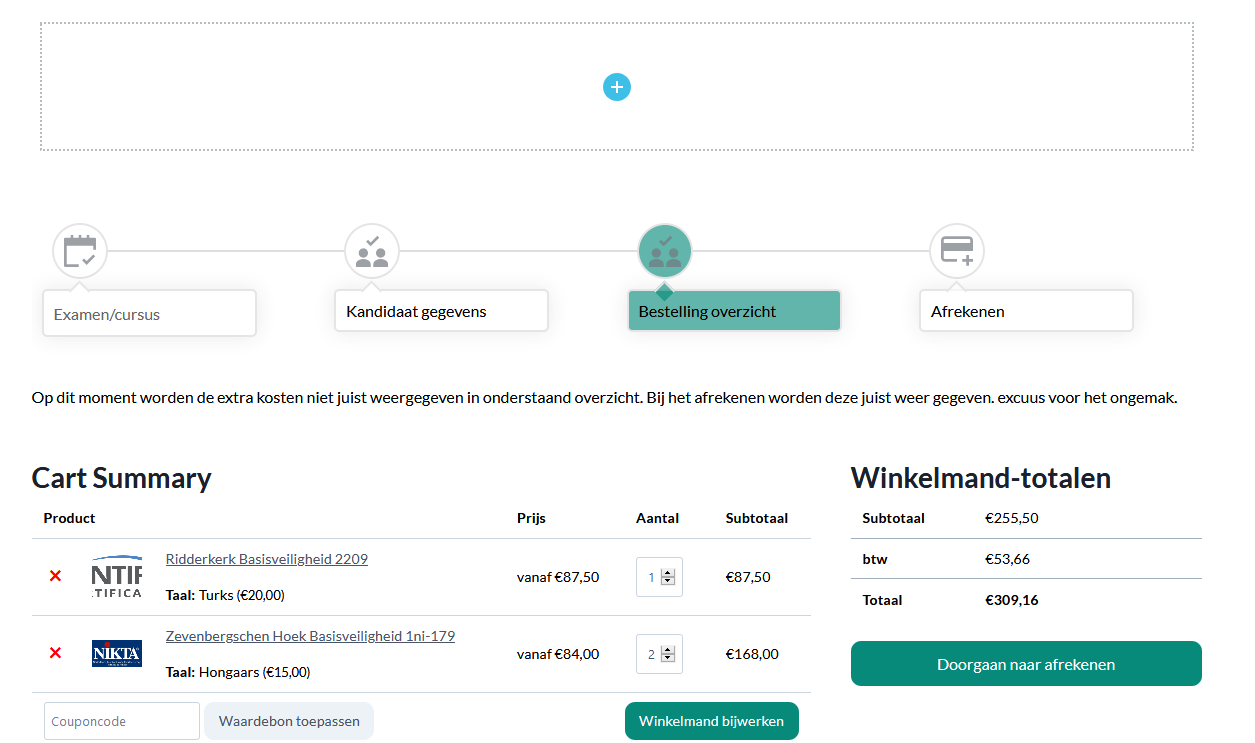
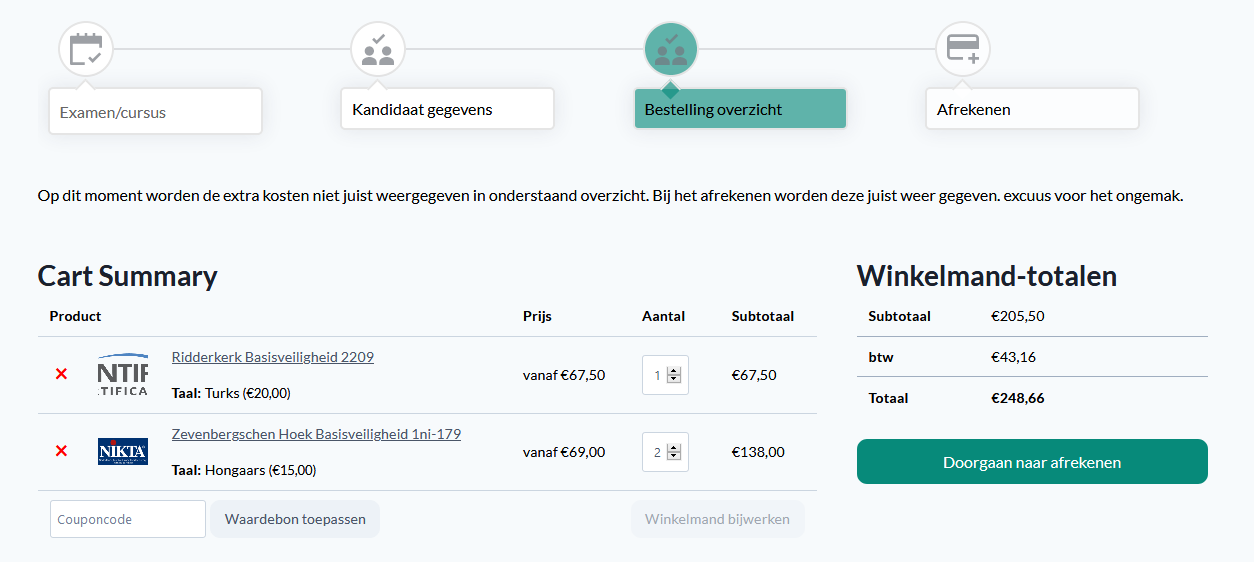
Also the price is not showing good when i use brizy.
Brizy edit:
Brizy live±
greets,
jeroen
-

Hi,
You have to indicate in the WooCommerce settings what page is the Account, Cart, Checkout page and so on https://jmp.sh/1pUbGrJ and after this, you have to go to that page https://jmp.sh/3bdBj3v (here is an example for My account page) and start editing it with Brizy builder. You can add the WooCommerce Pages element https://jmp.sh/t9WF4jE and from there select the "My Account" page https://jmp.sh/rSAbjI0. The same you have to do for the Checkout page, Cart page and so on.
Regarding the prices - could you please give us more details about this problem? In the preview, they are looking the same as in the editor mode.
Thanks!
Best regards,
Sandra0 -
Hello,
I have don that:
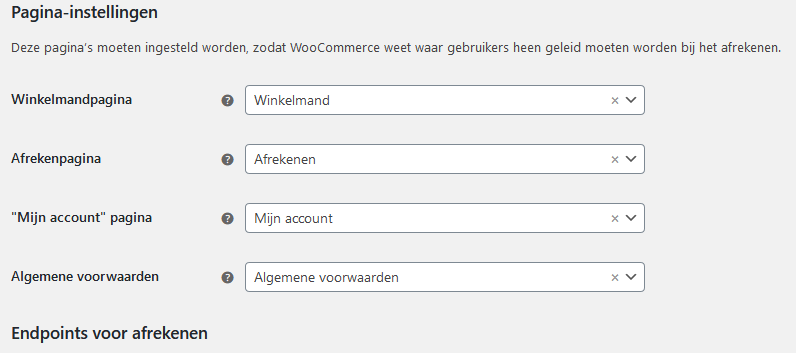
I have done all the things that you mention to set up the page:
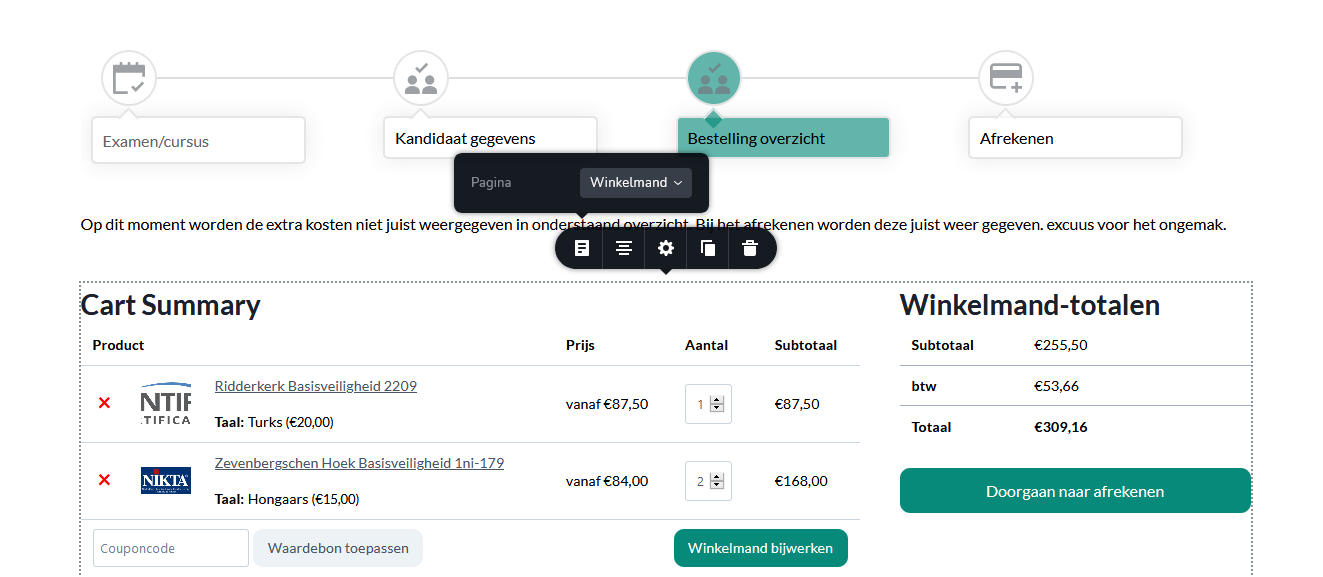
still have:
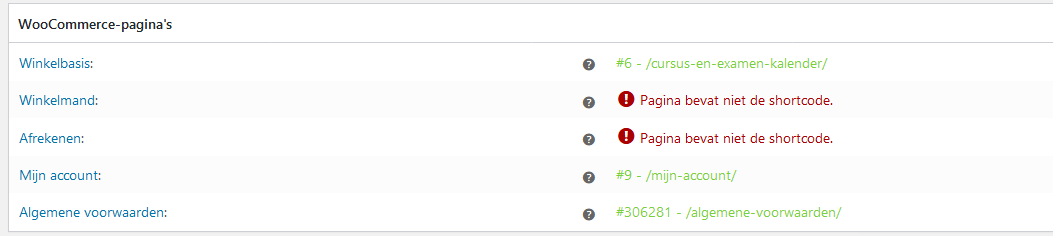
When i use the wordpress editor and use guttenberg it works.
About the price:
as you can see in the edit preview the price from the first product is € 87,50
in the live modus the price is € 67,50 im missing the extra option price (turks € 20,-)
When i use the gutenberg editor the price problem works.
any other ideas?
Greets,
Jeroen
0 -
Hi Jeroen,
I created a private ticket on this request. You had to receive a notification regarding this on email. Could you send to us in that private message the WP credentials to this site?
Thanks!
Best regards,
Sandra0
Please sign in to leave a comment.
Comments
3 comments