just one user at a time?

Dear brizy support,
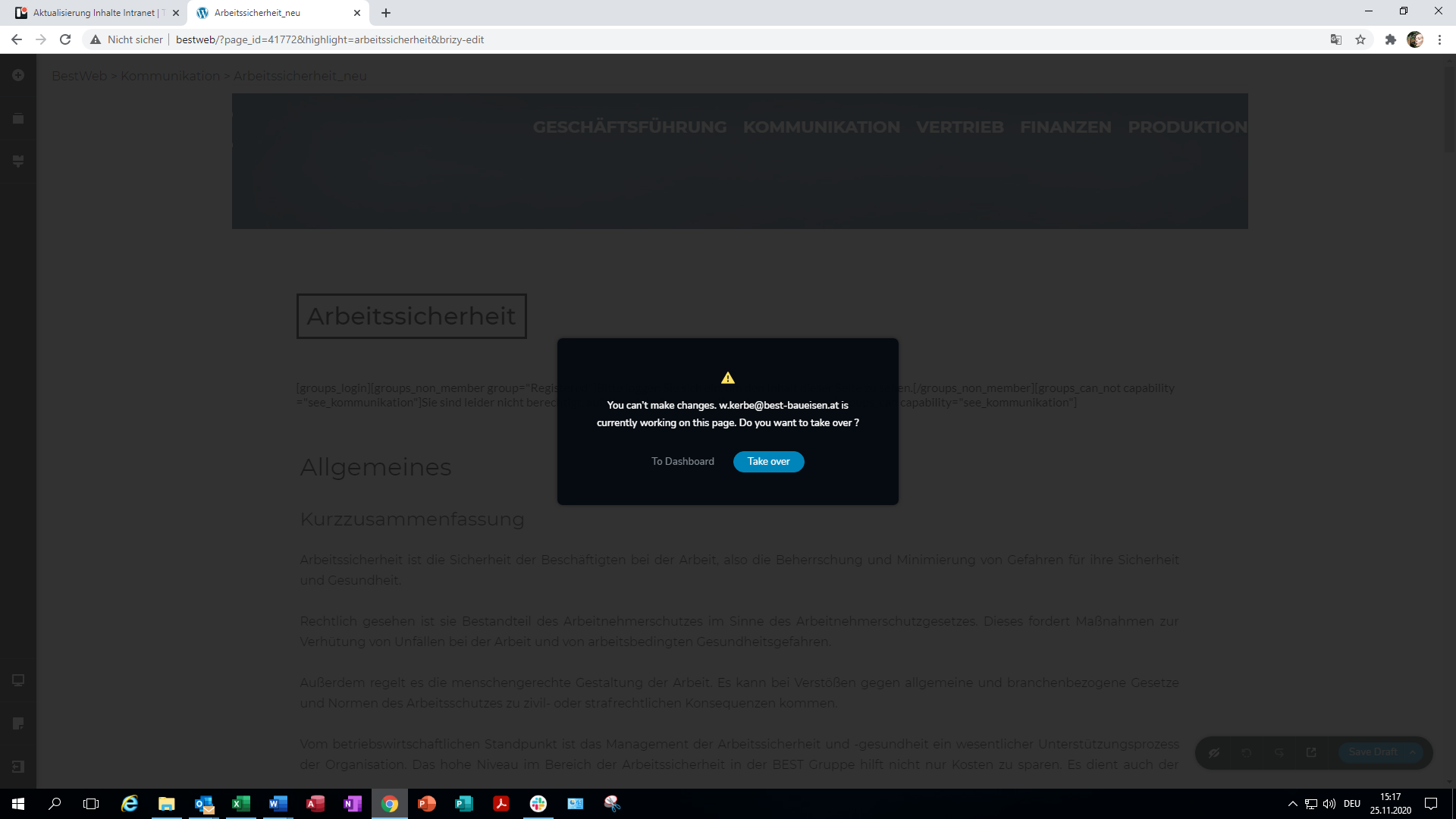
I started to use Brizy with my team recently to build a company website. In that workflow two work colleagues and I are using brizy simultanously to work different sections of our website. It seems that we cannot do this since we do get the error message shown below when more than one person is using brizy at the same time.
This message also shows up if two users are working two completely different pages. Once the second user "takes over" brizy, he seems to kick the other user out of his session, making him loose all unsaved data on top of it.
Is Brizy supposed to work like this or is this a malfunction. Please let us know how we can deal with this issue.
Thank you,
Best regards,
Max
-

Hi Max,
Yes, we don't allow that 2 or more users work on the same dashboard. This can create some inconveniences and you can lose all the work you make because the content you created may be overwritten by other users. This is a safety method to protect your content. We plan to improve this aspect in the future and make it better and easy.
Best regards,
Sandra0 -
Hi Sandra,
what do you mean by "same dashboard"? What If I have a site called www.site.com and one person is working on www.site.com/page-x and the other user on www.site.com/page-y? They can not use brizy at the same time?
I understand that it is not possible that two users work with brizy on the same page, lets say www.site.com/page-x, at the same time, but working on two different pages should definitely be possible.
If not this would be a major shortcoming in my opinion. Is this the case?
Please let me know,
best regards,
Max
0 -
Hi Max,
I'm sorry if I confused you. With "the same dashboard", I want to say "the same site". Therefore, at the moment, 2 or more users can't work on the site at the same time.
Unfortunately, multi-user work in Brizy is not available and will require a tremendous amount of re-tooling and re-coding to make it happen. As I said before, in the previous message when 2 users work on the site, they can overwrite the content created but another user and in such a way can appear some inconveniences. Even if they are working on 2 different pages, in Brizy all colours and typography are global, also in the pages can be some global blocks and this is the main reason, why it isn't recommended that 2 users work in the site (even if one user work on a non-Brizy page and the second one on the Brizy page).Thank you for understanding!
Best regards,
Sandra0 -
Hi Sandra,
well this is heavy news for me and my team since we are 3 and working on a huge client internal intranet page. Its like a Wikipedia for a company with loads of content. We bought Brizy because we thought it would improve our workflow and make things easier but it is quite common that one person works on Page X while another person works on Page Y at the same time. We are all during our office hours and want to be productive at the same time, which of corse means working on the same site but not on the same page at the same time.
This is really bad news I am afraid.
Why not make the global colors on first come first serve prinziple. If User X changes a global color to red its red, if then a second later User Y changes that global color to green its green, no problem. Thats how page builders usually work. Or if one user is about to change content that is currently edited by another user, usually you get informed that you would need to take over control in order to do so. Thats how it usually works. I would seriously consider applying this featur since this must be a big problem for lots of people.
Thats disappointing.
Best regards,
Max
0 -
Hi,
Thank you for your feedback and thoughts. It is very important for us.
We are working on improving this functionality but I can't say when we will release it. It isn't as simple question as it may look. It is a very complex inconvenience and its dependence by many variables. We are investigating this problem.
I'm sorry for this inconvenience!Best regards,
Sandra0 -
Hi Sandra,
thank you for your efforts and support.
Best regards,
Max
0 -
Hi Max,
Thank you too!
Have a great day!Best regards,
Sandra0
Please sign in to leave a comment.
Comments
7 comments