move elements without pushing other elements away

Dear support,
one issue I have trouble with in brizy is that whenever I add margings, padding or spacing it does effect elements I already put in the right place before.
For example when adding an element, then below it some spacing and then another element. Do I want to increase the spacing to push the second element down id does so but only by also pushing the first element upwards.
Is there a way to lower one element without pushing aside the element that sits on top?
Please check the example screenshot below.
Thank you for your support, best regards,
Max
-
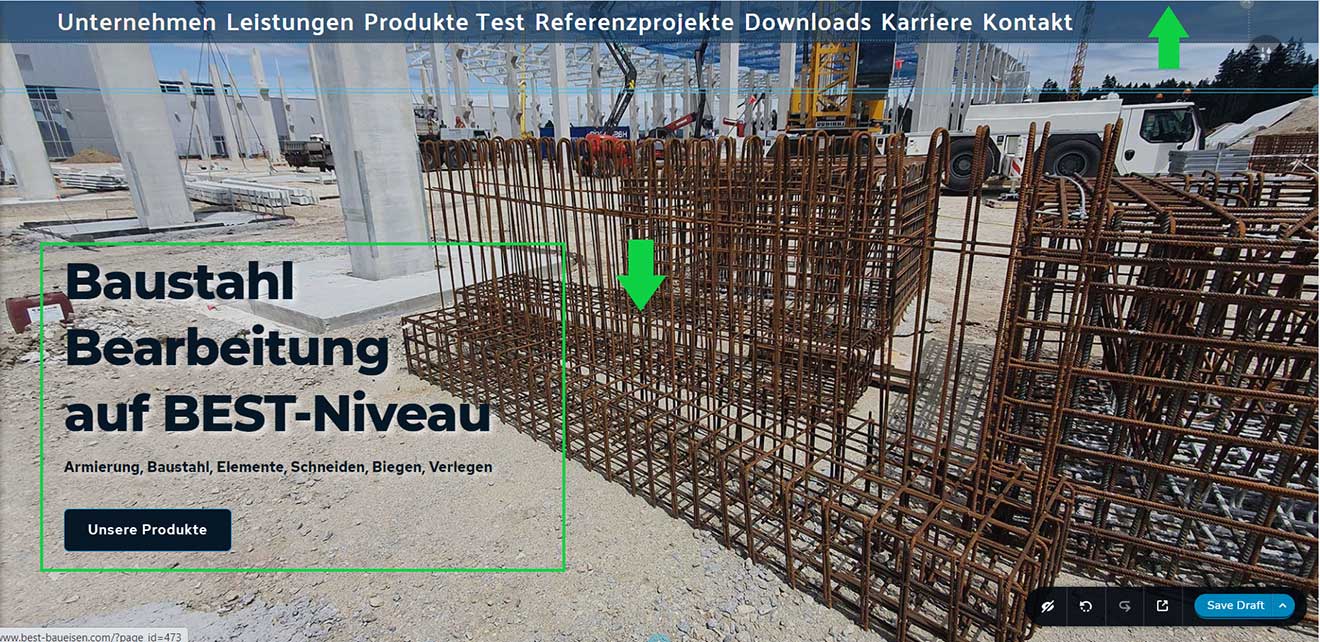
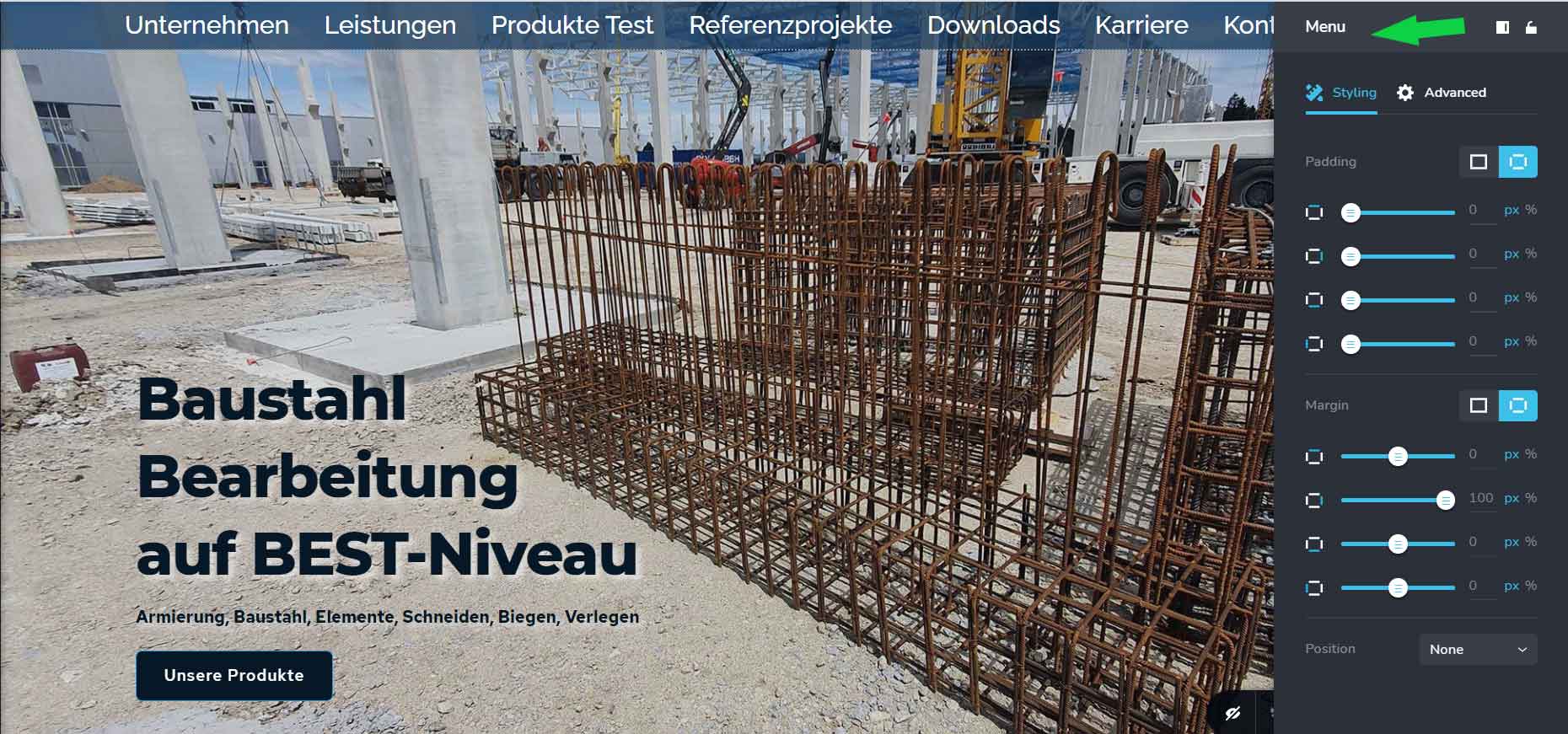
In thins example I cannot push the elements marked in the green frame downwards using spacing, withoug pushing the Menu element on the top of the element further up and out of the view.
Please let me know what is the best way to deal with this.
0 -

Hi,
This is a strange issue if I understand correctly the problem. Unfortunately, I couldn't reproduce it. See here. Could you please send us a video with how did you reproduce this problem? Did you encounter this problem on all blocks and from all pages or it is a single example of reproducing the problem? Also, could you please check how did you create this block? Do elements from the block (columns and rows) don't have big margin and padding?
Thanks!
Best regards,
Sandra0 -
Hi Sandra,
I made a screen caputre video, while adjusting the spacer but dont know how to send you the .mp4 file sinc I am only allowed to upload jpgs, gif or png.
Thanks!
Greetings,
Max
Gree
0 -
above I sent you a download link for the .mp4 recording I made of my screen.
0 -
I could also send you the login details to an Admin user account I made for you on my site but am not sure I can post this here as a private post. Will my comments be accessible by he public or is this a private converstation?
Please let me know.
Best regards,
Max
0 -
Hi Max,
Thank you for all these details and the video. Yes, we don't recommend to share here the WP credentials because it is a public channel. We will create a private ticket but we need some other details. Could you please inform and give more details regarding how did you create the menu section? How did you add and build it https://jmp.sh/9wprVL2?
Thanks!
Best regards,
Sandra0 -
Hi Sandra,
so the way the page and the menu is set up is:
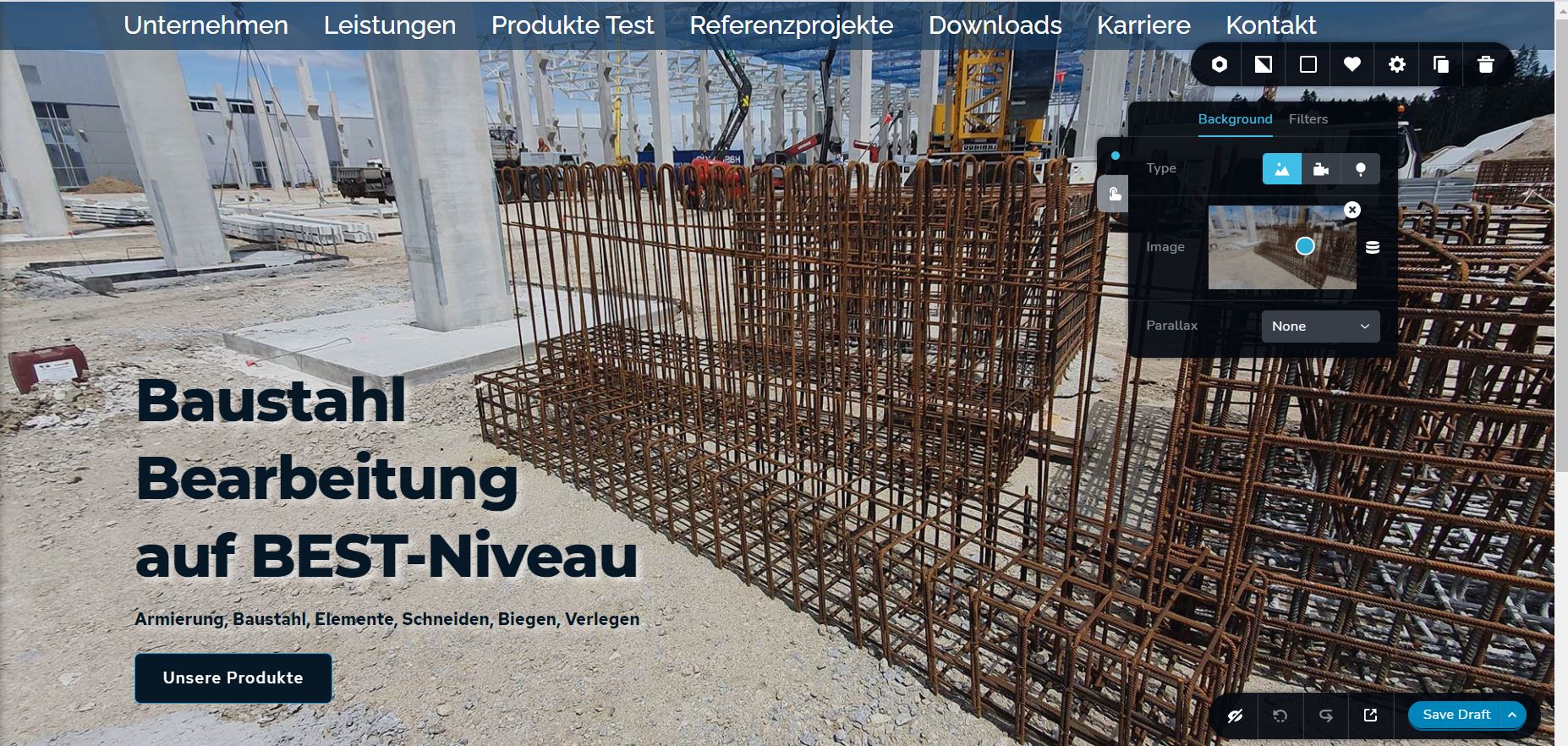
- there is a page element that has full width and height and contains the background image. (see Screenshot "page element with background.jpg)
- Then all I can see is a regular menu item (see screenshot "menu brizy page.png"
- But when i zoom out of the page using ctrl + "-" I can see the rest of the involved elements and coresponding menus. (this is one of my major issues with Brizy, there are menus but they are invisible or cannot be accessed for some reason)
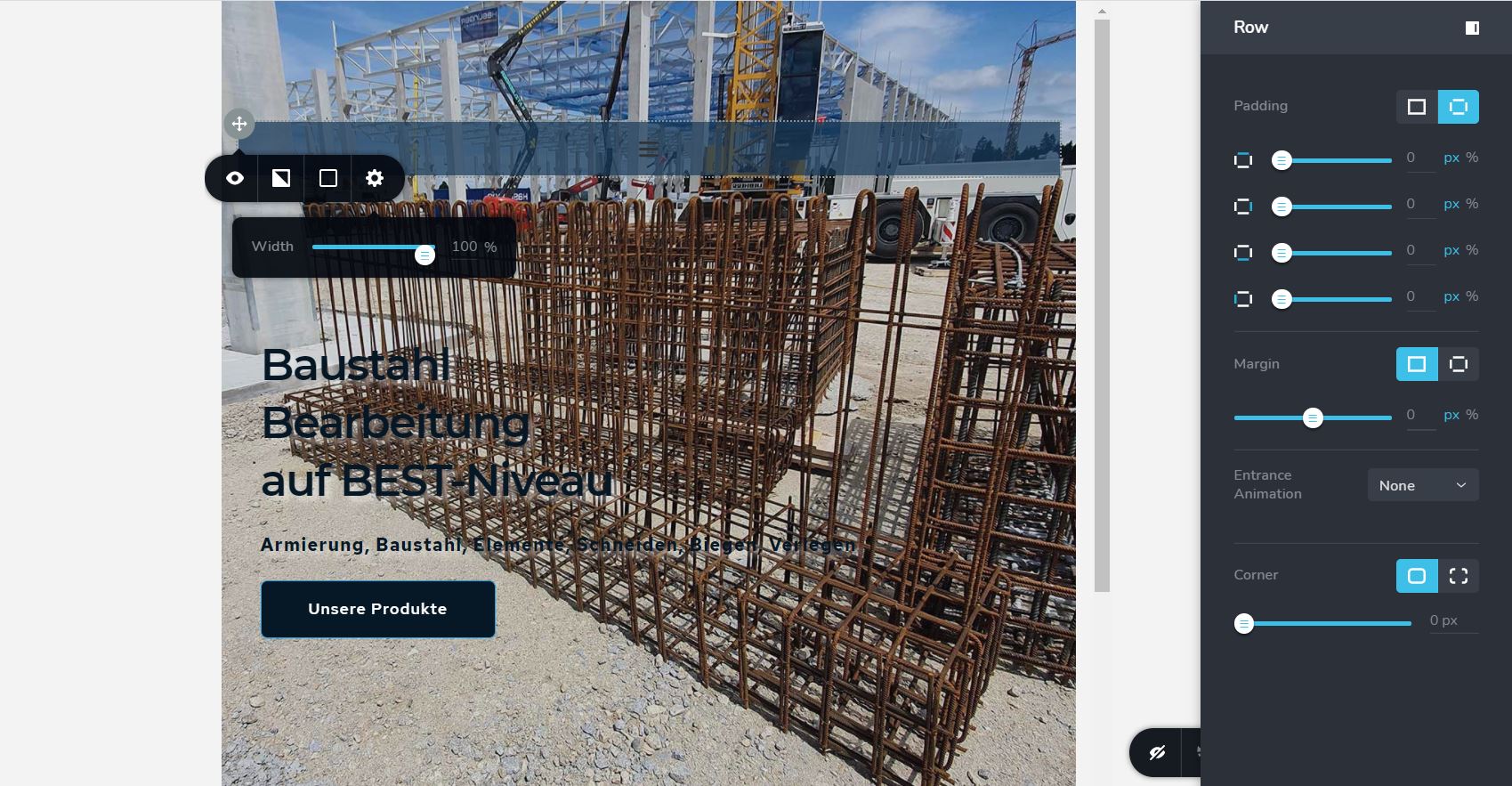
- So when zoomed out I can see that I built a row element which contains a column element, which contains the menu element. All of this is sitting on top of the page element containing the background image. (see screenshot "row brizy page.jpg)
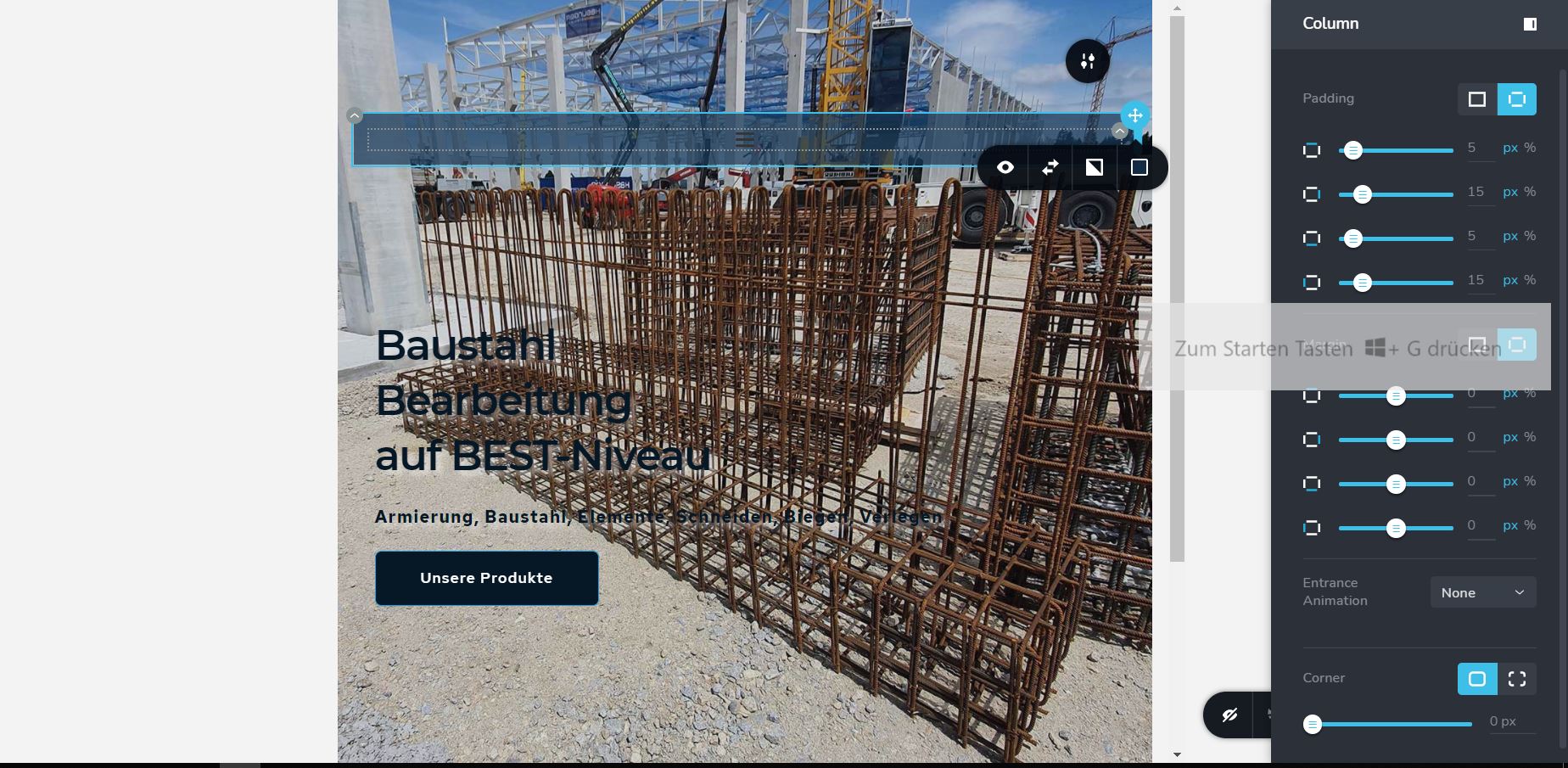
- Inside the row there is a column element, which contains the dark blue, transparent background that lies behind the menu (see screenshot " column with overlay.jpg")
- the menu item itself only has font styling but no background. the blue background comes from the column element.
Please let me know if this gives you all the details you need or if you need to know anything on top of that. Also it would be nice to know how the pros like you find the hidden page sections, elements and menus once they are out of reach.
Best regards, Max
0 -
Page Element with background image
 0
0 -
Row floating on top of page element:
 0
0 -
Column with overlay :
 0
0 -
menu item inside column, inside the row, all of which is sitting on top of the page element containing the background image:
 0
0 -
Hi Max,
Thank you for these details and all screenshots. If you set the full height to the block, please make sure that the entire content from the block is positioned to the top. See here.
Thanks!
Best regards,
Sandra0 -
Hi Sandra,
sorry for the late response. I was off for a while. YESS! This is it, problem solved! Well done, thank you!
Still the site is looking different on my screen than on my colleagues screens due to the different sizes of displays, but this is a normal well knowen challenge.
In Brizy you can swap between desktop, tablet and mobile view but is there a way to preview the site on different sizes of desktop views like 21", 27"...?
I guess in that case I have to work with external developer tools like the ones included in your browser for excample right?
Best regards,
Max
0 -
Hi Max,
Thank you for confirming that all is fine.
If some blocks from the site have the "full width" in this case, these blocks can look different on different desktop devices' sizes. This happens because the full width means that the content will be displayed on the full width of the device. In case that is used the "boxed width", the content will not float to full device width but will stay on certain dimensions from the breakpoint. Unfortunately, at the moment isn't possible to preview and edit the page for desktop with different sizes.
Yes, if you want to test how will look the site on different desktop devices, we recommend to use an external tool for this,Let us know if we can help you with something else.
Best regards,
Sandra0
Please sign in to leave a comment.
Comments
15 comments