Brizy cloud publish issue

I've set up a project called 'JP Patisserie'. I created the home page and publish it and choose to use use the free subdomain using your brizy.site name. I entered "jpbakery" as the sub-domain and saved it.
I then created a second page, which I saved and published.
When I went back into my 'JP Patisserie' project to edit the page, it took me straight to the home page instead of the screen when both URL's are listed.
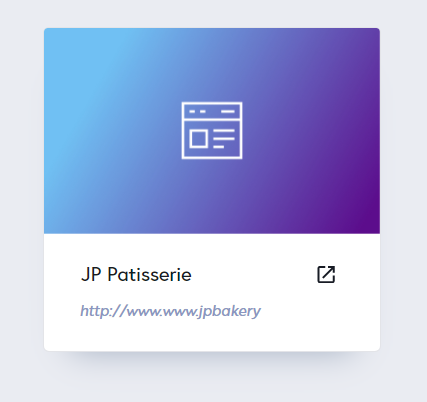
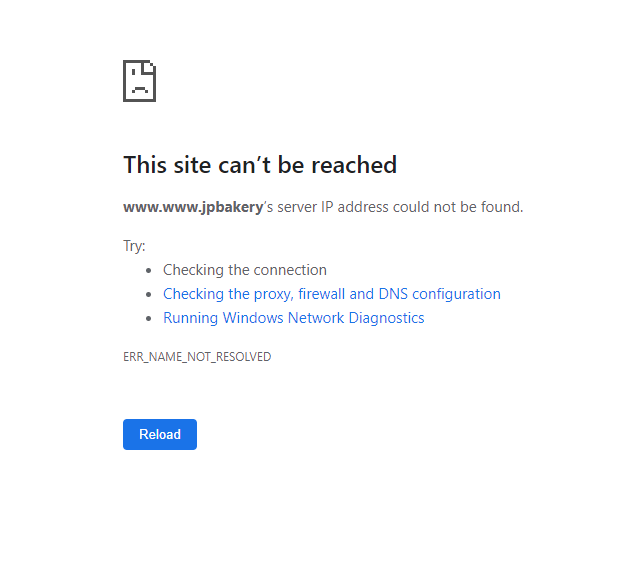
I then realised there was an issue with the URL. It looks like it has added two www.www to the URL.
Would you mind fixing this for me so I can keep on working on this project?
Greatly appreciated.
Thanks
Sylvie
-
Hello there, found how to get back to edit the page but still have the issue with the URL when published. I've enclosed both screenshots. Thanks
 0
0 -

Hi,
Did you want to publish the site using the Brizy subdomain or on the Custom Domain? I suppose that at the moment it is initiated the process to publish the site using the Custom Domain method. In any case, I suggest publishing again the site.
If you want to publish the site with the Brizy Subdomain method, then go to the Publish and try to select the Brizy subdomain method and click there. After this, add the name of the subdomain you want and click on the "Submit". See here.
Does all start to displaying fine?Thanks!
Best regards,
Sandra0 -
Hi there, I worked out what I done incorrectly. URL is fixed now.
Just one thing. I created a project with two webpages. I've published it the project. It shows the link but if I click to view the page, it comes up with the following message:
This page is not yet created. Please start designing your page by clicking the button below - Start creating.
Why is that? The page is there but it is not displaying with link.
How can we solve this?
Thanks
Sylvie
0 -
Hi,
Great to know that you could solve the problem with the URL. Now, if you receive this problem https://jmp.sh/9J56aky this means that the page is saved in the Drafts. Therefore you have to go to this page and "Publish" it and after this to "Update" it. See here.
Could you please check this?Thanks!
Best regards,
Sandra0
Please sign in to leave a comment.
Comments
4 comments