Buttons Bug

Hi all,
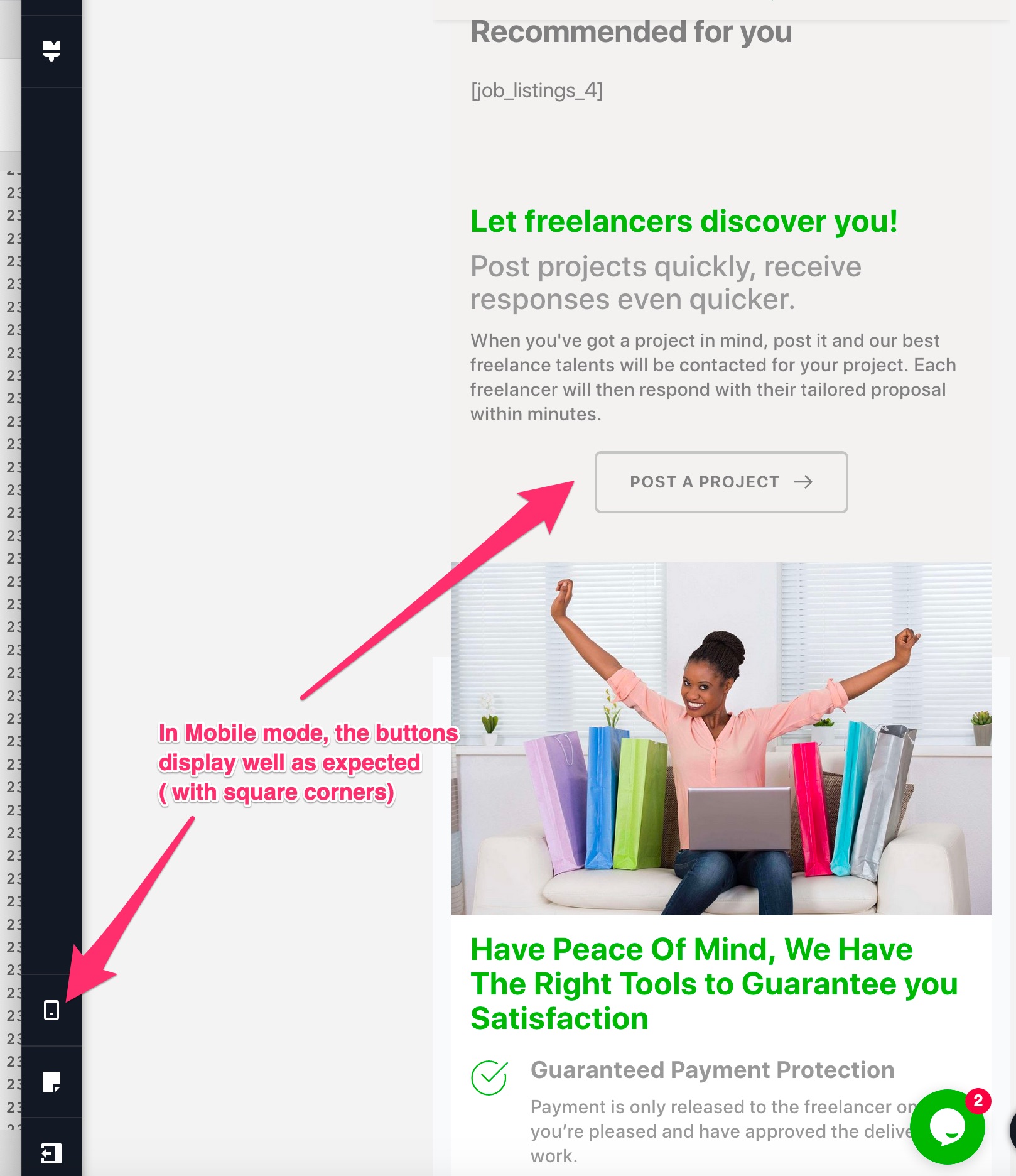
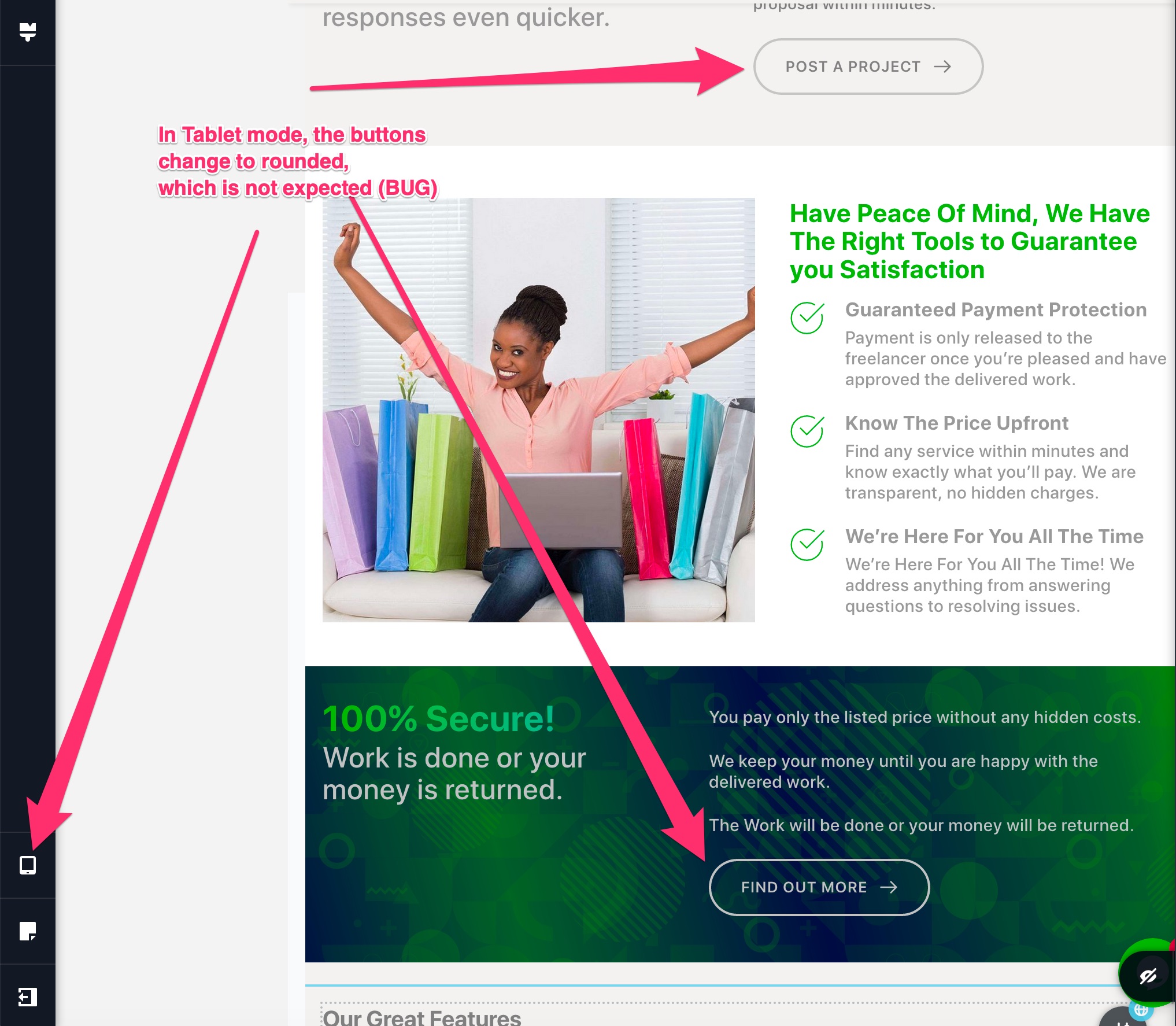
I am having a issue whereby I have set my buttons to have very slight rounding on corners on DESKTOP Mode (they are almost square with only 5px roundness). However, when I switch to TABLET MODE where I do not have an option for adjustment, the buttons appear to have rounded corners.
On Mobile view they display as expected just like on the Desktop view.
Could there be a bug on the TABLET Mode? See attached screenshots.

Regards,
Freddie.
-

Hi Freddie,
If you change the button's corner of the border on tablet mode, all is starting to work fine? Unfortunately, we couldn't reproduce this issue on our sites and I suppose that they were changed manually in the tablet mode. Could you please check this?
Thanks!Best regards,
Sandra0 -
Dear Sandra,
Thanks for your assistance. However, I am not able to get a solution. Despite the fact that I am using Brizy Pro, the option to change button corners is only available in Desktop mode meaning that the Tablet and Mobile modes take up what has been set in the Desktop mode. Kindly share a screenshot of how you achieve that on your side.
Regards,
Freddie.
0 -
Hi Freddie,
I'm sorry for the last response. Yes, you are right in the tablet mode isn't possible to set the corner of the button. Today was a hard day :).
I created a private ticket on this request. You have to receive a notification regarding this on your email. Could you please check it and send us there the WP credentials to your site? We want to check it.Thanks!
Best regards,
Sandra0
Please sign in to leave a comment.
Comments
3 comments