Global blocks not working

Hi guys
It seems the global blocks are not working correctly. In my case, I had set a global block (menu header), but wanting to take it out form a specific page, by using the 'conditions'. So in the top of the conditions panel exclude/include pages, I changed the Home page to the Login page (the page, I wanted to exclude the menu header from). This resulted in:
The header STILL being on the login page (even after having manually deleted it several times) PLUS the menu header being added one more time to the home page, see screenshot.
I can't seem to even get rid of the double header in the homepage now...Please help.
-
Hi guys
Just a quick update: I managed to solve the issue by simply excluding the global menu header from the home page and the login page. So now it works fine. But, in the Global block settings, I deleted the global block but that didn't stop it form displaying on pages, until I manually excluded it via the 'Conditions' panel. it may be designed to work that way, I'm not sure - but a bit confusing to me at least.
/Mikkel
0 -

Hi Mikkel,
Could you please check if you have the latest versions for Brizy Free and Pro? At the moment we have the 2.1.4 version for Brizy Free and the 2.1.2 for Brizy Pro. Just now I tested the Include/Exclude condition from global blocks (header block) and all seems to work fine. See here, all conditions I set for the header global block and here you can see how is looking the Bg_test page in my site. As you can see the header isn't displayed. See here another example of this.
If in your site you don't see the same result, please check if you have the latest version for the Brizy plugins, temporarily deactivate all external plugins (except Brizy Free and Pro) and activate a WP default theme. Do you receive the same behaviour?
Thanks!Best regards,
Sandra0 -

Hi Sandra,
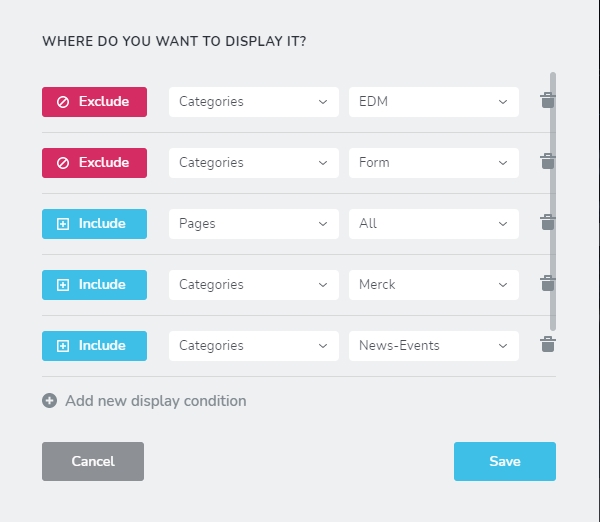
I think I have the same issue, where 'include' and 'exclude' does not actually apply on Categories. I have Brizy Free is 2.1.5 and Brizy Pro 2.1.3. Guides please? Thanks!
 0
0 -
Hi Tish,
Yes, we could reproduce this problem for the Category pages and we already created an internal issue for this. Our developers will investigate it and will find a solution for it. For the moment, I can suggest adding a display condition for the Brizy template created for the Category pages. Therefore, you have to add such a display condition "Include -> Brizy template - [Name of the Category template]". In such a way you will add the block on all Category pages but you will not be able to exclude it for some category pages.
Thanks!
Best regards,
Sandra0 -

Hi,
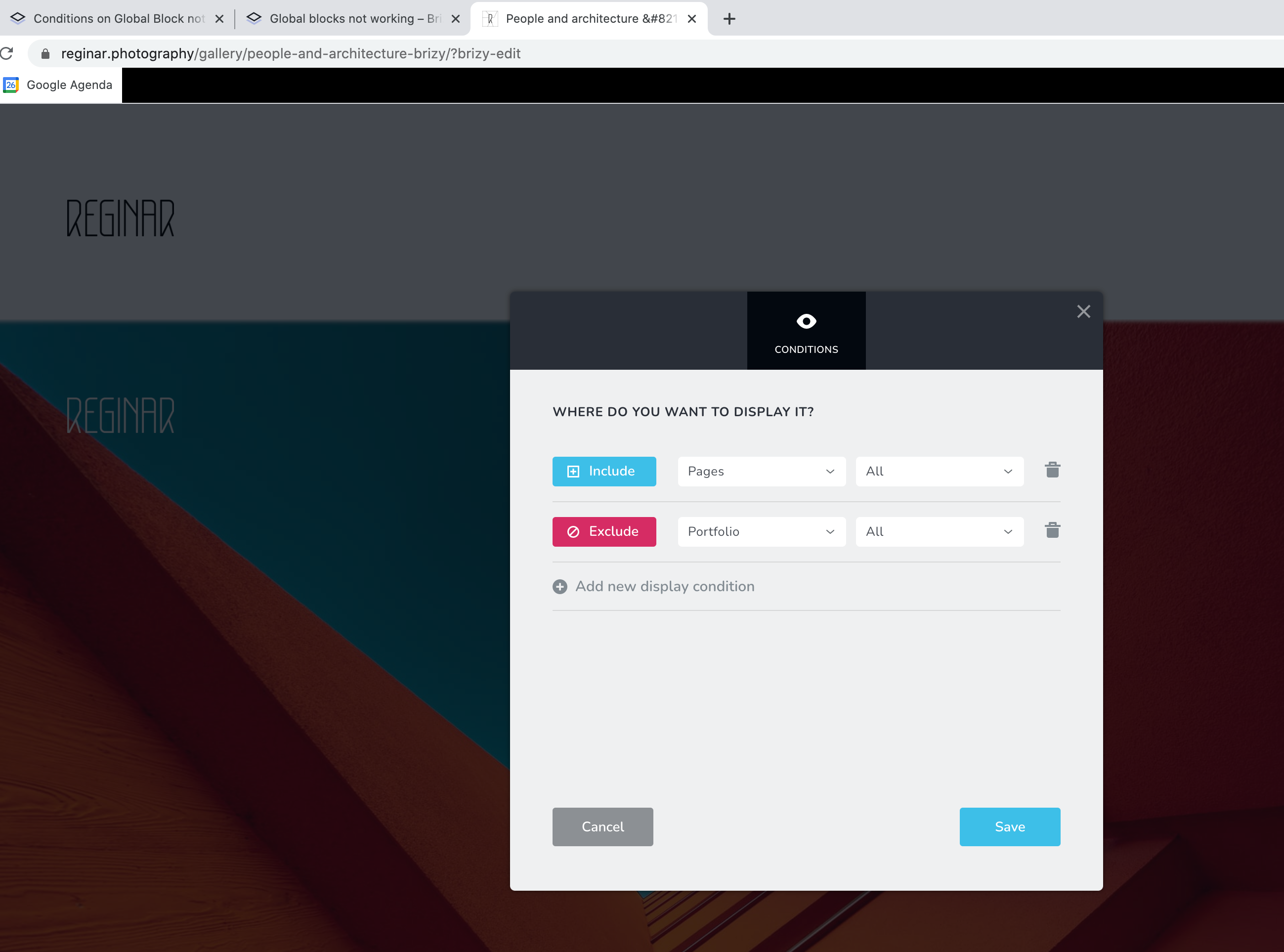
I have exactly the same problem. It IS showing on the portfolio, while it is clearly set to exclude. I've been trying several solutions for this and updated frequently, nothing changes. Also if you think you have solved it (it is gone for a bit), it seems to come back next time you load.
Any thoughts?
 0
0 -
Hi,
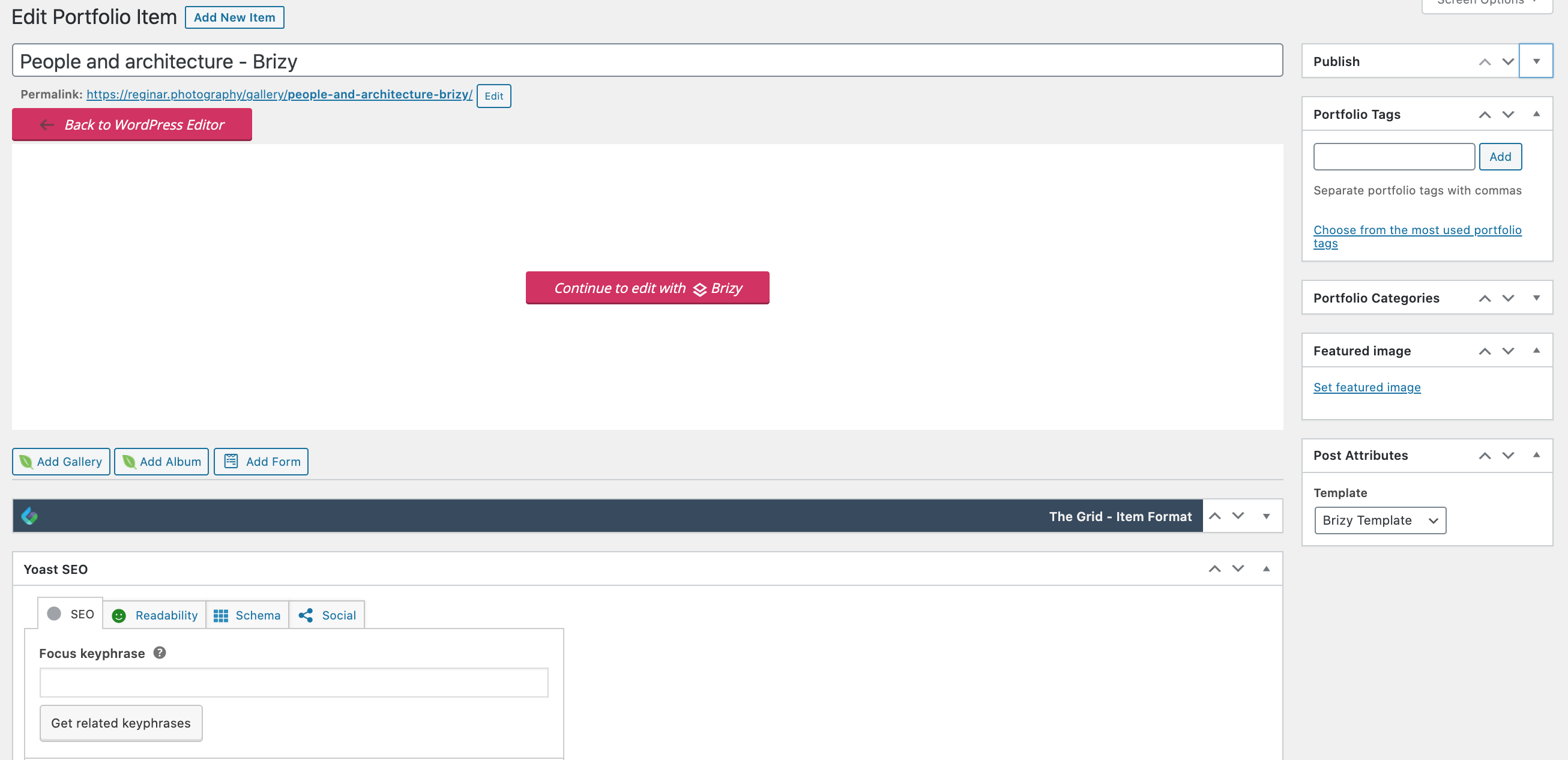
How did you create the Portfolio? Could you please give us regarding this? Could you send us please some screenshots with the WP edit mode of the Portfolio?
Thanks!
Best regards,
Sandra0 -
Sorry for the delay. You mean this?
Btw at this point I 'solved' it by 1 on 1 enabling and disabling pages for the general header. That should be the case I think. And also I would like this portfolio header as global on the Portfolio pages. But those two things don't seem to work well together.
So
- one header global for all pages, except portfolio
- one header global for portfolio pages only (yes I could add it every time as a block, but 1) that's inconvenient for a bigger portfolio and would mean adjusting all portfolio items when there are changes and 2) I think from what you're showing, this should work too).
 0
0 -
Hi,
Thank you for your reply! If I correctly understand you could include the header from the Portfolio pages and now you want to display another header block only for the Portfolio pages. Could you please check if you created a new header block and set it as global with Include condition for All Portfolio pages? Could I ask you what theme did you use? If I'm not wrong the Portfolio is a theme feature and I want to test this case too.
Thanks!
Best regards,
Sandra0 -
Hello,
As mentioned before:
- one header global for all pages, except portfolio
- one header global for portfolio pages only
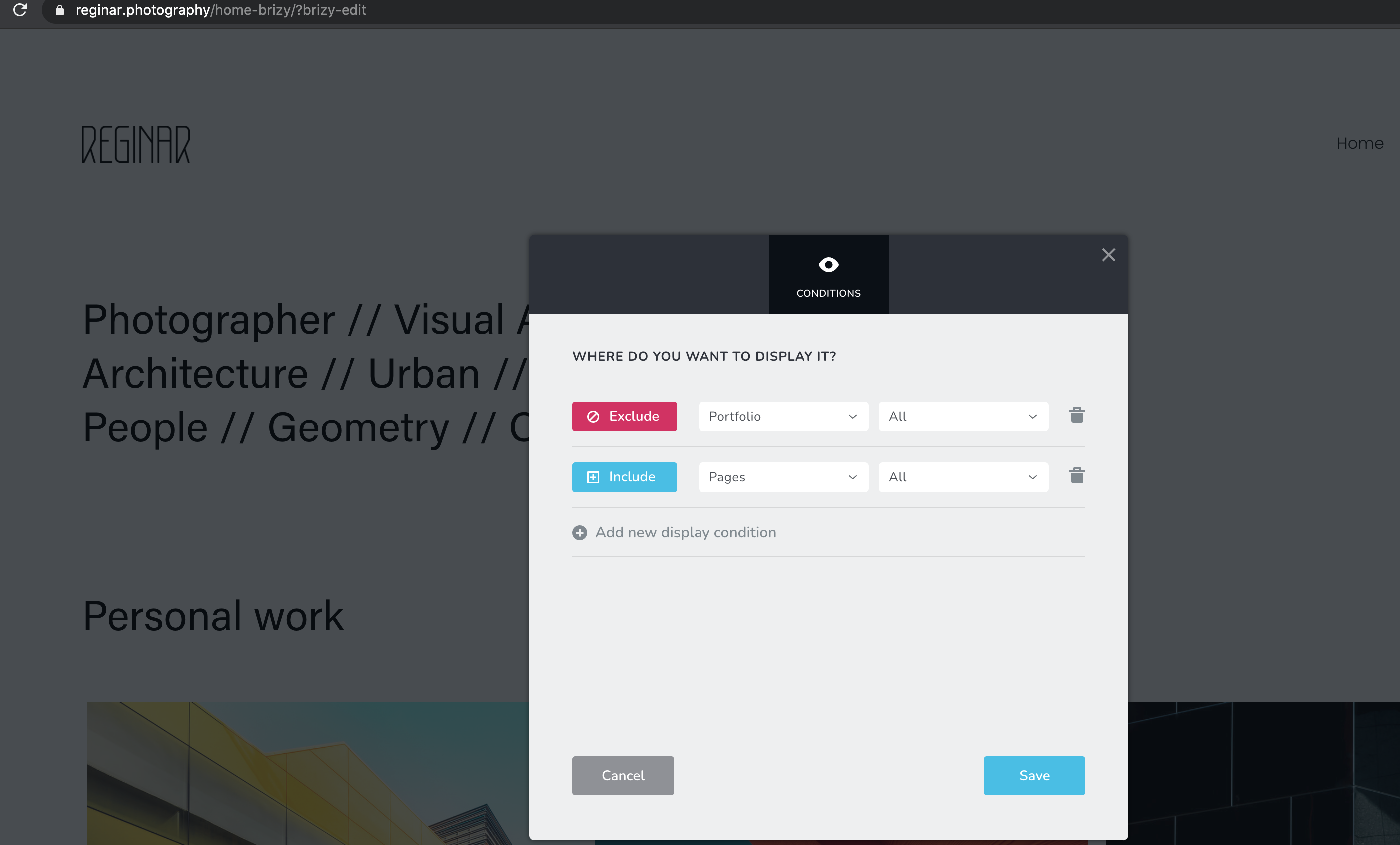
How the settings were BEFORE printscreens below
- General header with conditions: include pages + selection of specific pages
- Header of portfolio items NOT global (because it doesn't seem to work), but that would leave me adjusting every portfolio item once I change something in this header. Yes I could favourite it, but that's a bit cumbersome.
Now I changed also the portfolio header to global with exclusion of pages and inclusion of portfolio and for the general header visa versa. For the main header on the pages inclusion that seems to work, but on the portfolio header, it just disappears...even if I specifically select the current portfolio gallery.
And to add to this: now the main header is also showing up on the portfolio page again (see printscreen of first reply by me on this topic), although it should be excluded and my portfolio header is now gone which I need to input again on the portfolio items.
My Theme: Theme X by Themeco
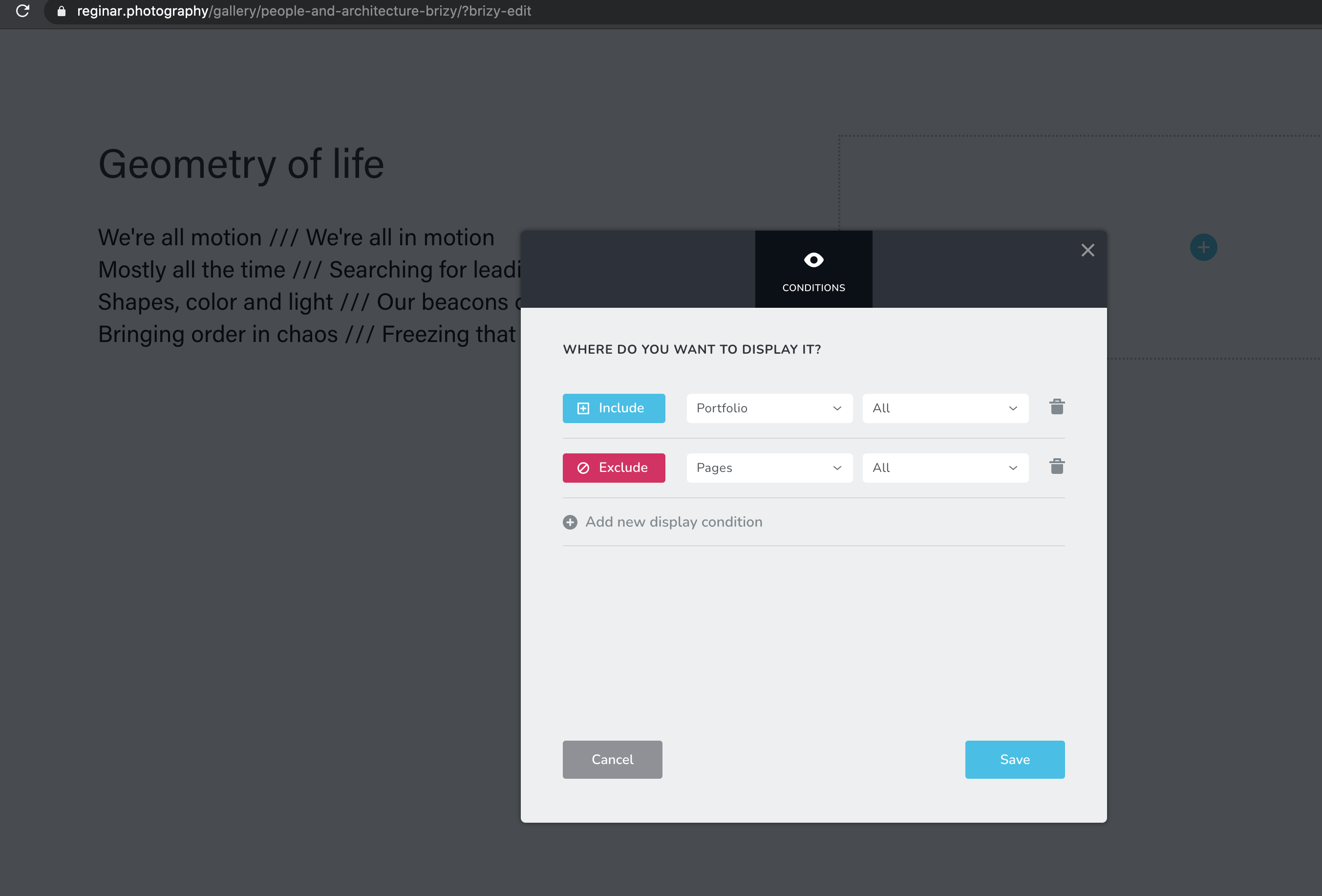 0
0 -
Ok there's definitely something conflicting going on here and maybe not just with the portfolio items. It's super random when headers show or not.
Although I would still like a solution for the issues mentioned above in previous comment, to make things easier to test I decided to go for 1 header for pages & portfolio. So undid the current header global header (which btw still made me delete the headers manually and unglobal them on each page), took a saved header (with image in it so you know the difference) and made this global with settings from printscreen. Not showing on the the portfolio items...
Cache issues? Since day one I have issues with the header functionality. I have some similar weird issues going on as of this week on the mobile landing page of home-brizy. In the builder interface all is fine, padding is correct, but on my phone and my girlfriend's phone (two different brands), the padding and sliders are completely off.
This way I can't really continue building. I don't want to invest a lot of time workarounds or re-doing stuff while things should work as promoted by you and why I invested in Brizy.
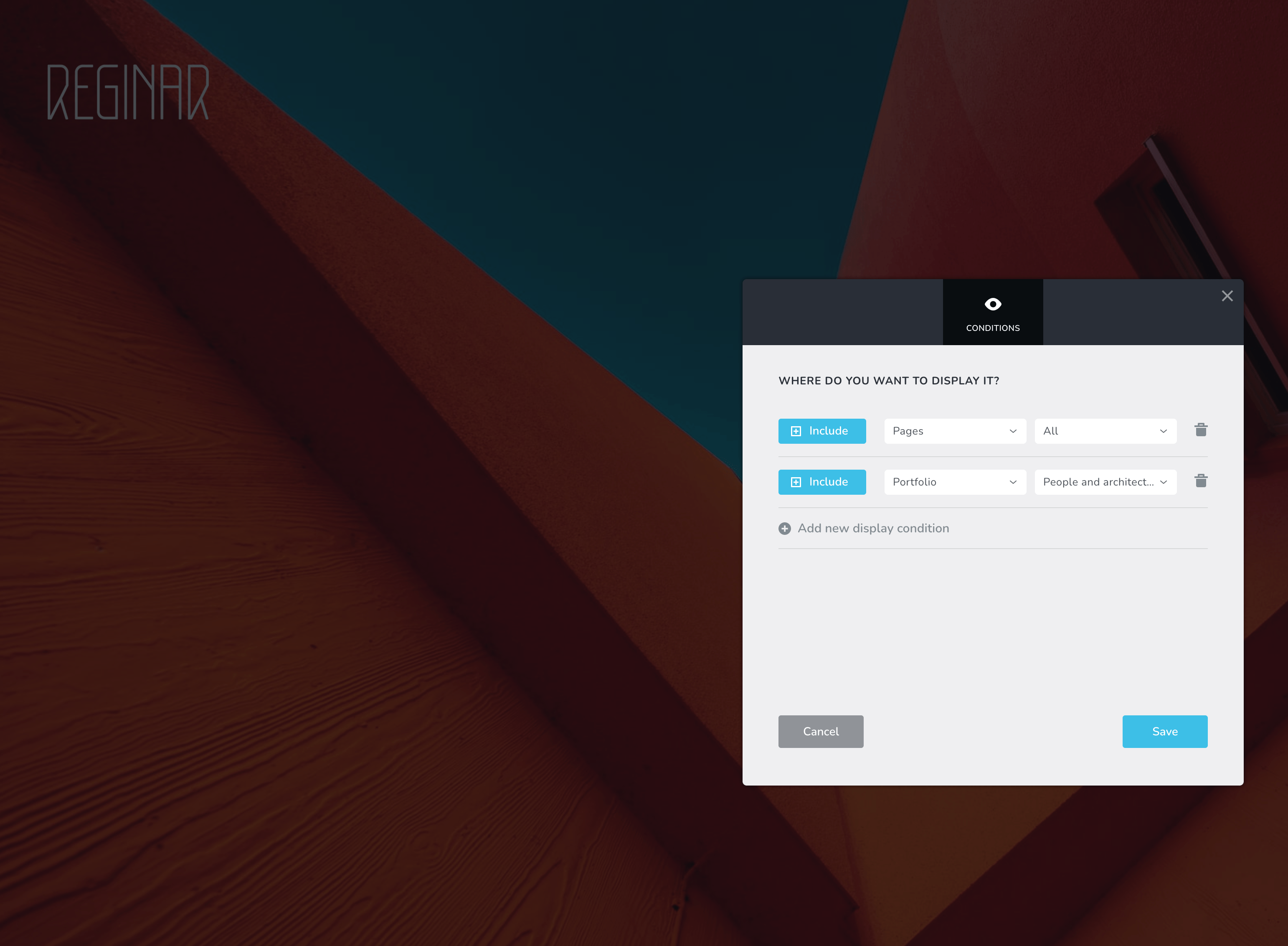 0
0 -
Hi,
The issue with global block - Could you please delete the exclude condition from the Header block from Pages and Portfolio? Therefore, you need to have "Include - Pages - All" in the Pages for the Header block and the "Include -Portfolio - All" in the block from Portfolio? The Portfolio and Pages are different post types and therefore if you include a block to all pages, it will show only in the Pages and it isn't necessary to add a exclude condition for the Portfolio. The same with the block from Portfolio. Could you please check this?
Problem with padding - could you please send us the URL link of the page where you encounter this problem? We will check it. Also, please send us a screenshot from the mobile editor mode of the same page.
Thanks!
Best regards,
Sandra0 -
I think at some point it was solved. Where in ‘Include’ and ‘Exclude’ DOES actually work. I know this for sure because I did not have this issue before. And recent updates might have done something to it. Please look into it, because we’d like to keep consistent and clean (with looks). I hope this is something that can be resolved ASAP.
0 -
I'm sorry but I'm a bit confused. Are problems you encounter with Include & Exclude conditions and with padding are still appearing?
Thanks!
Best regards,
Sandra0 -
Hi Sandra,
I think you're replying to somebody else? :) There was a new person added to the mix in the comments after me.
Global blocks:
Concerning my Header issues: now it's even worse. This happens every time btw once I set it to 'all' and not pick specific pages. The header disappears and I can't get it back, have to put it back in manually...
Same goed for Portfolio Headers. They never worked so far in a global way on all portfolio's. I had to add them manually every time, conditions just don't work.
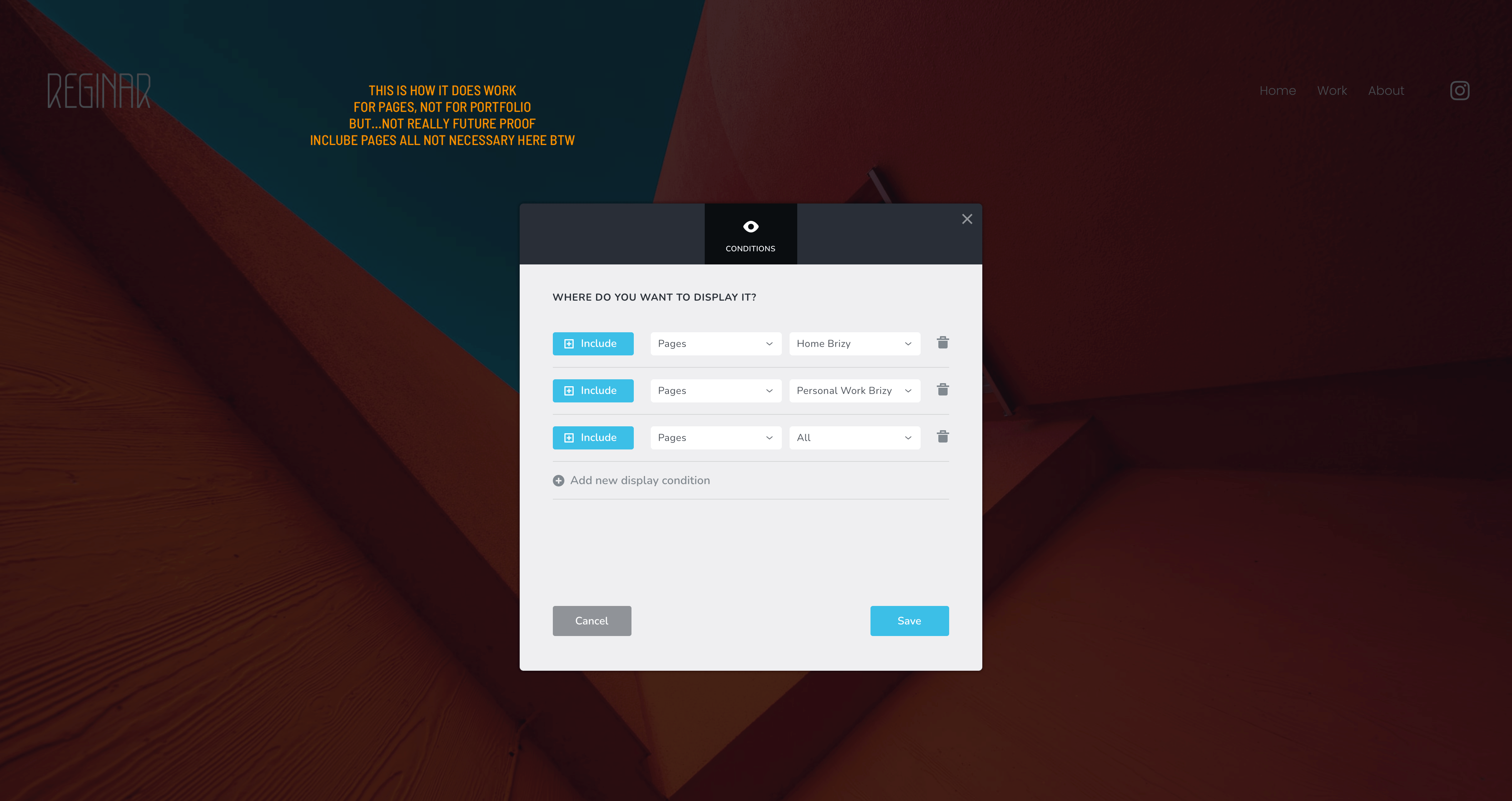
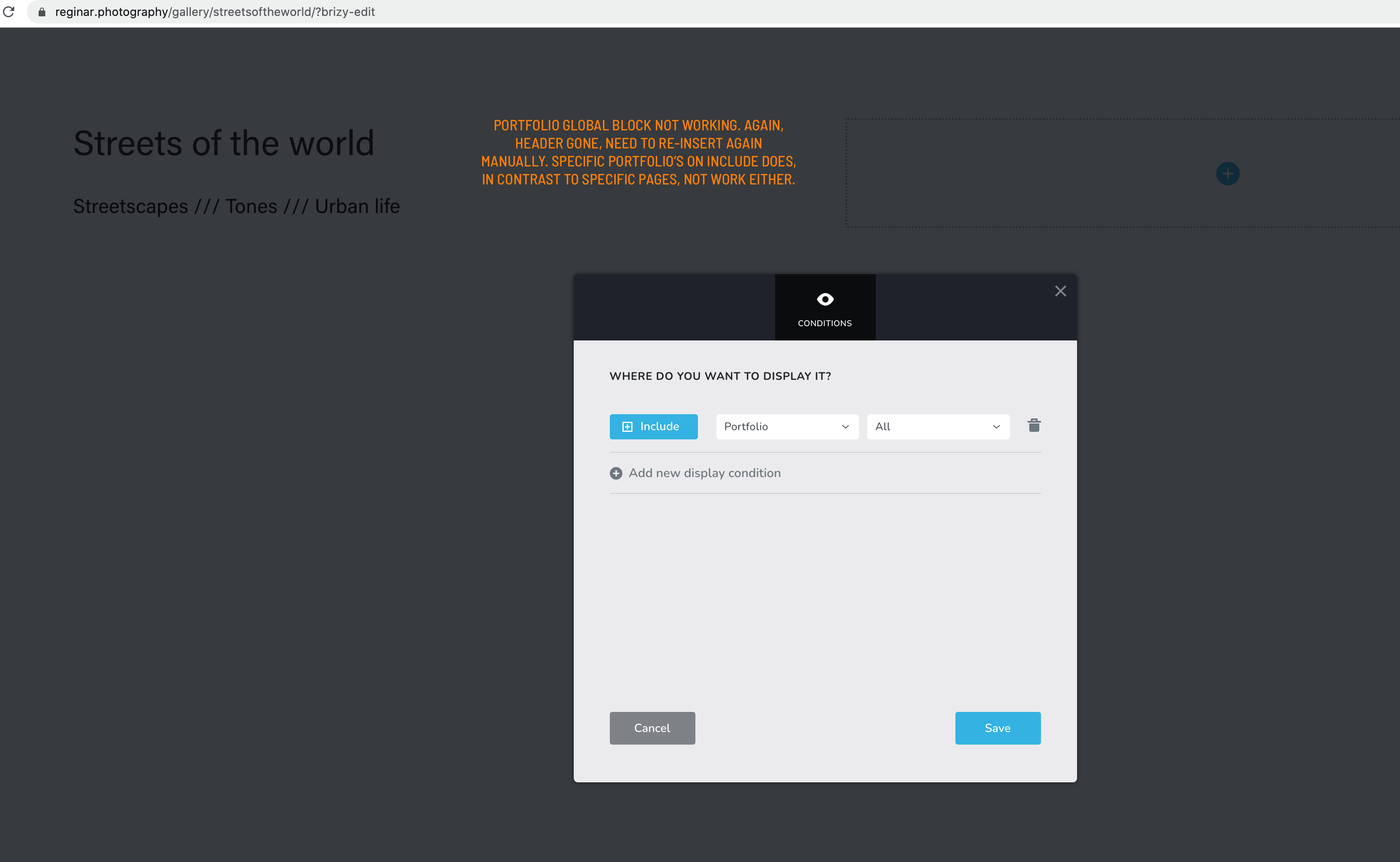
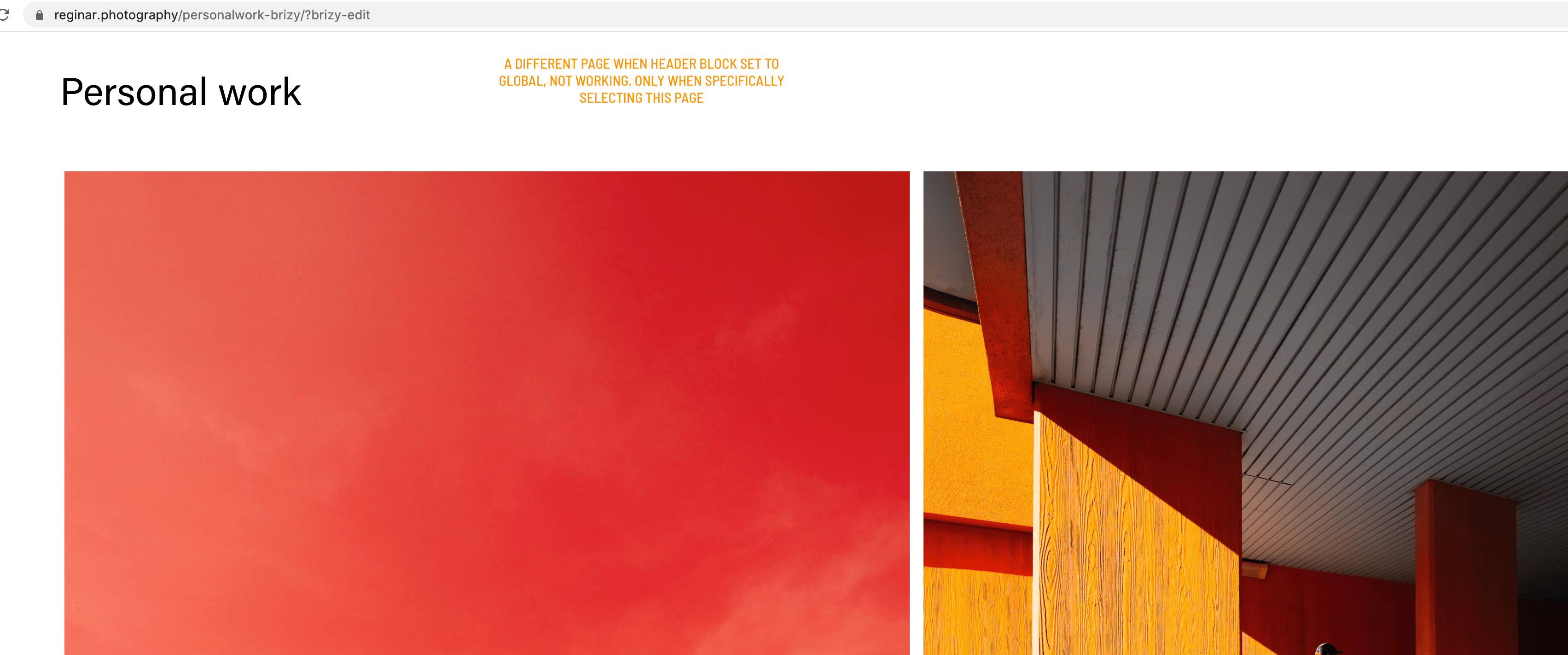
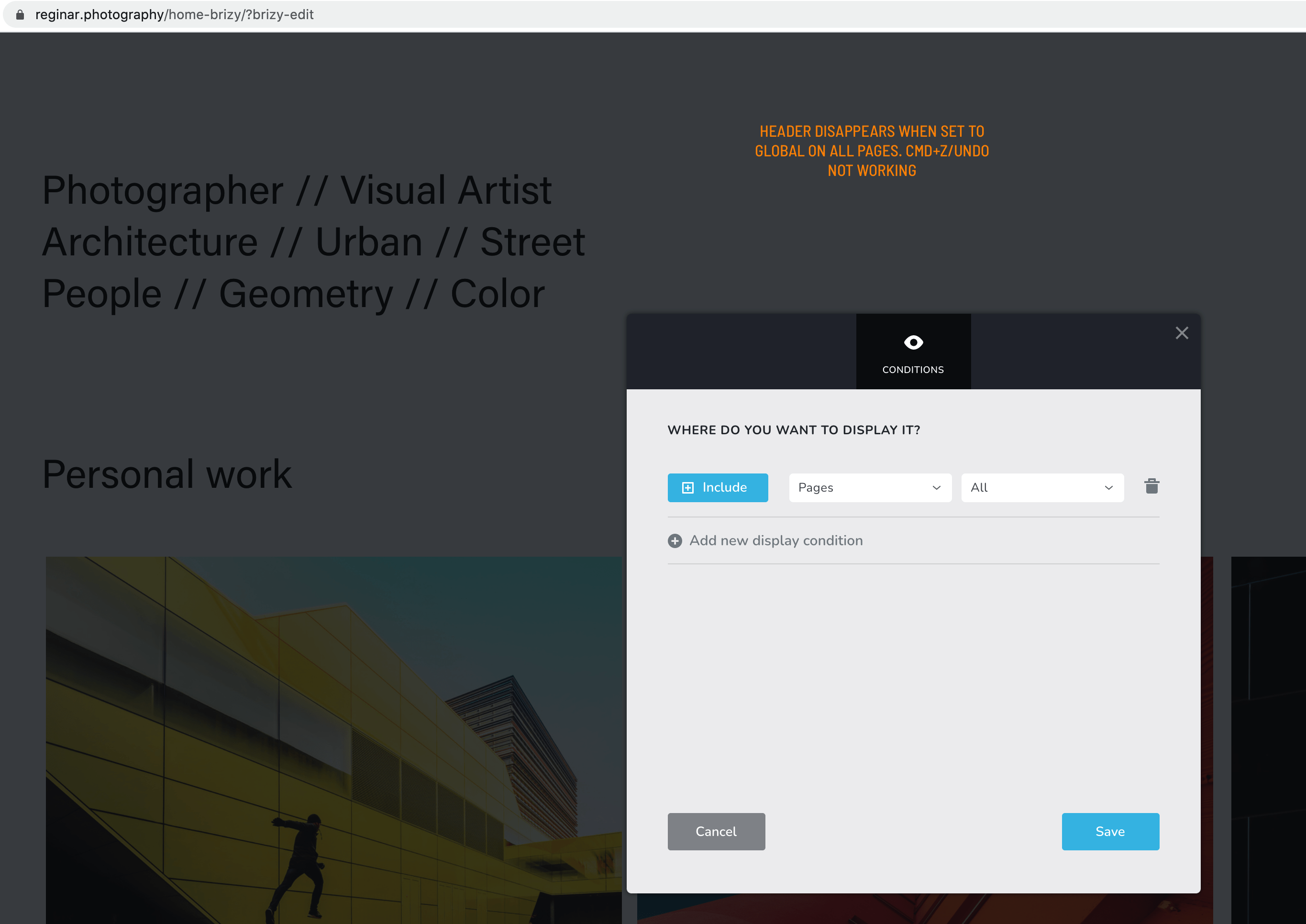
Padding:
Yes still have the issues, see printscreens.
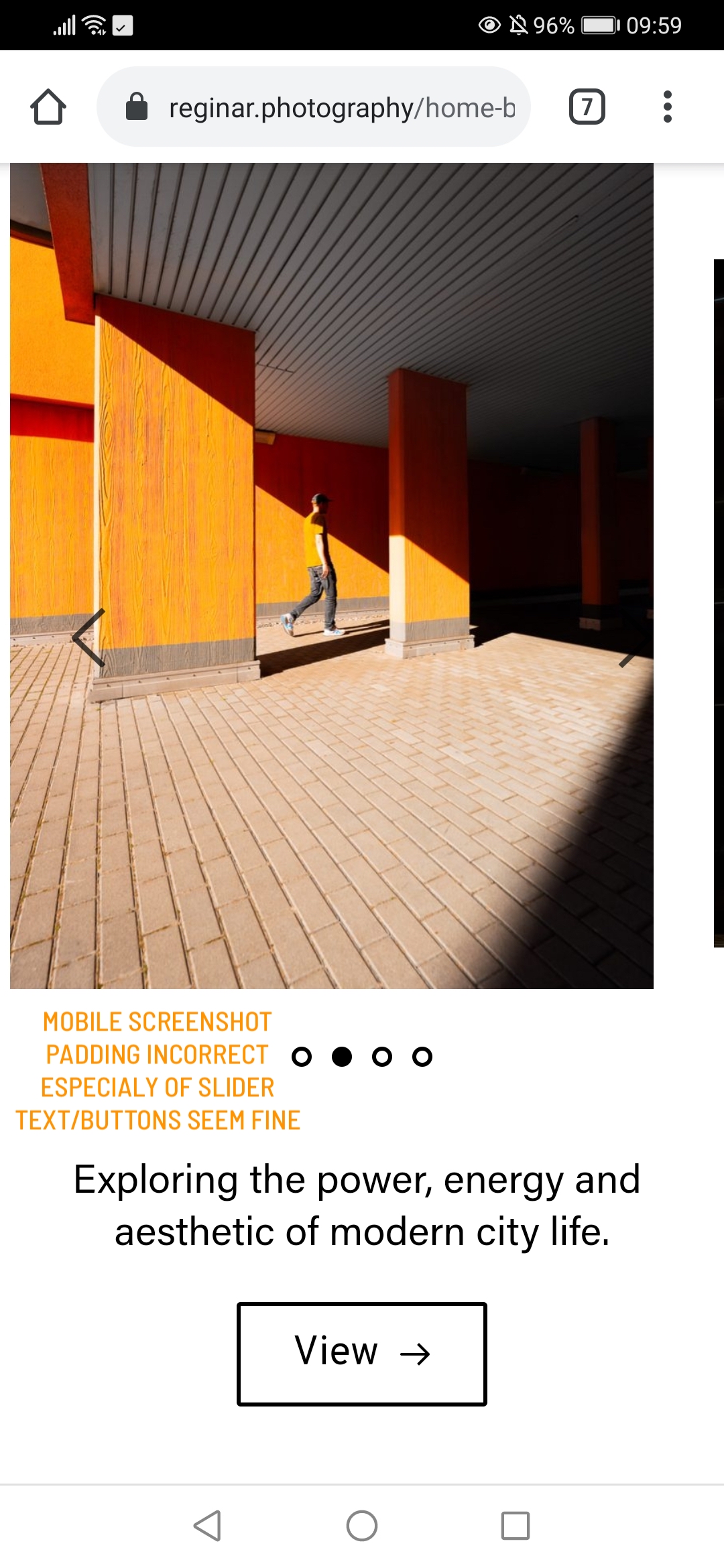
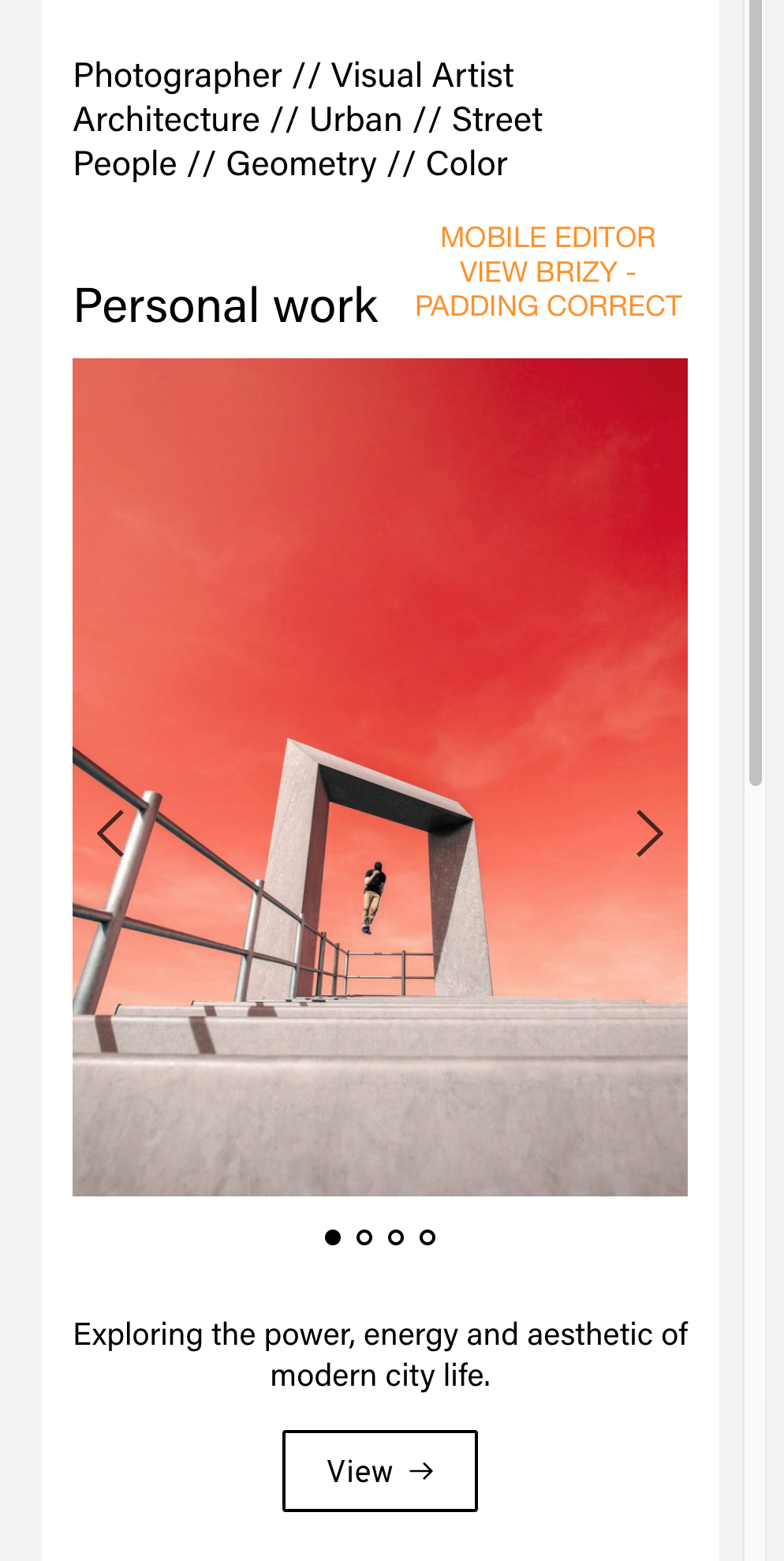
Pages/portfolio used:
https://reginar.photography/home-brizy (not all links work)
https://reginar.photography/personalwork-brizy
https://reginar.photography/gallery/streetsoftheworldI REALLY like the intuitive working of Brizy, it's premade blocks and actually also the limits it has in some respects. But these basics things are important. So far I never had these issues with the theme itself. I'm losing a lot of time with these technical things and redoing stuff. I hope you can point me in the right direction now and find out what the issue is. I don't want to build a website with workarounds because functionality doesn't seem to be fully tested.
For now, I will leave header settings as they are (so I won't see them for now or I will add an extra one temporarily) so that you can maybe better check where the conflict is.
Thanks
0 -
Hi guys,
Please get back to me, would be great to continue with this.
I also left a comment about loading times in a different topic. Would be great to hear some input about that too.
Best
0 -
Hi,
I'm sorry for the late response. We didn't receive your previous message.
Thank you for these details. I created a private ticket on this request. You had to receive a notification regarding this on email. Could you send to us in that private message the WP credentials to this site?Thanks!
Best regards,
SandraBest regards,
Sandra0 -
I'm sorry but I'm a bit confused. Are problems you encounter with Include & Exclude conditions and with padding are still appearing?
Thanks!
Best regards,
SandraHey Sandra,
Yeap, somehow your recommendation on display conditions for 'Brizy Template' did not work for me. Could you kindly look into this please?
Thanks!0 -
Hi Tish,
This message was addressed to Stijn Doors user. He found this inconvenience with padding and with the global blocks on the Portfolio pages.
Did you encounter another problem? Could you please give us more details regarding the problem you encounter? Could you send us a screenshot with this problem?
Regarding the problem with the display condition on the Category pages for global blocks - as I mentioned before, we could reproduce this issue and our developers are informed about it. They are investigating it and found a solution to this problem. At the moment we didn't receive any response and this means that they need a bot more time for this. When we will receive a notification, we will inform you too.Thanks!
Best regards,
Sandra0 -
Hi Sandra,
I'm still waiting for a solution on this global block issue. I'm absolutely depending on it for the next steps of expanding my website. I cannot even start a blog now as I can't use one global header. Or a shop with all different items.
Also, since I had to launch the website, every header is a single block now, for all pages and portfolio items. This basically means I cannot change anything on the menu anymore, because I would have to update each and every page and portfolio item. I already had to do this once.
Next to this, I can't start translating my website to Dutch pages (because then again I would have to update things manually). If I try to use a standard 'template' in the Wordpress menu, the header (which is then not global) appears on top of the footer with no content in between. Say for example a default envira gallery, so not the deigned portfolio items.
It all feels super unreliable and buggy. And when really disappoints me is that I'm being promised a solution for three times now by Natalia on ticket #10131 and that she just doesn't respond anymore. And that my other post submitted more than a week ago on the global blocks still not working is still 'appending approval'. Probably because I'm critical about your product and customer service.
I just don't get it how you position yourself regarding all of this. I'm stuck, you lured me into something 'great' but it's not working. And as I see it, for quite some people.
Would be great to get a real response AND solution, for once, not a bone to keep me on the hook. It's been almost three months since coming with this question...
0 -
Hi,
I'm sorry for this inconvenience and problem. I asked my colleague Natalia and she said that will write to you as soon as possible. She didn't receive any updates from the team related to this problem. Also, could you please update the Brizy Free and Brizy Pro to the latest versions? At the moment we have the 2.2.7 version for Brizy Free and the 2.2.4 version for Brizy Pro.
Best regards,
Sandra0 -

GLOBAL BLOCK NOT SHOWING WHEN ADDED TO CANVAS
0 -
Yes this is happening for me as well. Global blocks are not appearing when I add them in to canvas.
Now even though they are not showing up on my canvas, if I click save and preview.. I see them!! Strange.
Update to the latest brizy and brizy pro (as of today) when the issue started.0 -

Hi Sam,
We replied to you on this link - https://support.brizy.io/hc/en-us/community/posts/144033727008180
Please sign in to leave a comment.
Comments
23 comments