Warning when trying to optimize images

After building my site, before going live, I am trying to optimize my images when I go to the Optimize Images link under Brizy in the Control Panel I get three warning messages :
Warning: "continue" targeting switch is equivalent to "break". Did you mean to use "continue 2"? in /home/noiseno1/public_html/wp-content/plugins/brizy/vendor/knplabs/gaufrette/src/Gaufrette/Util/Path.php on line 30, 34, 36
I found a suggestion in the support center to resave Site and WordPress addresses which I did with do results>
I don't want to continue optimizing until this issue is resolved. How do resolve this issue, so I can continue with production?
-

Hi,
Could you please check if you have the latest versions for Brizy Free 2.1.0 and Brizy Pro 2.1.0? Could you please send us a screenshot with the error you found? If you temporary deactivate all external plugins (except Brizy Free, Pro and ShortPixel) and activate a WP default theme, do you receive the same problem?
Thanks!
Best regards,
Sandra0 -
I have the latest versions of Brizy/Brizy pro, I deactivated all external plugins, activated a WP default theme(2020), still getting the warning.
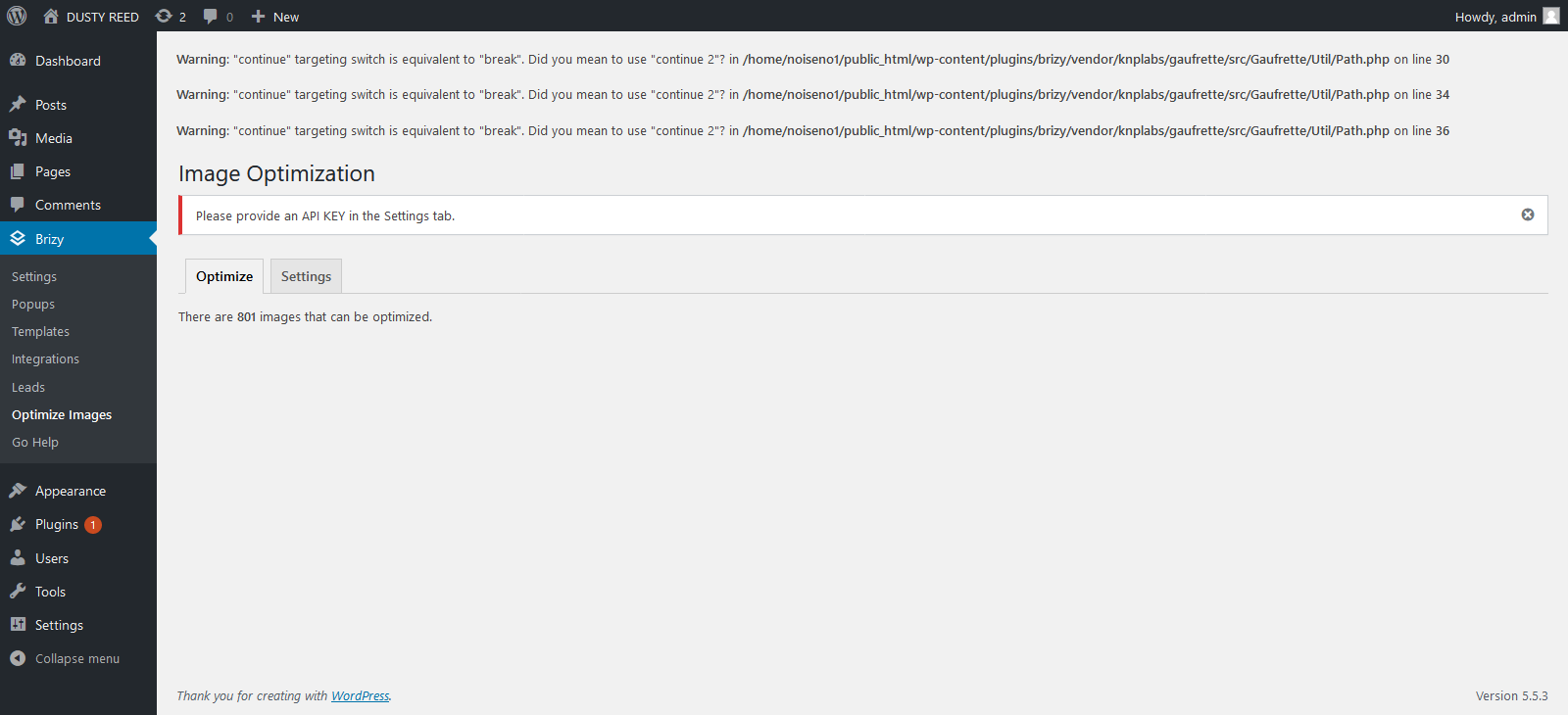 0
0 -
Hi Edward,
Thank you for your report! I notice that you already send us the WP credentials in the private ticket number 9594. We will investigate this issue with our team and when we will have some notification for you, we will inform you. Please allow us a bit more time.
Thanks!Best regards,
Sandra0
Please sign in to leave a comment.
Comments
3 comments