Table element content has suddenly disappeared

Brizy Cloud and WP
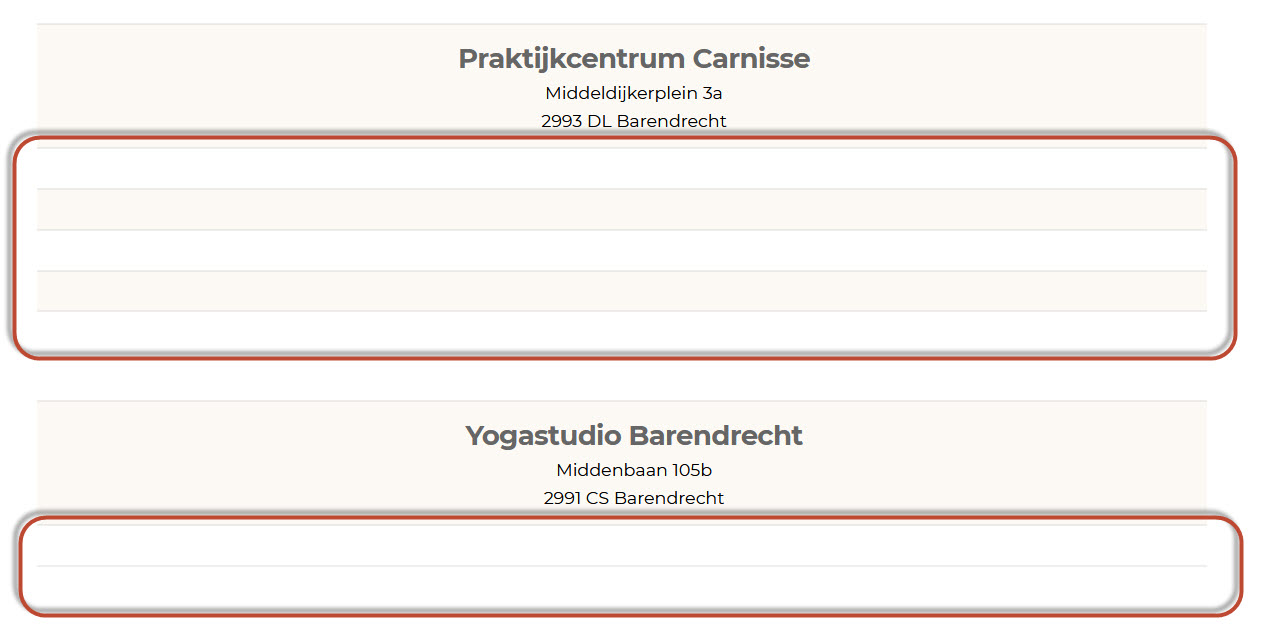
All table contents are gone!!!
Only the first row is displayed the rest is gone.
Importing the saved layout on a new page (in cloud or WP) gives the same result.
Creating a new table seems to work, but as there is no way to backup Cloud (besides saving the layout) I am totally LOST!
See : https://www.barendrechtyoga.nl/lestijden
-
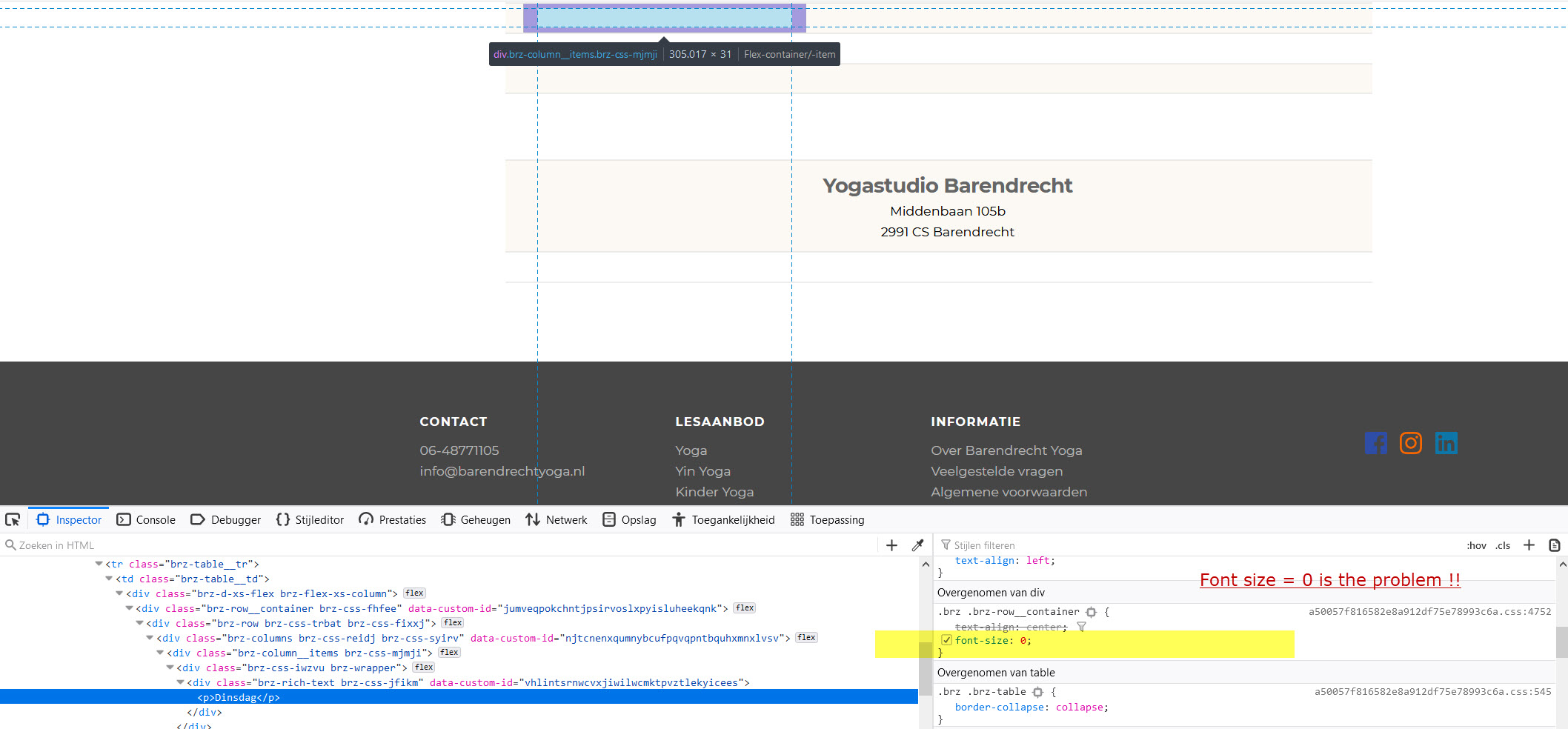
I found that the error is in the CSS
Element .brz .brz-row__container has an entry Font-Size = 0
If I remove theis entry all contents is back again.
Please correct this issue
 0
0 -

Hi,
Could you please indicate the email of the account you synced the blocks and layouts and the Brizy Cloud project where you created this block with the table?
Thanks!
Best regards,
Sandra0 -
Hi Sandra,
Username : this detail was deleted by Brizy Support theme
Pw : I can send it via email if needed
Project : BarendrechtYoga
3 Pages effected : Yoga, Yin Yoga and Lestijden
this detail was deleted by Brizy Support theme
The table contents is not visible in the brizy cloud editor and also not visible in the synced website.
See for example synced page :this detail was deleted by Brizy Support theme
0 -
Hi Rene,
We already send you the message in the private ticket regarding this issue.
But I will add here the answer too for other users that found the same issue. We already fixed this problem and plan to release the fix in the next Brizy update.Thanks!
Best regards,
Sandra0
Please sign in to leave a comment.
Comments
4 comments