menu dropdown styling

Hi,
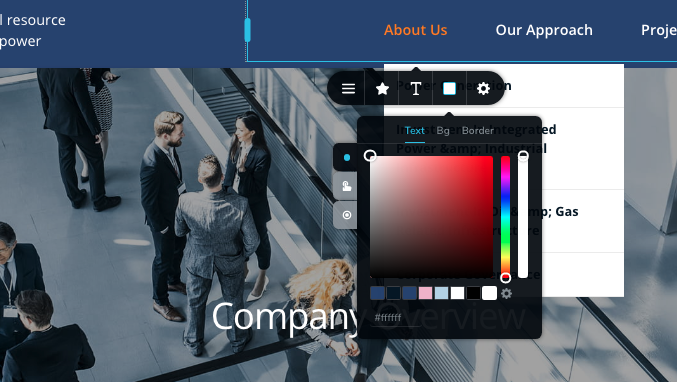
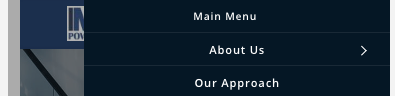
On desktop view how can I change the dropdown menu background colour, width and add a shadow? I've seen solutions on here and facebook where the options offered when you click on a dropdown menu item to style it are different to the options I get - I'm on the latest update of Brizy Pro wp - any suggestions? I've attached images. Also how can I get rid of "main menu' appearing on mobile and tablet hamburger drawers menu? Thanks


-

Hi,
Could you please check if you have the latest versions for Brizy Free 2.0.16 and Brizy Pro 2.0.8? We had this problem in one of the previous versions but we already fixed it in the last updates. See here. Could you please update plugins?
Thanks!Best regards,
Sandra0 -
Hi,
Thanks. I'm getting the different styling options now :-). Is there a way to get rid of 'Main menu' writing above the menu on mobile and tablet views (4th screenshot)? Thanks
0 -
Hi Claudia,
Yes, it is possible to change the "Main menu" title from mobile and tablet mode. For this, you have to access the Brizy editor in the mobile/tablet mode https://jmp.sh/pubfQXq, open the hamburger menu, click on the "Main menu", delete this text and add your own. See in this video.
Thanks!
Best regards,
Sandra0
Please sign in to leave a comment.
Comments
3 comments