Cannot get my Woocommerce product to display on my Brizy built page

So...trying to use woocommerce products/checkout/cart in my store. I have created a test product inside of woocommerce and the way I have (or am trying to have) the product displayed in my store is through the woocommerce building tools. I am adding the product to my brizy built page by creating an empty box and then dragging the woocommerce product block from the brizy builder.
When I do that and then set up the product I want...I can see the product it the brizy editor, all is well, but when I test it out from a customers perspective the page is just blank where I inserted the woocommerce product.
Also, like I said I am inserting the woocommerce products onto my website using the Brizy builder. I am not using the already made page by woocommerce because from my understanding and investigating you cannot really edit the page other than your base theme layout. So how do I stop woocommerce from creating a page of its own? All of these extra product pages are going to slow down my site, arent they?
Page in question from a customers perspective: https://www.jlfskincare.com/spf-solar-shield-30-classic-tint
Screenshot of what I see in the brizy builder: 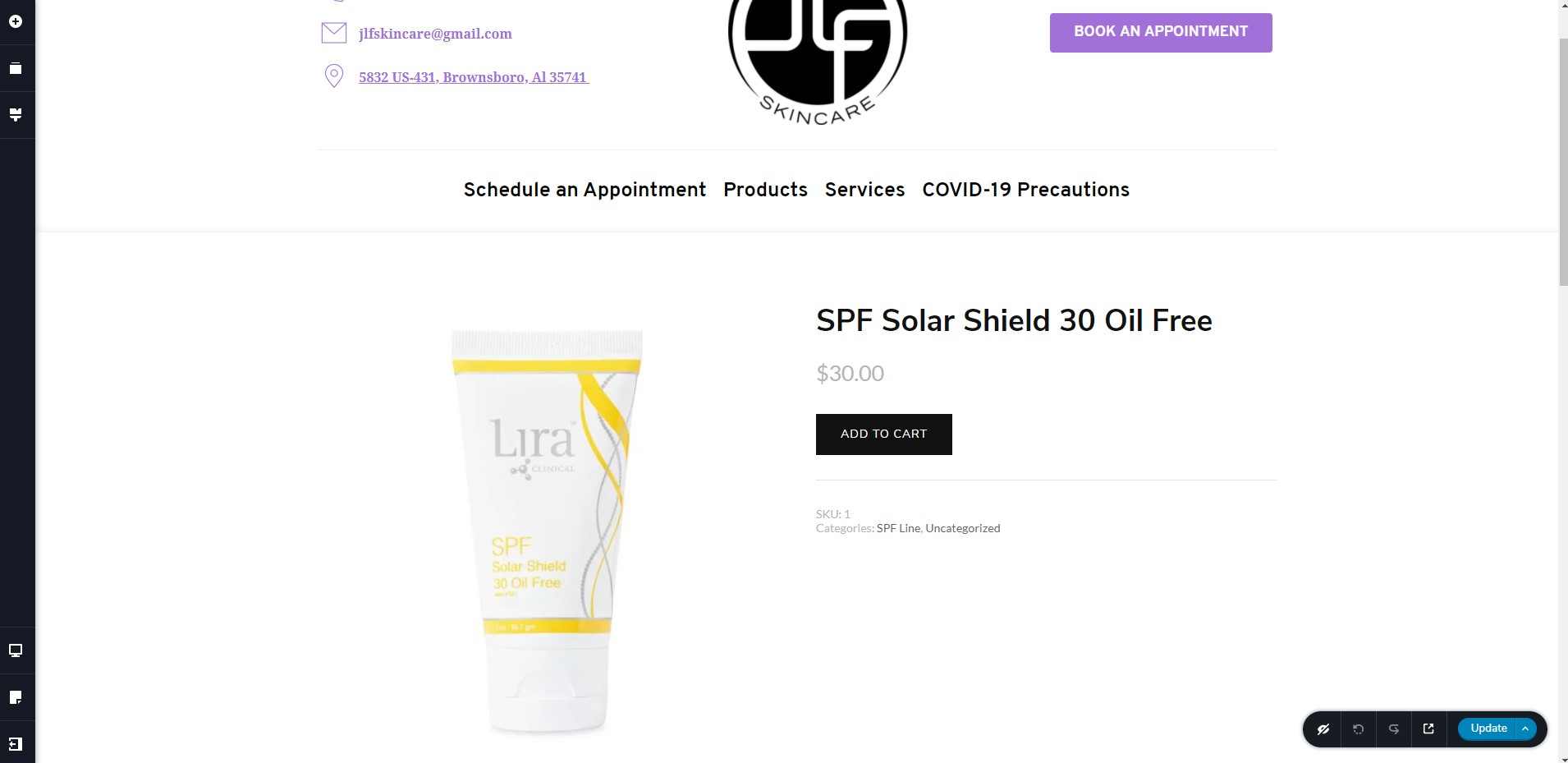
thanks for the help if you can it means a lot,
Hunter
-

Hi, Hunter,
At the moment, on the actual official Brizy versions isn't possible to edit with Brizy builder the WooCommerce pages. At the moment we have integration with WooCommerce but this version is in the beta version. Also, I check the page you send us and I found that all is showing fine. See here.
Thanks!
Best regards,
Sandra0
Please sign in to leave a comment.
Comments
1 comment