Link-to-block for custom pages doesn't work (Brizy Cloud)

Hi there,
when I'm on my main page (avantfootball.academy), the menu which links to blocks (e.g. avantfootball.academy/#team) works perfectly fine (screenshot 1).
But when I'm on a custom page (avantfootball.academy/newsletter) and click on "Team" again (the link this time shows as avantfootball.academy/newsletter#team) it doesn't work (screenshot 2). 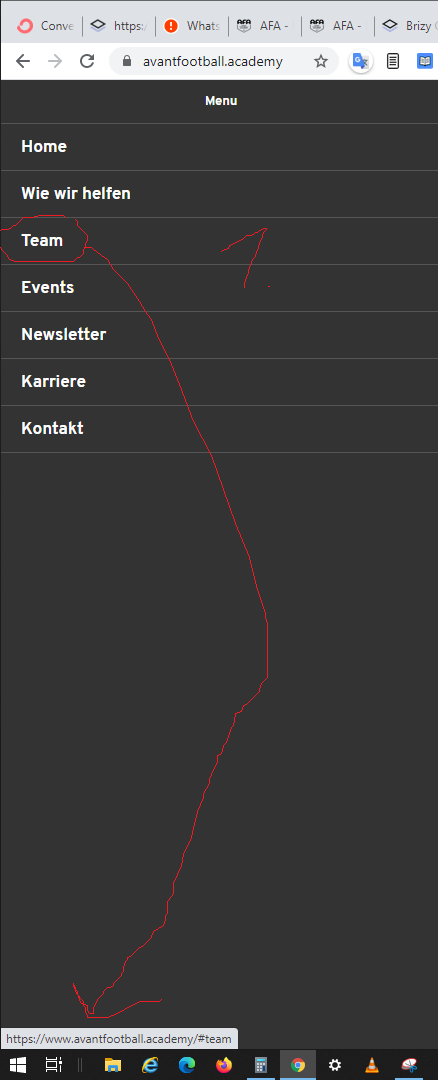
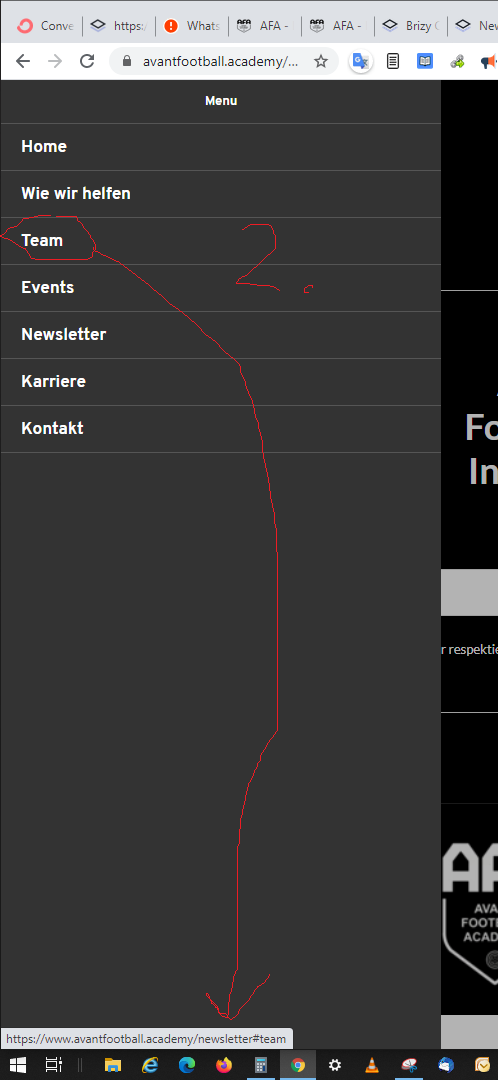
Can you kindly advise?
Thanks!
Rmz
-

Hi,
Try to add the full link in menu settings and check again: https://jmp.sh/b6aqDNo
0 -
Thanks a lot, it worked -
although unfortunately the "fluid" jump-to-block animation is now gone, since it doesn't jump to the block but opens a complete new site and then jumps to the block.
0 -
Unfortunately yes. This is the downside, as it is a full link and loads the entire page every time. The "scroll to id" option is created for the a one-page layout and when you try to access it from an external page it won't work. As a solution, you can create two menus:
- one only with IDs (for the home page): /#team
- one with complete links for external pages: avantfootball.academy/#team
You will only add the second to external pages, such as "Newsletter".
0 -

The custom link is not working when I am in a different page although I set it as follow: "https://ghmministries.brizy.site/#our-mission" in the "custom link or anchor"
and the block name is: our-missionIt only works when I am already in the page where the custom links are added.
Any suggestions?
Thanks.
0 -
Hi,
Please check my answers above. You need to indicate the full URL if you want the id link to work on another page.
0 -
I setup it as you indicated but it doe not work on brizy cloud nor on wordpress
0 -
Just checked it on Brizy cloud and works as it should. Please refer to this video: https://jmp.sh/2b5Wguz
0
Please sign in to leave a comment.
Comments
7 comments