Wordpress Post

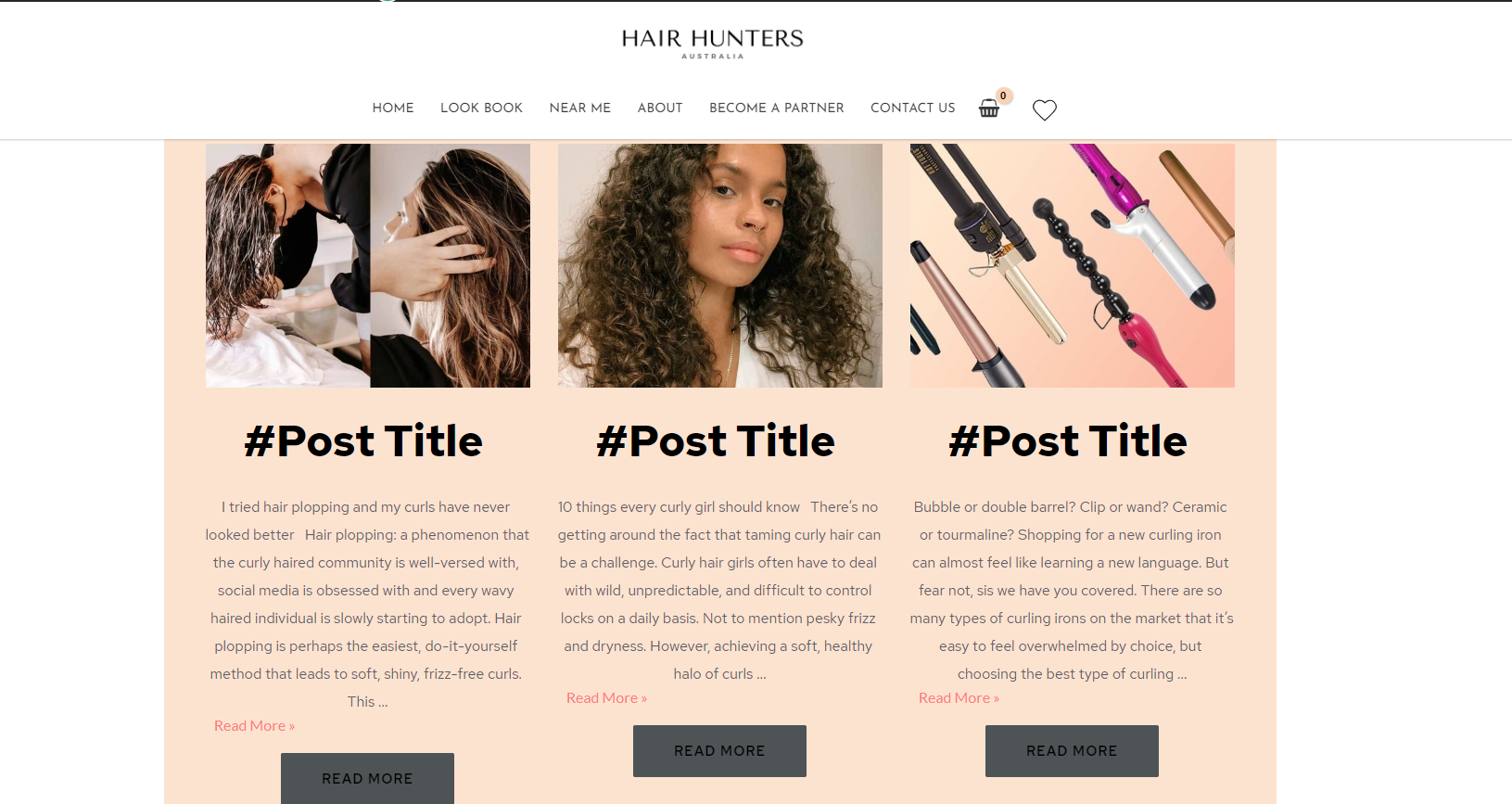
When I add a 'wordpress post' element > change the 'post title' font colour/size etc > update the changes, my live site displays the words "#Post Title" instead of the actual title
-

Hi,
Could you please send us a screenshot from the editor mode?
Thanks!
Best regards,
Sandra0 -
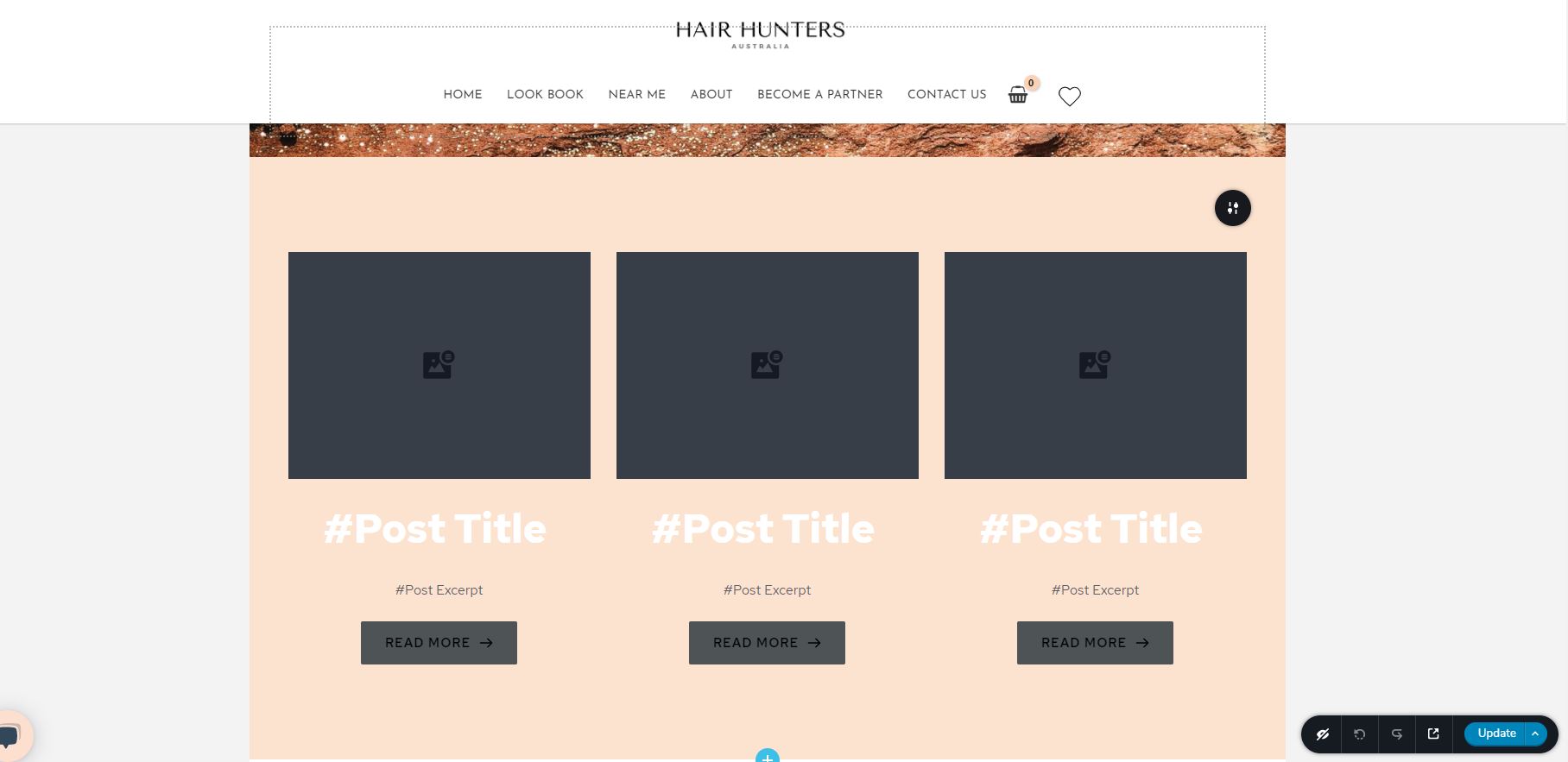
The default font colour for this styling is white and when I try to change the colour to black, the live site displays "#Post Title" instead of the actual title for the post.
 0
0 -
Hi,
Could you please try to drag and drop the Post title element? This element you can find here. But if you insist to use the #Post Title hashtag, please try to delete the current #post title and try to add again #post title. When for you will be open a dropdown menu with some suggestions, please select from there the #Post title. To make sure that the #post title isn't simple text but a dynamic text, please take attention to underline. If #Post title is underlined, this means that it is dynamic text. See here.
Best regards,
Sandra0 -
Excellent! That worked perfectly. Thank you so much.
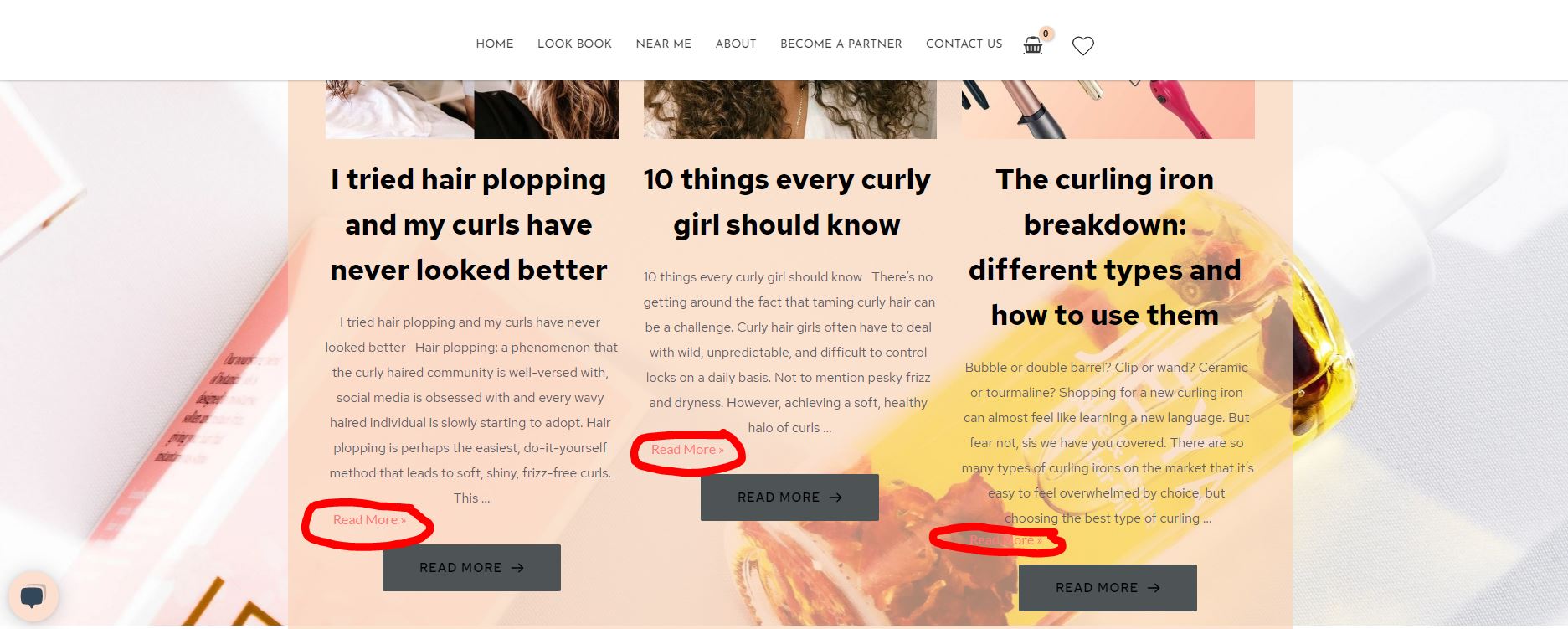
One other thing, the 'Read More' text hyperlink doesn't link to the post (circled in red). Is there a way to fix this? Alternatively I'm happy to remove this completely and use the 'Read More' buttons instead (as the buttons are currently working)
 0
0 -
Hi,
I'm sorry for the late response!
The "Read more >>" link that is displayed at the end of the Post excerpt is provided from the theme. If you want to disable them, you can add some Custom CSS to hide them.
You can add this code:
element span .read-more {
display: none!important;
}Inside the Custom CSS box from Post Excerpt. See here.
Best regards,
Sandra0
Please sign in to leave a comment.
Comments
5 comments