Text Padding On Button - How To Adjust

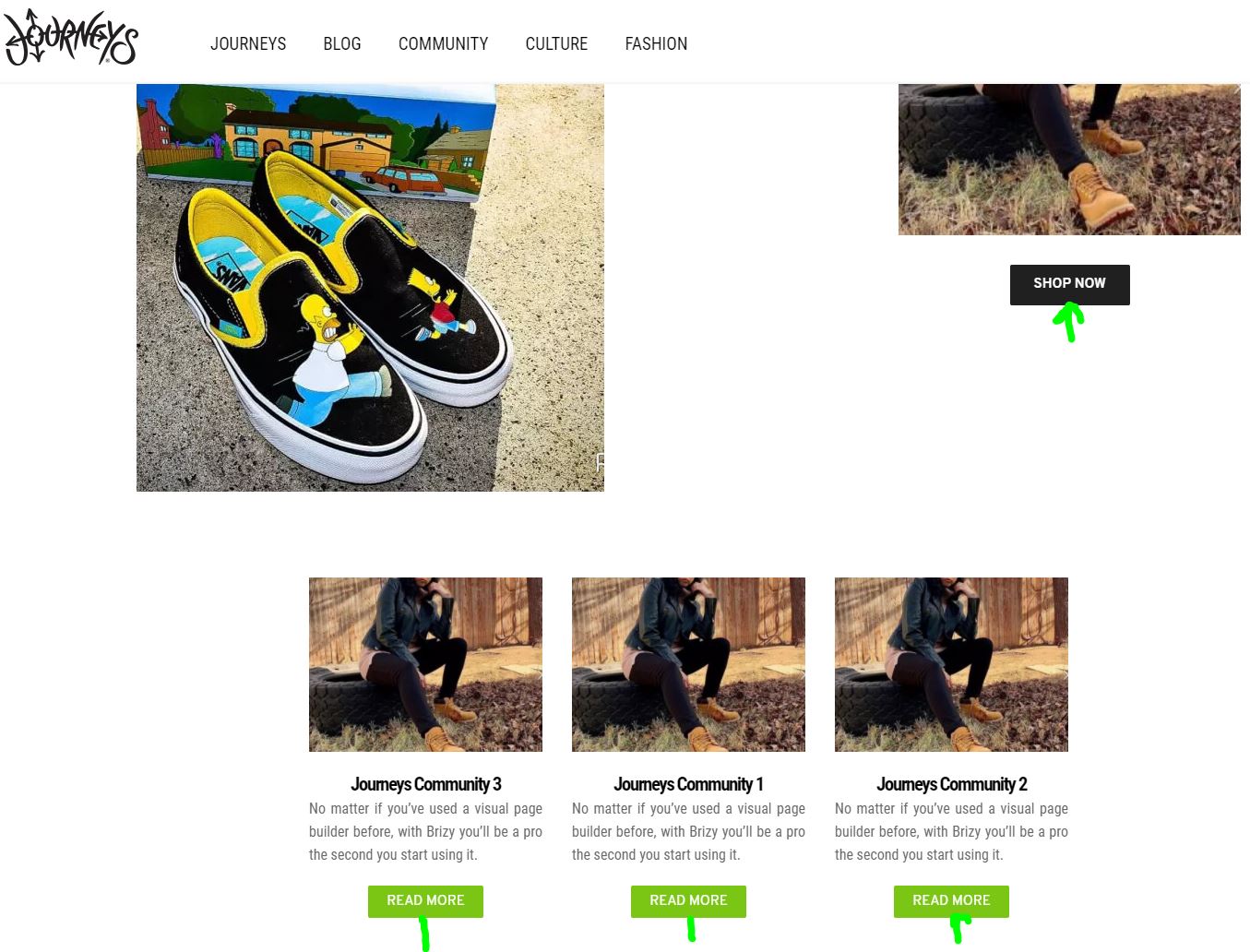
I'm looking to decrease the padding from the bottom of the text, so the text sits center in the button vertically. Not sure why it's not doing this by default but looks like it happens on all the buttons.
1. I couldn't find any padding adjustment feature on the button element for the text.
2. I've tried custom class with no luck since it's put higher in the coding structure.
3. I've tried using the ID that's generated in code specifically for the <a> tag but won't do it either.
I can adjust padding where I want it in Chrome DEV tools, but no luck adding in CSS to update it in the button element advanced section.
Here's the line off CSS that's adjusted in DEV tools but it's obviously a dynamic variable, so can't use that class.
.brz .brz-css-pebnm.brz-btn{
padding: 11px 26px 6px 26px;
}
Any help would be great.
Here's an image showing you the area I would like to adjust the bottom padding on, on the buttons.
Chad
-

Hi Chad,
The text on buttons is centered by default. I'm not sure why it behaves like that to you. Actually, the padding is set by the size of the button so try to play with this option: https://jmp.sh/oDfGcjN -> https://jmp.sh/ZFxim0s
0 -
Alex,
I tried your solution but that's only adjusting the height, the extra bottom padding is still present. Any other ideas? This is happening on all buttons throughout the site.
 0
0 -
Alex,
I can adjust the padding for the button in dev tools. The default is 11px, changing it to 6px and if fixes the issue. Although, I'm not having an success adding custom CSS in Brizy to fix it since the css class looks like it's using a dynamic variable each time it's saved.
Any solutions?
Default CSS

Fixed CSS
 0
0 -
Hi,
can you please confirm you have this issue with the latest Brizy version - Free 2.0.14 and PRO 2.0.7? There is no default padding for the button and if you set the height to 0 it should be padding 0: https://jmp.sh/RB5QVYU -> https://jmp.sh/isYC0V0
0 -
Yes, I'm using the most updated version.
 0
0 -
The padding on the button is set to zero as well in the admin.
 0
0 -
The active padding on that button in Google Dev is:
.brz .brz-css-qezan.brz-btn {padding: 11px 26px 11px 26px;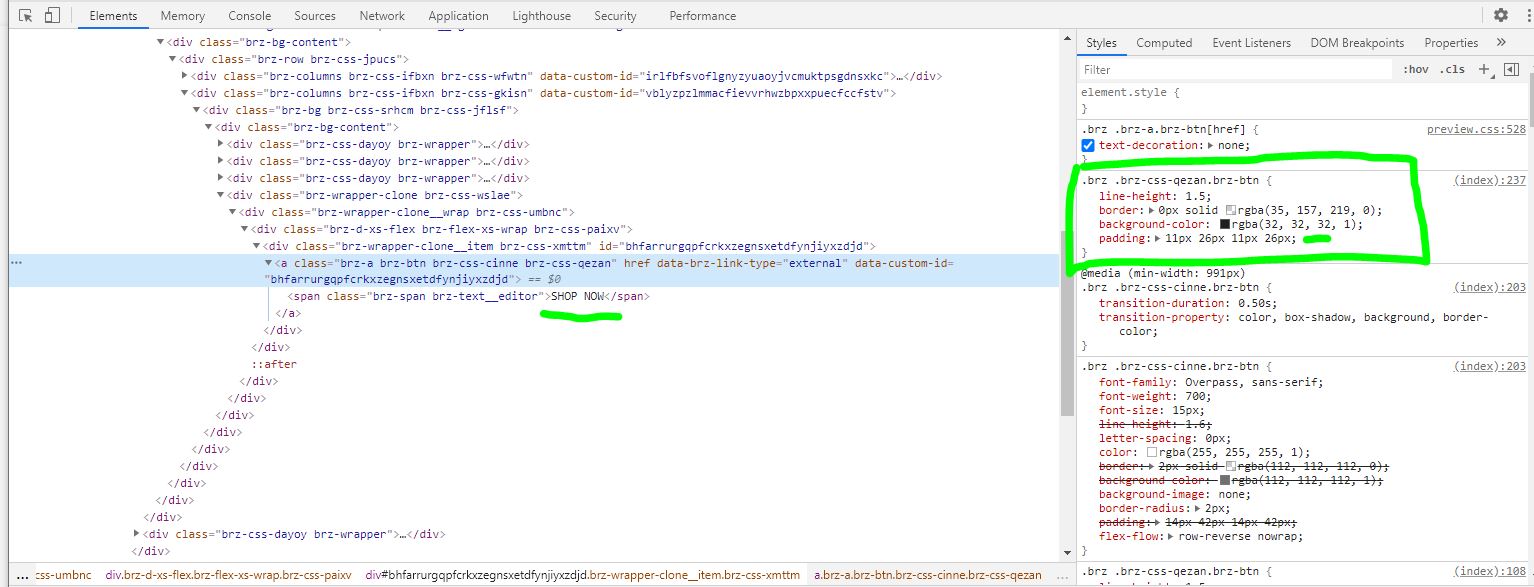 }0
}0 -
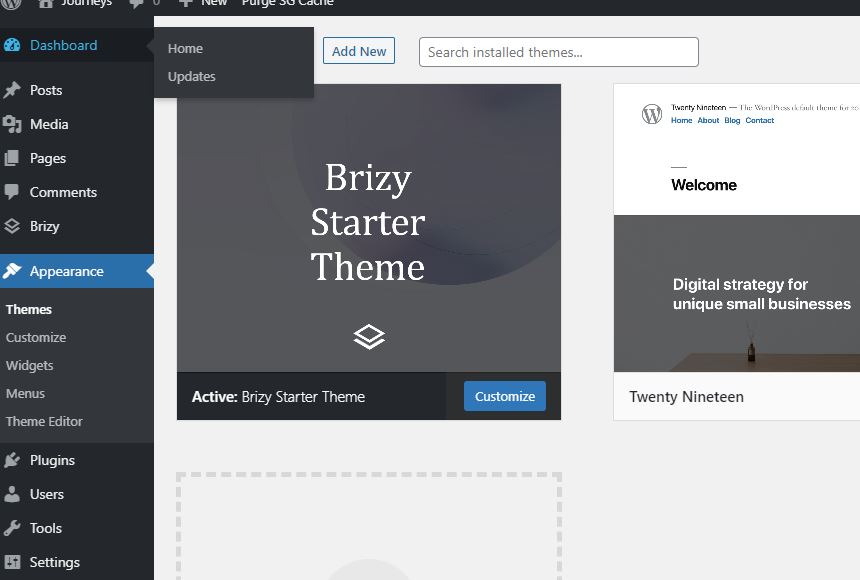
I'm also have the Brizy starter theme installed, incase you were wondering.
 0
0 -
That's strange. One last thing before moving on to a private ticket. Please disable the SG optimizer plugin and check again. Do you have the same problem?
0 -
Same padding issue is still there with the SG plugin deactivated.
0 -
Hi,
I have created a private ticket for you so please send your login details there and we will look into it. Thanks.
0 -

I am also having this issue - what was the solution?
0 -
Hi,
the idea is that it happens under certain conditions. We can't reproduce the problem on our side so it is still on the inspection list. Do you use MacOS or Windows? It seems to only happen in Chrome Windows but I'm not sure.
0 -

Hello,
I am having the same issue. Have you guys found a solution for this?
BTW, it happens in Firefox also.
0
Please sign in to leave a comment.
Comments
14 comments