404 Error for Images after Domain Migration

Hello,
I just moved my Wordpress to a new domain and server using WP All Export.
Now, images that I newly upload through Brizy (or the WP Media Library) are not loaded in the Editor or published pages. Images that have been uploaded before, still work well.
Example of an image that doesn't load: https://join.cfyc.com.vn/ (404 for https://join.cfyc.com.vn/?brizy_media=wp-75701809b80c024d3a6e33bd8d99a00b.png&brizy_crop=iW%3D800%26iH%3D734%26oX%3D0%26oY%3D66%26cW%3D800%26cH%3D602&brizy_post=2197)

Same image on a regular WP Page: https://join.cfyc.com.vn/wp-content/uploads/2020/10/hero-giam-can-cali-3-3.png

Other info:
- Newest Brizy (pro) version installed
- Newest WP installed
- No other plugins (except Yoast)
- Default WP theme
- /uploads/brizy folder is owned by www-data and has 775 permissions
Do you have any idea why Brizy is not loading the images correctlyy?
-

Hi,
We investigated the issue you encounter and we suppose that the problem comes from the hosting provider. We encounter that some of the images are loading through CDN and for this reason, they aren't displaying in the page https://jmp.sh/i3QS3Lh. Try to upload again the image, if it will still not display, could you please contact the hosting provider regarding this problem?
Thanks!
Best regards,
Sandra0 -
Hi Sandra,
The hosting provider is Digital Ocean. All my Brizy websites are also hosted on Digital Ocean and I don't get this issue.I already tried uploading the image again, both through Brizy and the WP Media Library. This didn't solve the problem.Can you open a private ticket for me and have someone look at this issue?Thanks0 -
Hi,
We asked one of our developer regarding this issue and he said that images pass through a CDN and for this reason they aren't displayed on the page. If you tried to upload the image and it is still not displaying then we suggest to contact the hosting provider and ask them about this and to disable the CDN.
Thanks!
Best regards,
Sandra0 -
Hi Sandra,
Spoke to my hosting - they said that they cant help. The server settings are also the same as for my other Brizy websites that work perfectly.
I have Cloudflare active, but also cannot deactivate it for security reasons.
Is it possible that a previously installed Shortpixel plugin can have caused the issue? I also cannot activate the "Optimise Images" setting in Brizy. Maybe this is related?
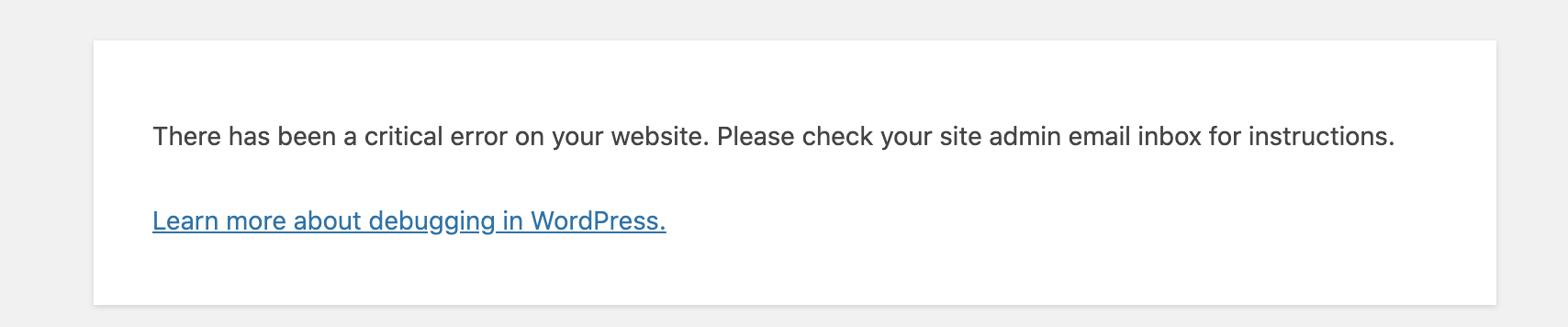
Thanks
0 -
Hi,
Thank you for these details!
I created a private ticket on this request. You had to receive a notification regarding this on email. Could you send to us in that private message the WP credentials to this site?Thanks!
Best regards,
Sandra0 -

Hello,
Was this resolved? I am getting the same thing
Flushed the cache multiple times on Brizy 2.2.7 and Pro 2.2.2
0 -
Hi,
Did you found this issue after the migration process? How did you make migrate the site? Did you make it manually or use a plugin? For migration, we are recommending using the WP All in One Migration plugin. It helps you and copies all files and folders and avoids such sittuations.
Also, could you please make some other checks?
1. Please check file and folder permissions for the upload folder;
2. Please check if you don't have any CDN option in your hosting panel
3. Please check if you don't have an additional redirect rule in your htaccess file
4. Go to the WP Media Library and try to modify (crop or rotate) an image you are using in the Brizy pages, did you receive any error?Thanks!
Best regards,
Sandra0 -
The site wasn't migrated. The 2 Brizy plugins and some minor CSS/JS changes was uploaded to production via Git. Brizy Layouts and Blocks were added to the Cloud to be pulled down on production.
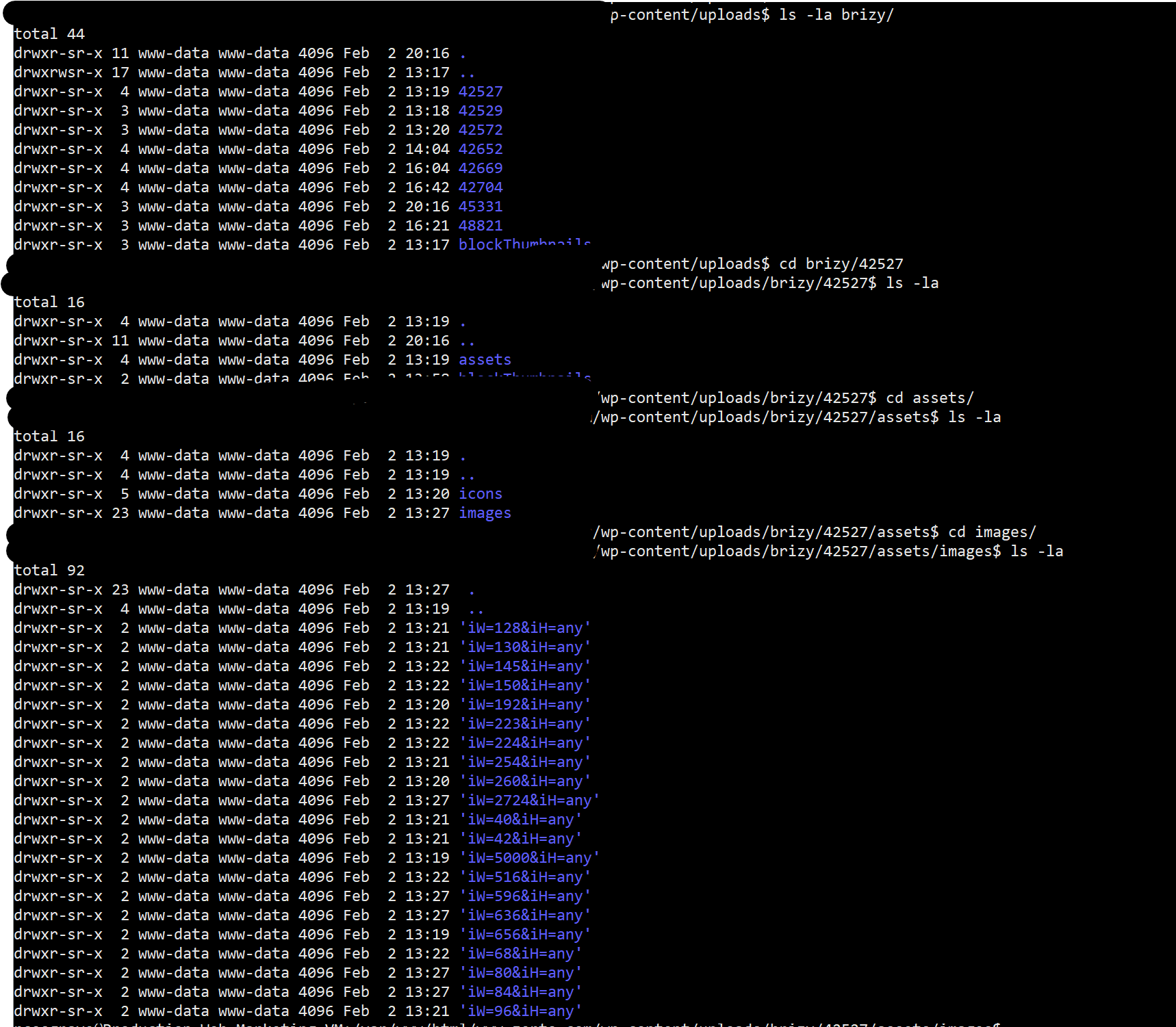
1) It looks correct and I do see files in /wp-content/uploads/brizy/* (see screenshot)
2) We have a CDN but we have the same CDN for our dev site. The CDN URL is the same as our site as its a Cloud WAF in front of our servers.
3) We use NGINX so .htaccess does not apply (both servers)
4) I don't know how to do this or think I can? Besides the issue happens with EVERY image regardless if I just uploaded it myself, was already in the Media Library or came in from Brizy
 0
0 -
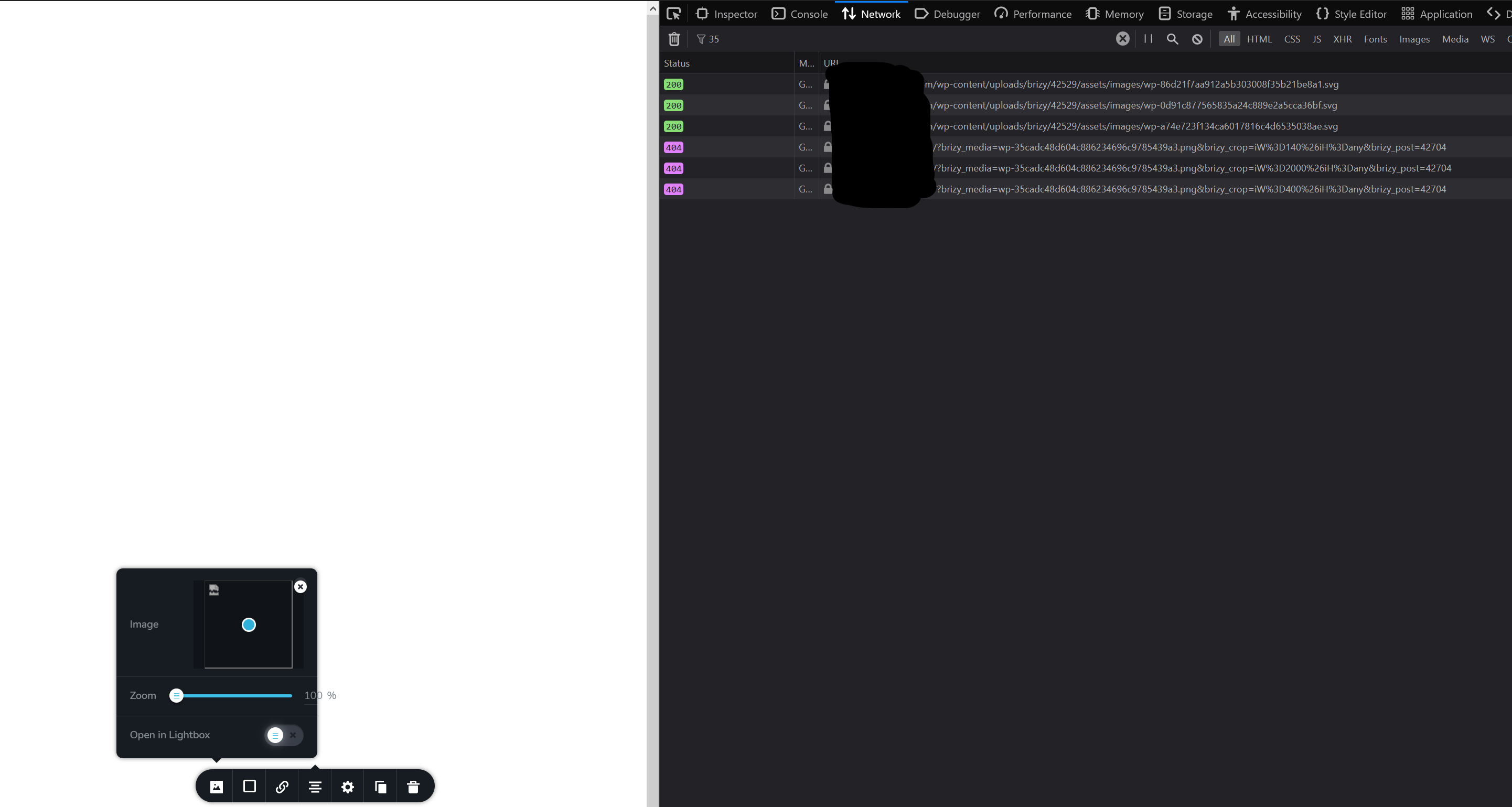
I just deleted Brizy and Brizy Pro and installed via WP Admin and activated and still have the same issue. Below is a screenshot of the issue
 0
0 -
Hi,
I'm sorry but I'm a bit confused. How did you create the site? Did you create it on the WordPress or in the Brizy Cloud and then published on your server? How and why did you upload the Brizy plugins via GitHub?
Thanks!
Best regards,
Sandra0 -
The site is created in Wordpress, we are using Brizy to make certain pages a little more stylish. Nothing was created in Brizy Cloud but layouts/blocks were sync'd to Brizy Cloud via WP.
It was uploaded via Git (not Github) because we use version control on our site.
So the plugin was added under 'brizy' branch and tested locally and dev server. This branch was was merged to master (which is the only branch production runs under) and pulled into the server (a version controlled way of uploading the plugin to the server)
0 -

I'm having a similar issue. Site is hosted on Dreamhost and hasn't been touched in months. Seems that maybe the update has caused the issue?
[Wed Feb 03 08:01:15.227185 2021] [proxy_fcgi:error] [pid 14987:tid
140102453925632] [client 66.33.200.4:54618] AH01071: Got error 'PHP
message: PHP Fatal error: Uncaught Exception: Halt plugin execution! in
/home/wp_h3dbf8/ex-ft.com/wp-content/plugins/brizy/editor.ph p:122\nStack
trace:\n#0 /home/wp_h3dbf8/ex-ft.com/wp-includes/class-wp-hook.php(287) :
Brizy_Editor->runMigrations('')\n#1
/home/wp_h3dbf8/ex-ft.com/wp-includes/class-wp-hook.php(311) :
WP_Hook->apply_filters(Object(Brizy_MaintenanceMode), Array)\n#2
/home/wp_h3dbf8/ex-ft.com/wp-includes/plugin.php(484) :
WP_Hook->do_action(Array)\n#3
/home/wp_h3dbf8/ex-ft.com/wp-settings.php(557) : do_action('init')\n#4
/home/wp_h3dbf8/ex-ft.com/wp-config.php(106) :
require_once('/home/wp_h3dbf8...')\n#5
/home/wp_h3dbf8/ex-ft.com/wp-load.php(37) :
require_once('/home/wp_h3dbf8...')\n#6
/home/wp_h3dbf8/ex-ft.com/wp-blog-header.php(13) :
require_once('/home/wp_h3dbf8...')\n#7
/home/wp_h3dbf8/ex-ft.com/index.php(17) :
require('/home/wp_h3dbf8...')\n#8 {main}\n thrown in
/home/wp_h3dbf8/ex-ft.com/wp-content/plugins/brizy/editor.ph on linep
122'0 -
Hi,
@Raymond Cosgrave, I asked our team to help me with this question and problem. I'm waiting for their response. When I will receive it, I will inform you too.
Thanks!
Best regards,
Sandra0 -
Hi,
@Keiri Olmstead, could you please give us more details about this problem? How did you migrate the site? On the original site, is all working fine? If all is displaying fine on the original site, this can be caused by the migration process. For the migration process, we are recommending using the All In One Migration plugin. Many Brizy users use it and most of them are satisfied with its work. This can copy each file and folder and paste them on the new host or domain and not generate some inconveniences or problems.
If you don't receive this problem on the migration by in other conditions, could you please give us more details about this? Could you please check if you have the latest Brizy Free 2.2.8 and Brizy Pro 2.2.5 version? Also, could you please temporary deactivate all external plugins (except Brizy Free and Brizy Pro) and activate a WordPress default theme? If you go to the WP Media Library, open an image and try to make some modifications (e.g. crop or rotate it), do you receive some problems?
Best regards,
Sandra0 -
I was able to find the issue, PHP-GD was not enabled on the server.
0 -
Hi,
Thank you for updating us regarding this issue! Great to know that all is working fine now!
Best regards,
Sandra0
Please sign in to leave a comment.
Comments
16 comments