Cannot adjust top block properties when Visual Builder template used

Hi
I have started building pages using Brizy and I think it is superb.
However, when I use my visual builder template instead of Brizy Template, I see some issues with adjusting the top most block. The menu is in top and I cannot access the adjustment icon.
You can see it in the following image:
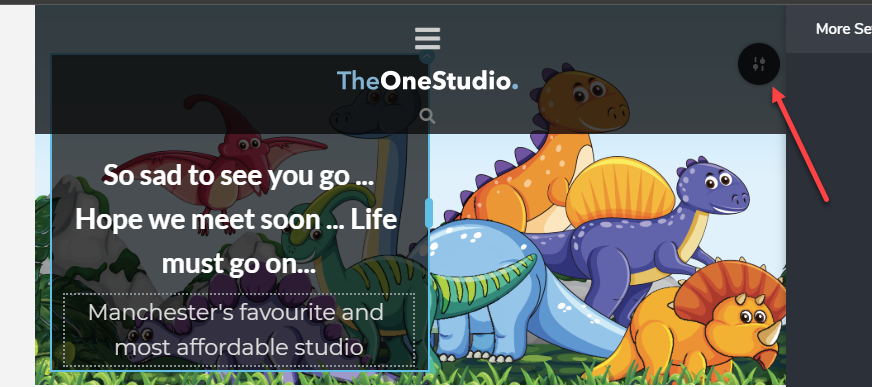
Is there some keyboard shortcut to allow access to this as it is difficult to adjust the block.
Jay
-

Hi,
If you use another page template than Brizt template, then will be a bit difficult to access the block settings because the header that comes from the team are placed other the Brizy content. Therefore, I can suggest using the Brizy template and after you will make all the modification you need, you can activate your visual builder template.
Best regards,
Sandra0
Please sign in to leave a comment.
Comments
1 comment