Brizy slider/carrousel ellement -> Tablet -> Number of columns

Hello I have created a slider as a part of a block.
On the desktop version the slider shows one image per slide (which is correct).
How can I set the number of slides for the tablet view?
Working with Brizy pro in Wordpress.
Thanks,
Stijn
-

Hi,
If you use the Carousel element and if you want to display a different number of columns on a slide on the table mode, you have to activate the tablet mode and go to the Carousel element. There you have to access the tablet settings and select a number of columns you want to display on the tablet mode. See here https://jmp.sh/0aJgXfC.
If you don't see this option, please make sure that you have the latest version of Brizy Free 2.0.13 and Brizy Pro 2.0.6.Thanks!
Best regards,
Sandra0 -
Hi Sandra,
thanks for the quick response.
Unfortunately I cannot find the functionality.
I am using Brizy Pro 2.0.6
Please refer to the screenshot.
The only option I find is to show or not show the carousel. Or am I missing something?
Thanks,
Stijn
 0
0 -
Hi,
Could you please see here https://jmp.sh/s3doUYh? Also, could you please make sure you have activated the latest version of Brizy Free 2.0.13? The Brizy Free should be the same activated on the site and to be up-to-date because the Brizy Pro is an extension of Brizy Free.
Thanks!
Best regards,
Sandra0 -
Thanks again for the quick response.
I have understood the workings, and I have both Free and Pro updated to the latest version.
The carousel button simply doesn't show on the tablet mode.
Though I can not reproduce what the problem is.. I have solved the it now, by rebuilding the carousel from scratch.
The problem does not appear anymore.
Thanks for the support
0 -
Hi,
Thank you too for informing and updating us regarding this issue! Great to know that all is fine now.
Best regards,
Sandra0 -

Hi Sandra
I am having exactly the same problem as described above. I have a number of carousels on my site and cannot build them all again from scratch as mentioned. Do you know if this can be fixed soon?
Many thanks
Jamie
0 -
Hi,
Could you please check if you have the latest Brizy Free 2.2.7 and Brizy Pro 2.2.3 version?
Could you please go to the tablet mode of the builder and access the Carousel general settings https://jmp.sh/uQzeSO0? There you can find the Column option to customize the number of columns is displayed in the tablet mode.Thanks!
Best regards,
Sandra0 -
Hi Sandra
Yes I have 2.2.7 and 2.2.3 versions installed. I'm afraid I don't get the same options. Not sure how to fix this, could it be that my carousel is in a column on half of the screen?
Kind regards
Jamie
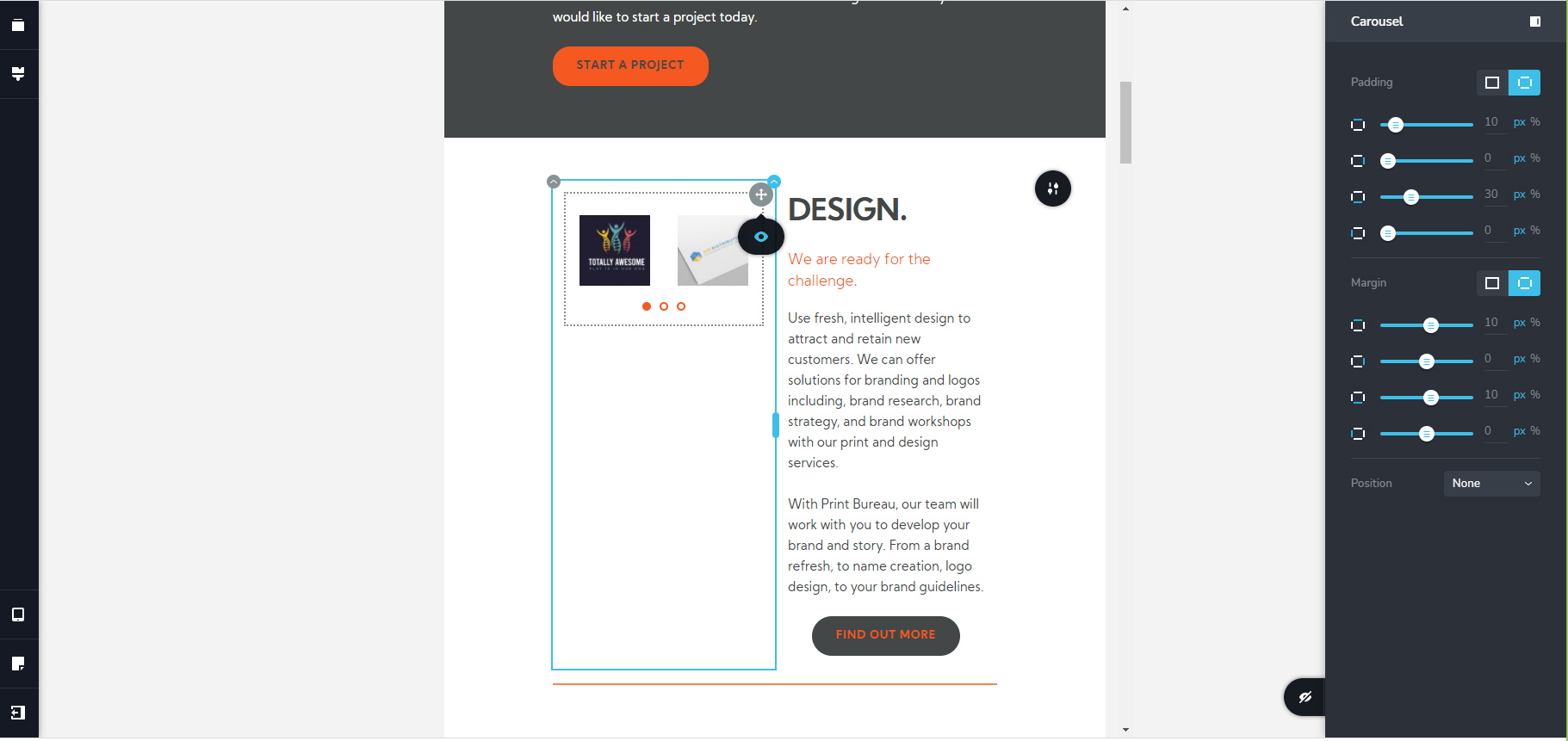 1
1 -
Hi,
No, it isn't related to the column where is added the Carousel element. Even if the carousel is added on the 50% column, all carousel option have to be displayed. Could you please make one more check? Could you please temporary deactivate all external plugins (except Brizy Free and Brizy Pro) and activate a WordPress default theme? Do you receive the same problem?
Thanks!
Best regards,
Sandra0 -
Hi Sandra
I have done what you ask and still have the same issue I'm afraid. I activated the twenty seventeen theme and deactivated all plugins. Hopefully it's clear by the screenshots and as you'll see is the same outcome.
Desktop is fine:

Tablet view can only see Eye icon.
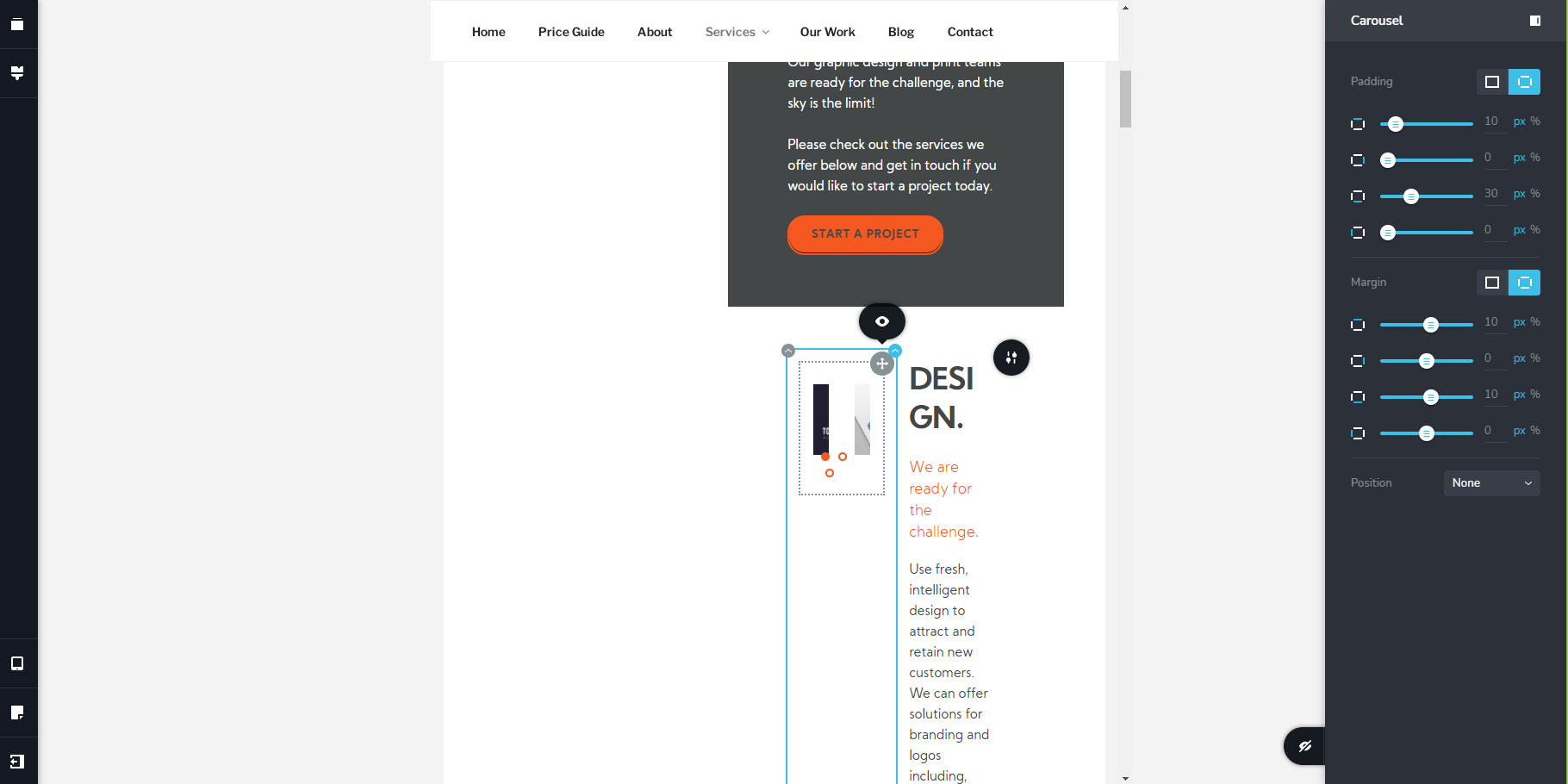
Thanks for looking into this as it's puzzling me!
Jamie0 -
Hi,
Thank you for all these details!
I have created a private ticket on this request. You had to receive a notification regarding this on email. Could you send us in that private message the WP credentials to this site?Thanks!
Best regards,
Sandra0 -
Thanks Sandra I have replied to your email.
Jamie
0 -
Hi,
Thank you for informing us regarding this! I will post there the reply I send you in the private ticket to be available for all other users that face this inconvenience We could reproduce the problem on your dashboard and found that it is related to the Arrows. On your carousel elements, the arrows aren't set-up and this generated this inconvenience. When I added the Arrows, all started to work fine. Therefore, I set-up the Arrows (for the last carousel from the Service page), go to the tablet mode, set-up the Carousel with 1 column and then go to the desktop mode to disable the arrows. All seems to work fine now.
I already informed our team regarding this inconvenience and they will investigate this issue.
I'm sorry for this problem and thank you for your patience and collaboration.Best regards,
Sandra0 -
Excellent thank you Sandra! Hopefully someone else will find this useful.
Jamie
0 -
Thank you too!
Have a great day!Best regards,
Sandra0
Please sign in to leave a comment.
Comments
15 comments