Wordpress Comments Section - Builder looks VERY different from live

Brizy WP 2.0.13, Pro 2.0.6
Wordpress 5.5.1
This is my first time using the Brizy comments feature, so forgive me if I've overlooked something stupid.
This is the comments section in the template builder:
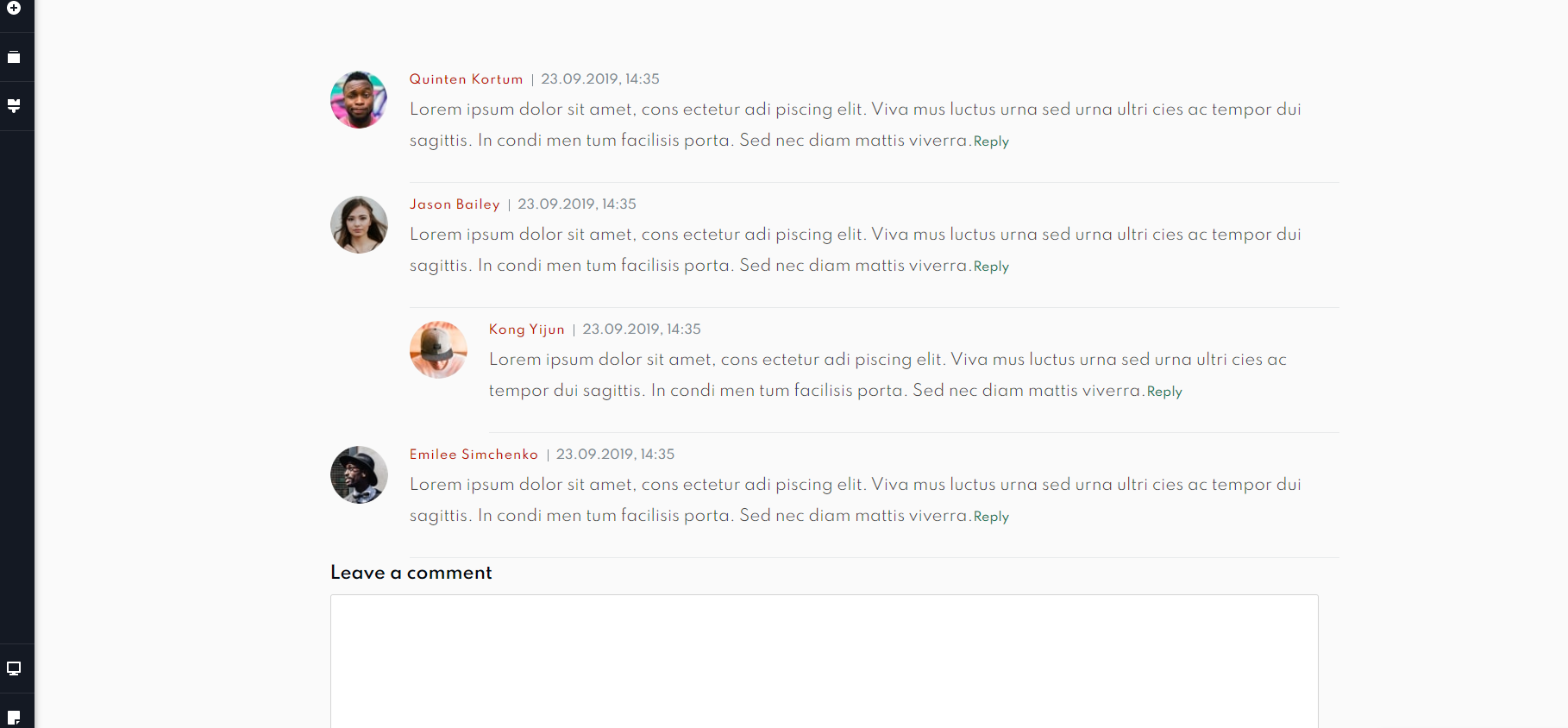
and this is what it looks like on a live post using that template:
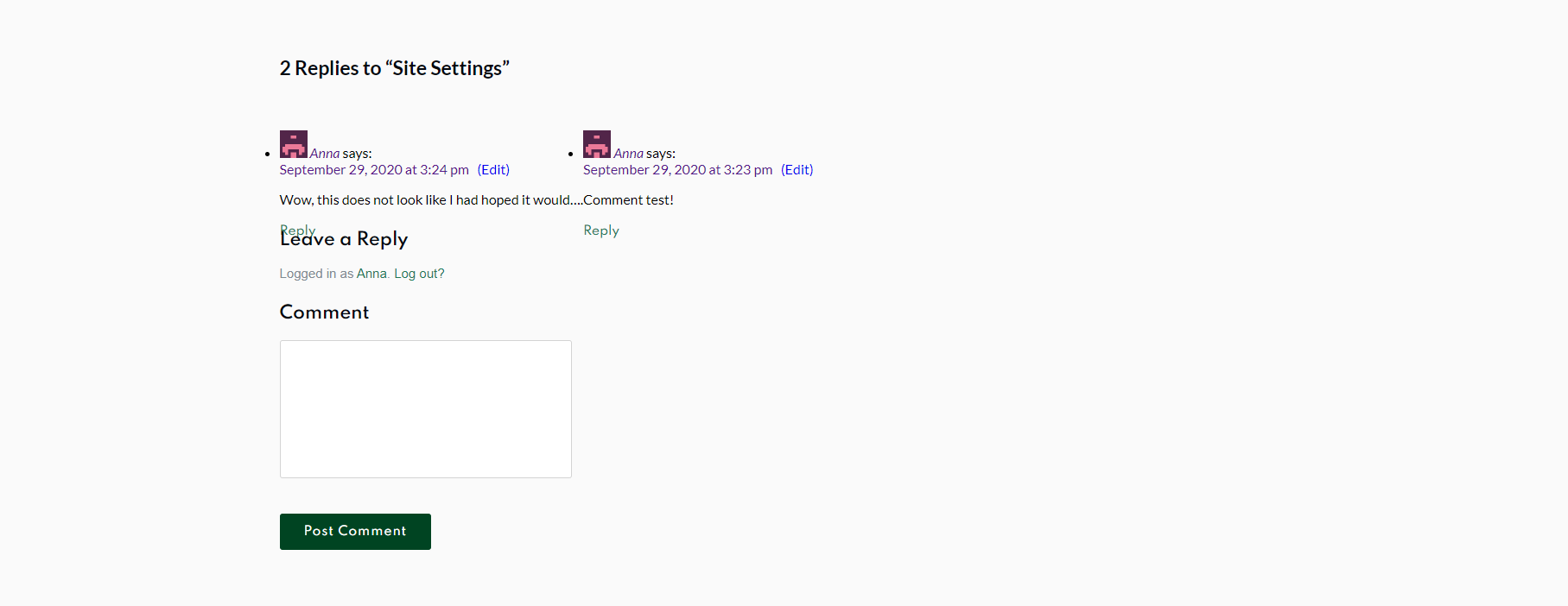
What gives?
Live link: https://academy.compassrose.dev/blog/site-settings/
-

Hi,
I'm sorry but I could reproduce this problem. See here. I notice that your site has already SSL certificate and it is set with HTTPS but from the console, I found that in WordPress dashboard it isn't set with HTTPS. Could you please check from Settings -> General if the Site URL and WordPress URL are identical and with HTTPS?
If this will not solve this problem, could you please deactivate all external plugins (except Brizy Free and Brizy Pro) and activate a WP default theme and check if this problem still appears? Also, could you please make sure if you have the latest updates from Brizy Free 2.0.13 and Brizy Pro 2.0.6?Thanks!
Best regards,
Sandra0 -
Hi Sandra,
Under settings > general, both URLs are identical and set to https://.
Activating a default theme fixed the problem. But I was using a custom theme that controls large parts of my site. Does this mean I can't use it? Isn't Brizy supposed to be independent of the theme?
I am running Brizy 2.0.13 and Brizy Pro 2.0.6 on Wordpress 5.5.1.
0 -
Hi,
Yes, you are right Brizy is independent by the theme but the Brizy is a plugin activated in the WP environment and here can appear some inconvenience from this environment or other "elements" of this environment (theme, plugins, etc.). The theme or any other plugin can have some inconvenience with each other and there can appear some little problem. If this is a Custom theme, I can't say that we can investigate this problem, therefore, I can recommend asking the theme developers about this inconvenience. They will offer the solution faster.
Thanks!
Best regards,
Sandra0
Please sign in to leave a comment.
Comments
3 comments