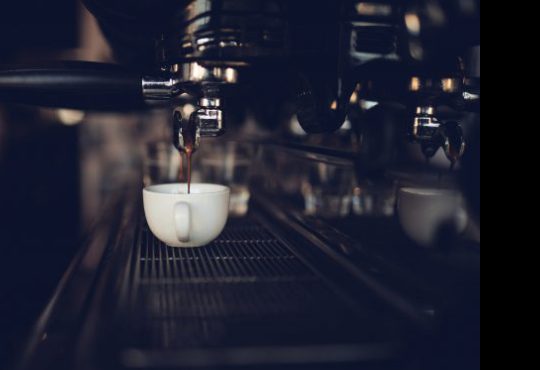
Image issue - black bar

There is an issue with the images. Please see the screencast.
Note - I have resizing turned off in WordPress/Settings/Media
https://ballucci.co.uk/wp-content/uploads/brizy/183/assets/images/iW=660&iH=370&oX=60&oY=0&cW=540&cH=370/espresso-coffee-machine.jpg
Why is iW = 660? What is iW and iH?
-

Hi,
here is an article that explains how the Brizy media works in WordPress: https://support.brizy.io/hc/en-us/articles/360031704031-How-does-Brizy-handle-images-
The numbers in the image url do not refer to its dimensions. If you check in the code you will see that the image size is exactly the same as specified in the settings element: https://jmp.sh/VDEeHBL -> https://jmp.sh/QH1E1Kx -> https://jmp.sh/EMfNuir
The strange thing here is the black part. Does it happen with all the images? On all pages? I cannot replicate this on my side.
btw: can you please confirm you have this issue with the latest Brizy version - Free 2.0.13 and PRO 2.0.6?
0 -
Thank Alex. That was great information.
I have only experienced this once. I will reopen this support ticket if it occurs again. I have recreated the site from scratch which has solved the issue.
0 -
Sure. Let us know if you need anything else.
0
Please sign in to leave a comment.
Comments
3 comments