PayPal pay button on pages.

Hi,
Is it possible to add a pay now PayPal button on my Brizy website pages?
I have an online courses website and I wanted to accept payments on each course page through my business PayPal account and I cannot see how it can be done. I am happy to use a WordPress plugin if you can recommend one that works with Brizy.
Thank you.
-

Hi,
you can try to embed the PayPal button to a Brizy page. This article can help you: https://www.paypal.com/us/smarthelp/article/how-do-i-add-a-paypal-payment-button-to-my-website-faq3629 In Brizy builder you have the Embed element which is predestined for external codes.
0 -

no help at all - page no longer available
0 -
We will greatly appreciate if you share a better solution until we create a payment integration.
0 -
Hi,
The PayPal video link above is what I have used in conjunction with a custom button which I created for free on this website Da Button Factory - Free CTA Button Generator (clickminded.com)
You can see how this PayPal pay button works on this website page Sales Training Courses - Media Sales Training (media-sales-training.co.uk)
When you press any of the Book Now course buttons it takes you to your business PayPal account and to pay the specific amount for the item that relates to that product or service.
I embedded the HTML code taken from the PayPal pay now button as shown in the video and inserted into the button image I created.
Hoe that this helps.
Joe
0 -
Hi Joe,
thanks for sharing.
0 -
This didn't help me at all, pls supply a fix for integrating a PayPal button onto the site, this is urgent
0 -
Hi Richard,
I'm not sure why this hasn't worked for you, but if it helps, I am happy to guide you through setting this up on your site if you're happy to allow me remote access to view and advise you through the process.
Just to be clear I do not work for Brizy and I will not have any control on your computer but merely observe and advise on the steps and processes required to set the PayPal buttons up.
If this is of interest then please let me know.
Joe
0 -
Hi Joe - yes that would be great if you could assist
0 -
Hi Richard,
No problem, please drop me a line on joebarnone@gmail.com so that we can arrange a time as well as other details.
Regards,
Joe
0 -
Fixed - it was simple, go to the Plus on the TLH side of the Brizy page editor
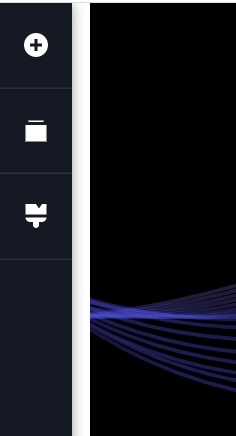
Select shortcode
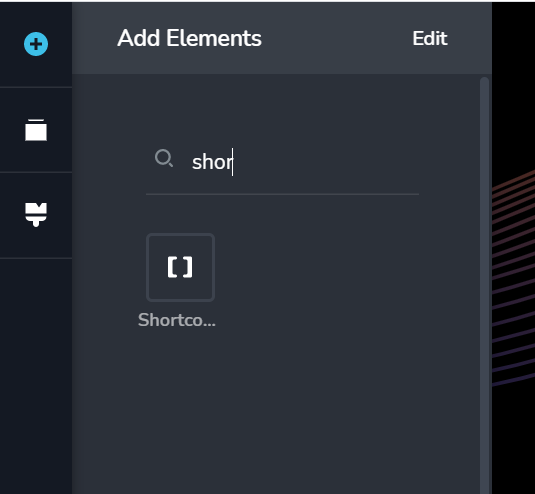
Drag the shortcode icon to where you want it on the page
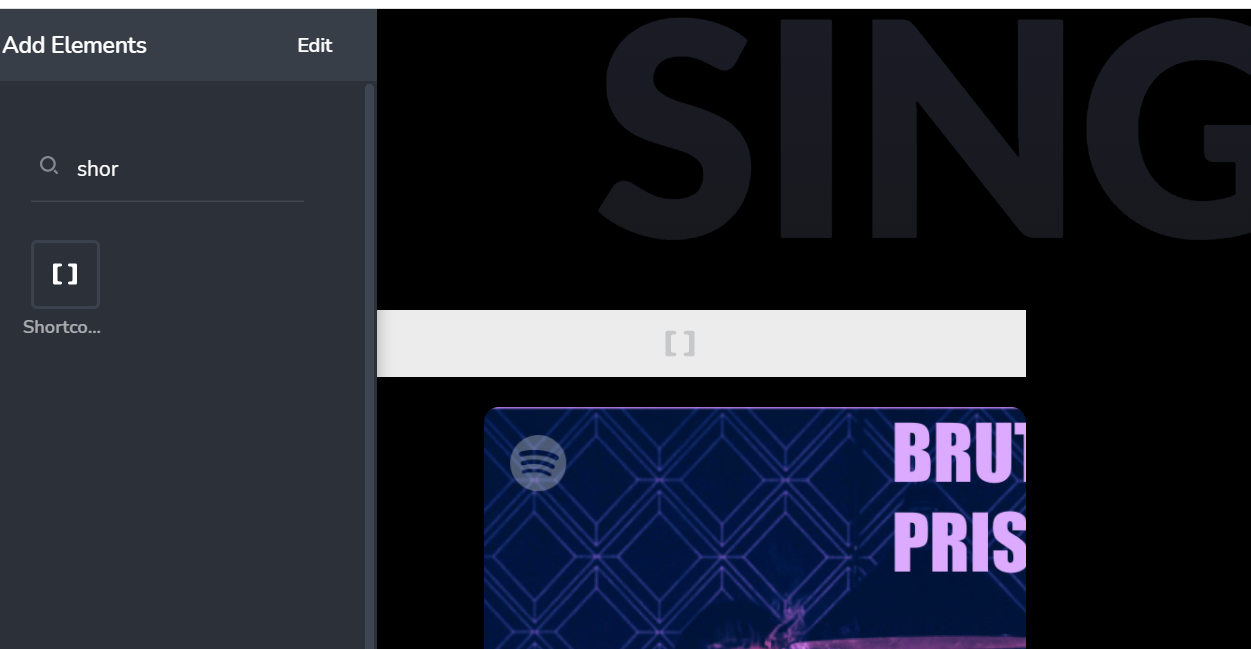
Click in the middle of shortcode parenthesis, then select 'W' for wordpress
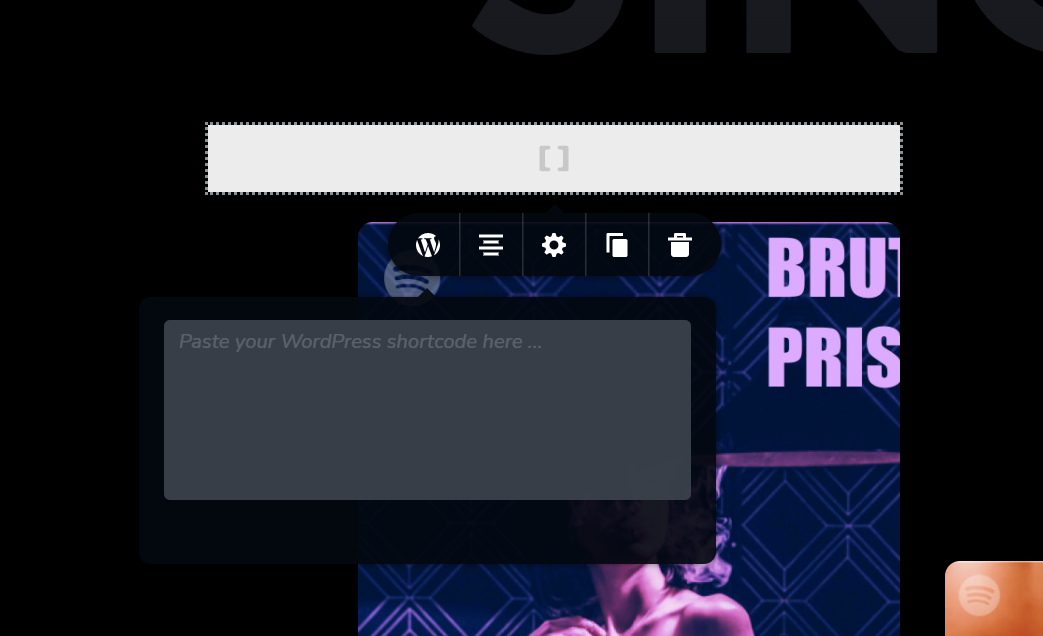
Paste in your wordpress shortcode - ie the PayPal button code..
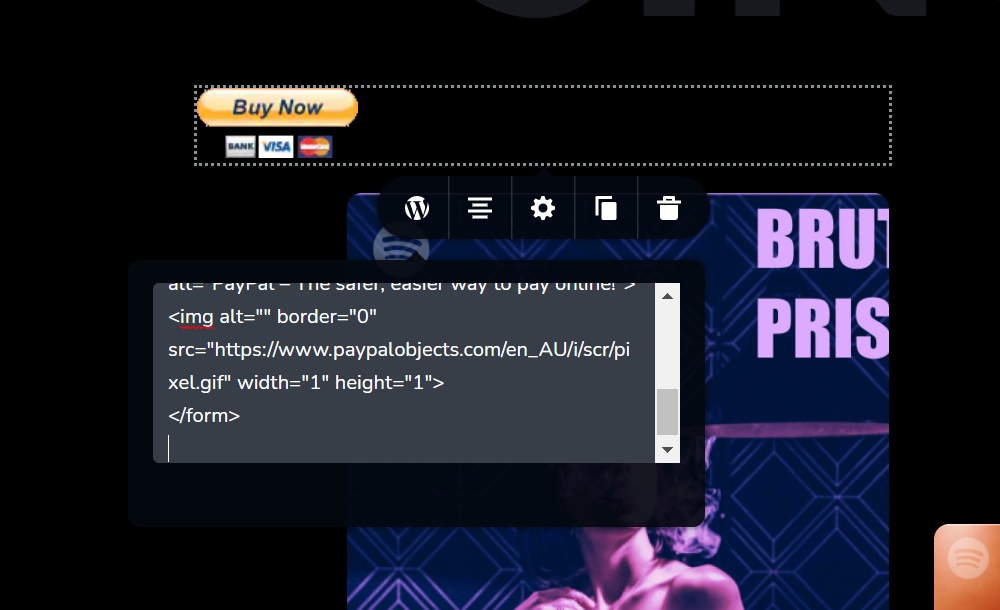
presto - paypal button appears, you can use Brizy to modify alignment by shrinking display area...
See - wasn't that simple!
All tested and working
Rick
0 -
Hi,
I'm glad to hear that. It is surprising that it works with the shortcode element. Usually, these codes are added with the Embed element: https://youtu.be/i2dqikDdvQc
0
Please sign in to leave a comment.
Comments
11 comments