Creating Categories template

Hi
If we are using custom post types. There's no option to create a global template for the categories. We will have to create custom template for each categories. Is there anyway we can achieve this using brizy
-

Hi,
You can add more conditions to a Brizy Template. Why not add each category as a separate condition?
0 -
I did like this,
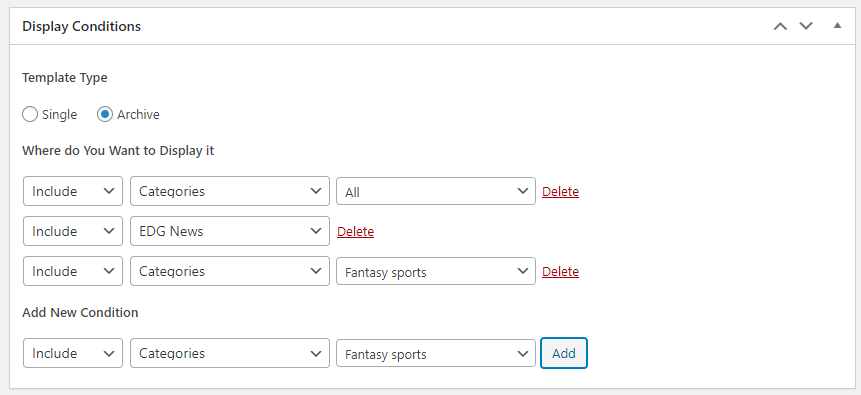
But when i published something on EDG news Under Fantasy sports category And when i select the Fantasy sports from the menu that published article is not showing up
But if i post the same article using the default WordPress post its showing up in the category page.
0 -
How was this custom post created? Is it a custom post that comes from the theme or created by a plugin? I'm afraid Brizy only recognizes WordPress standard posts and archive pages.
0 -
This custom post was created by a plugin.
If I create a custom theme with custom post it will be shown in Brizy right?
0 -
Unfortunately, not. Brizy Templates will only work in WordPress standard pages/posts and now we are working on WooCommerce pages compatibility.
0 -

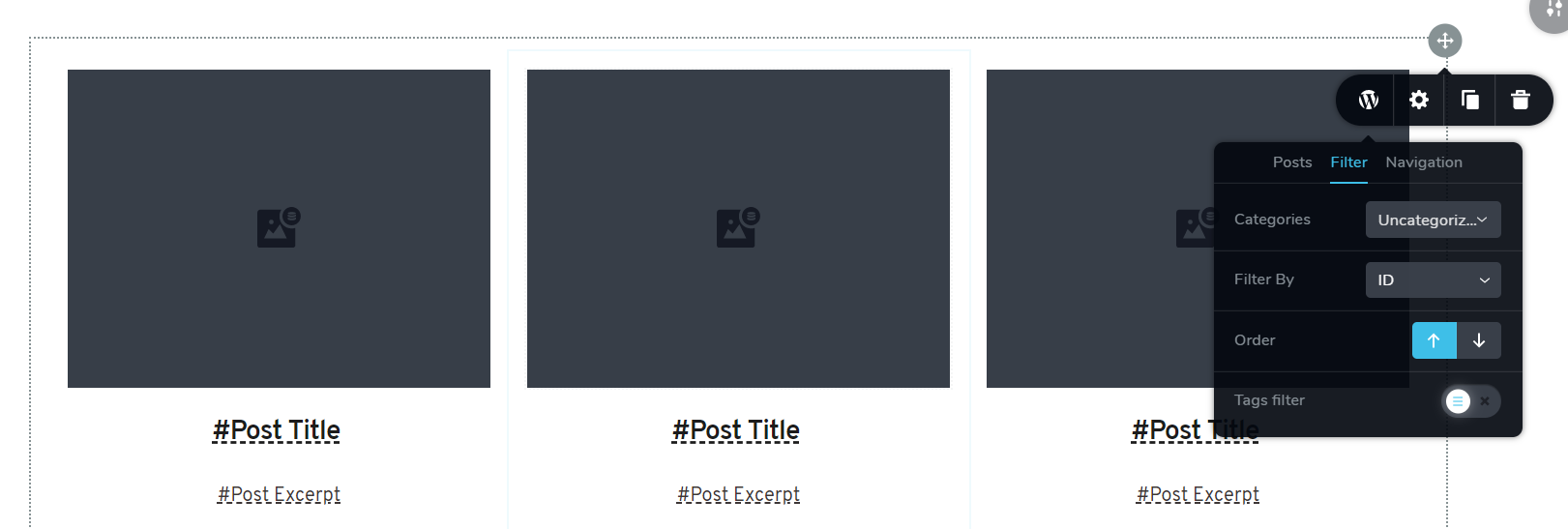
There is an include All in the main page of the template but, the problem is caused by the filter section. By default, there is no "ALL" options as shown in the pic. So, it just shows one category. To have a global template it would be nice if you add "All" options to the filter part.
 0
0 -
Hi,
I will add this note to our internal desk. In the meantime, as a solution you can create an "All" category and assign all posts to that category. After that, in the template settings, you need to choose the "All" category from the list.
0 -
Thanks.
Just please note that, here, by "All", I mean corresponding content related to each specific category. This means that if we set the filter to this "ALL" or "dynamic content", for each category page, just related posts shows up.
0 -
Yes, I understand that. I proposed a solution for the moment. In the future, we will do something about it.
0
Please sign in to leave a comment.
Comments
9 comments