Images aspect ratio issue on Mobile and Tablet

Hi
I have subscribed to Pro, and started converting my site to Brizy.
But during this I have run into a major issue.
I have used a pre-made block and inserted images ... you can see this at https://staging1.theonestudio.uk/inside-the-the-one-studio
As you can see when you scroll there are three images (2 lights and 1 swatches) that are the wrong perspective when viewed on a tablet or phone. This also happens when I preview in tablet or phone view.
What do I need to do to sort this?
Hope you can assist as it is now holding me up.
Jay
-

Hello!
Thanks for the post.
Can you give us permissions to check the preview of this page? It is unavailable for us - https://bit.ly/2RSo1KT
Thank you!
Natalia
0 -
Hi Natalia
I waited and waited, then I eventually used a custom design. But the issue was with the following pre-defined block.
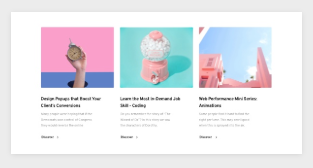
When viewed in Mobile view, this was giving distorted images with the wrong aspect ratio.
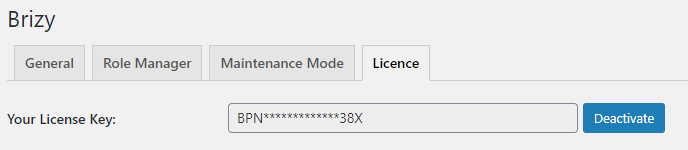
Also, another problem I have is licensing.. I have paid for a Pro license (3 sites) but this license is only accepted on the main site (theonestudio.uk) and NOT on the staging site. Whenever I add the license key, it takes me to the main site WPADMIN Plugins page!
theonestudio.uk:
staging1.theonestudio.uk:
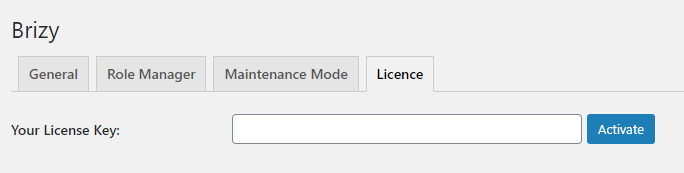
When I am on the staging site, the block etc show PRO LOCK on them.
I would like to provide you credentials, but can I provide them here on this support site? Is it Private? I will also need to unlock the Wordfence.
Jay
0 -
Hello!
I short update here about how we solved this question:
In the staging dashboard, in Wordpress>>Settings>>General -- we corrected the WordPress Address URL: https://bit.ly/2S6UAEY
All my Best,
Natalia
0
Please sign in to leave a comment.
Comments
3 comments