Brizy and Mailchimp not working on Android Phones

I'm getting complaints about users not being able to send in a form for mailchimp on their android phones. Users are able to sign up using their computers or apple phones. The website is http://thehoneyandbeeconnection.com and it's for the new website giveaway. The popup does pop up but they are unable to send.
-

Hi,
we just checked the form you have in the pop-up window and it works fine for us: https://jmp.sh/kjDguuf What exactly is the problem? How can we replicate it?
0 -
Users are not able to submit the form in android phones.
0 -
Hi,
That's not enough to give you a solution. We tested on an android phone and as you can see the message was sent. Can you please give us more details? Have you tested on several android phones? Do you have the same problem on all of them? What exactly is the problem? Doesn't pop up or contact form not work? Or does the data not reach mailchimp?
0 -
Hi Alex,
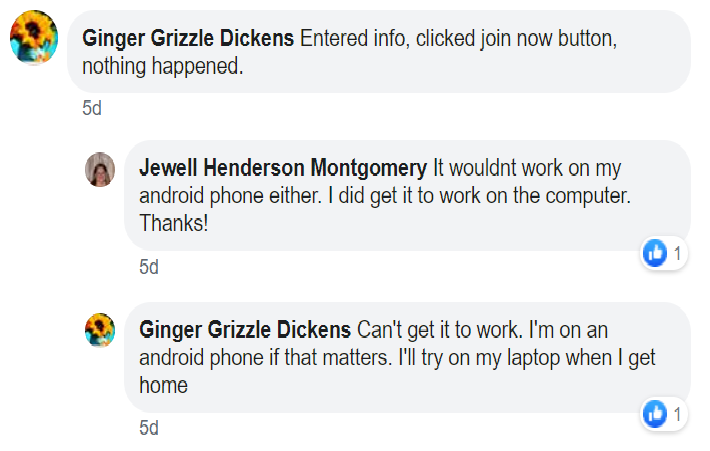
Sorry I wasn't clear. The popup that is not working on android phones is for the giveaway at the top. Click on the popup that looks like a business card. I do not have an android phone so I do not have any screenshots. But the pop up does pop up, it just isn't able to be sent. No confirmation on sending or not sending.
 0
0 -
They have received several messages from customers saying they can't sign up using their android phone so it isn't an isolated incident.
0 -
Hi Alex,
Were you able to duplicate the problem?
Thanks
Ashley
0 -
Hi,
sorry for not getting back to you sooner.
It seems that the problem is that the form that appears on the mobile has the "name" field set as the "email" input type: https://jumpshare.com/v/V9fxxHBYKN41mnAD9Db2 Please check this and change it to text type.
0
Please sign in to leave a comment.
Comments
7 comments