Format Buttons for Mobile view

On this page:
https://www.brizy.cloud/projects/3096650/editor/3632301
which is viewed as:
https://www.flvh.org.uk/hall-info
The colours change on hover but only in desktop view.
When I am in the cloud editor I cannot see how to change this.
-

Hi,
Did you change this for the mobile layout as well: https://youtu.be/8746pMZ-AH8?t=744 ?
0 -
There is no option to change colour in mobile editing mode.
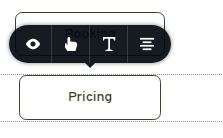
I repeat: I have made the hover colour a dark green which works in desktop view, but when I go to tablet or mobile editing mode there is no option to change the colour. See screenshot above.
0 -
Sorry I didn't pay enough attention to your first message. Color cannot be set separately for mobile. The colors are the same as on the desktop and it is a rule for all elements not only for buttons. Other changes such as space or font-size can be made on mobile. If you want to have a button with a different color on mobile you need to create a new button and hide it on the desktop: https://jmp.sh/8J5aG2e
0 -

This is a great shame. Can you please change this as soon as possible.
For me this is an important decision between the competition.
1 -
I will discuss this with the team, but why would you want to have a site with different colors for mobile?
0 -
I don't want a different color on mobile, but the same hover effect as the desktop.
I have the same question as above from Charles Crossley! I immediately understood his question. It's about animation.0 -
I don't want a different colour on mobile. What I want is for the button to behave the same way in tablet / mobile view as it does in desktop.
To repeat (from above)
"I repeat: I have made the hover colour a dark green which works in desktop view, but when I go to tablet or mobile editing mode there is no option to change the colour. See screenshot above."
I need to change it because the the moment the hover colour is not working in tablet / mobile view.
Please view this video clip:
https://cmbcwebdesign.co.uk/brizy-vid/button.mp4
0 -
In fact, as you probably know, hover behavior doesn't exist on touchscreen devices. But, I suppose you want the hover color on mobile to appear when you touch the button. I will add this to our to-do list.
0 -
Great. I am looking forward to it.
0 -
I had forgotten about the hover on mobile issue (but I know about it!!). I suppose I was puzzled that when in mobile view in the builder the colour did not change on hover. I will check to see if the colour changes when I click (equivalent of touch) the button. Would it be possible to make the colour change on hover in mobile editor mode - which would emulate the 'touch' when on a mobile device 'in real life'??!!
0 -
Hi,
I will discuss this with the team. Most likely we will make the hover color on the desktop appear on mobile as the touch action color.
0 -
I saw that there is a new update. Unfortunately, this concern has not yet been incorporated.0 -
Hey,
Nobody said it will be in this update. Other things have been scheduled for this release.
0 -
Since I have to create a homepage soon, I am getting used to Brizy more and more.
And I am always surprised when I look at the tutorials which functions are hidden in Brizy.
But there are still a few little things, like this function, that I am missing.0 -
Hi,
Yes, I will agree with that. There are still many things to solve to add and improve. But believe me, we do our best ))
0
Please sign in to leave a comment.
Comments
15 comments