Blocks moving on their own

Hi
I keep finding that blocks keep on rearanging themselves within my website, Its getting to be a problem with my clients calling me. I have noticed this morning that on my own site the blocks that show my team have swaped postions the block with myself in should be at the top of them both. Please see images. First one is the blocks moved and the second is my about page and this is where they should be. I will not move them incase you want to look at it.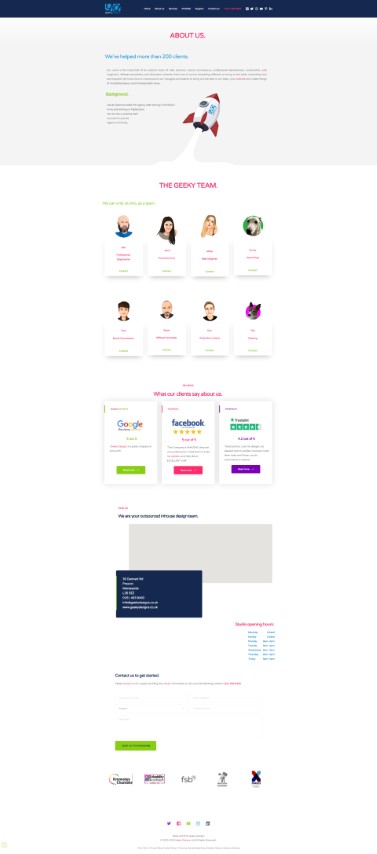

Thanks
Dan
-

Hi,
I'm sorry but the Brizy builder can't move by itself the blocks inside the page and we didn't find this issue. Could you please guide us on how to reproduce this inconvenience? We will want to investigate this problem.
Also, could you please check if you have the latest updates for Brizy Free (2.0.12) and Brizy Pro (2.0.6)?Thanks!
Best regards,
Sandra0 -
They do move or rearange themselves I have taken another screenshot and they are back to normal now. I know it sounds really strange but it is happening. Have a look at the two images and the two blocks with our pictures in swapped postions for some reason.

 0
0 -
Could you please send us a video with this problem? How we can reproduce it? Maybe there is a plugin or theme inconvenience. Could you please try to deactivate all external plugins and activate a WP default theme?
Thanks!
Best regards,
Sandra0 -

This happens all the time on our website too.
It happens at random times, frequently enough to be a problem. Editing a global element on one page is sometimes a trigger.
I've just had to again move things in the right place. Is there a solution?
1 -
@Dan did you manage to find a solution?
0 -

Hello!
My name is Mihail, from Brizy support team.Can you please specify, does it happens on WordPress or Cloud?
Also, can you add the link to your website?
Kind regards,
Mihail
0 -
Hi Mihail, how can we reach you over email?
0 -
Hello!
I've created a private ticket, you should receive an email notification regarding this.
In this ticket, please, provide us with more info.Kind regards,
Mihail0 -

Hi All,
We are glad to inform you that this issue has been fixed. Please, clear the browser cache and check if everything is working at your end.
Best regards, Nelea
0 -

Hi experiencing the same problem what is the fix for WordPress?
1 -

Hi Kuperus,
I have a created a private ticket for you. Please look for an email from support@brizy.io. Please reply to the email with your WordPress credentials. We will advice you on how to get rid of this issue.
0
Please sign in to leave a comment.
Comments
11 comments