Edit with Brizy goes to Page cannot be Found error

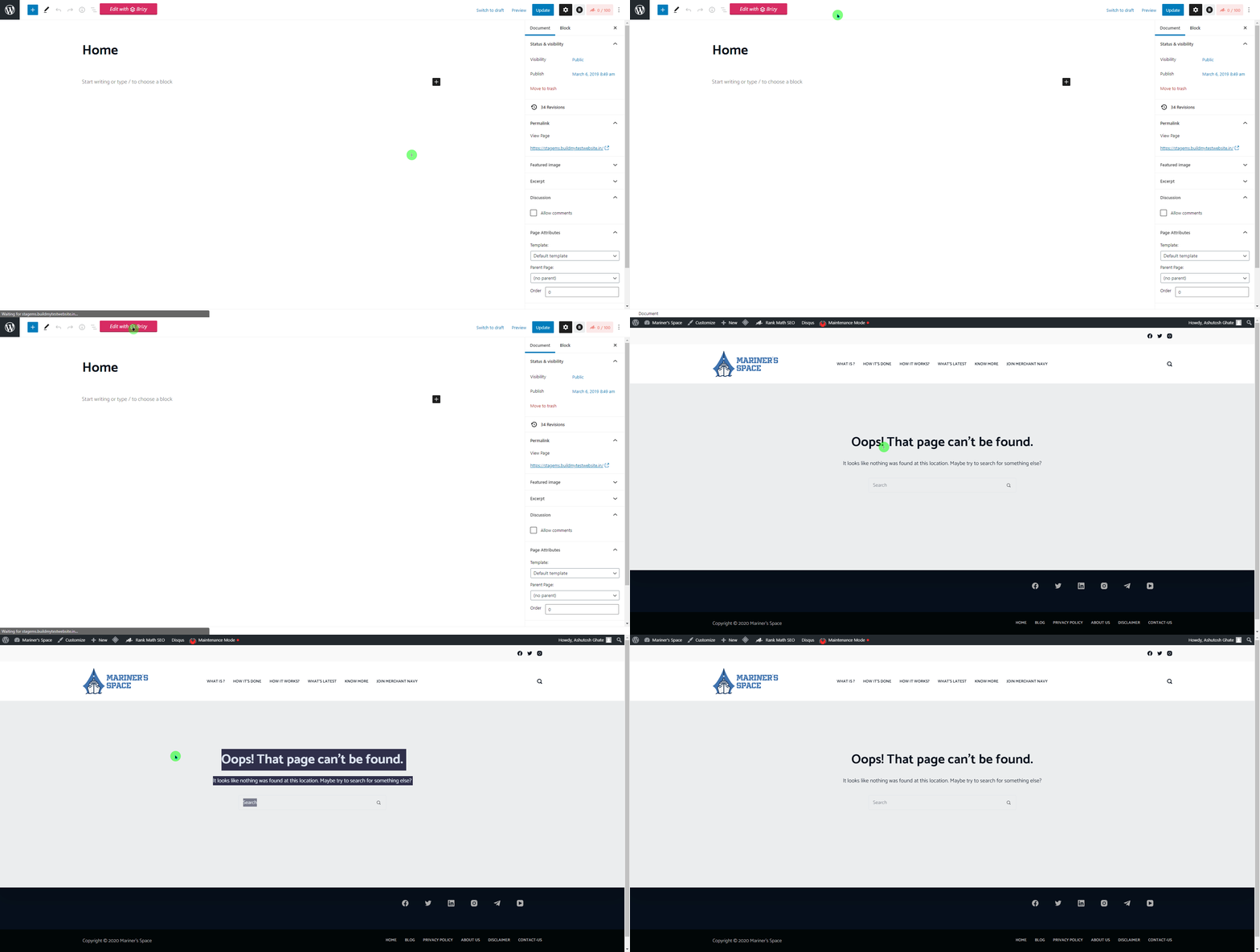
I was using a premium envato theme and now planning to switch to a free blocksy theme. I have completely removed the old theme and now when i try to edit pages with brizy then I am getting the following error
Page cannot be found.
If i edit the page with gutenberg it is working fine but not with brizy.
I am simply worried and do not want to break my website .
Would also like to add the steps I did to resolve from my end. Cleared Cache, tried different browsers, Permalinks structure changed and saved. But it didnt seem to work
attaching a short clip of what is happening.
Hope to get a positive reply
-

Hi,
thank you for going ahead and doing some testing. We need to check a few more things to exclude a third-party cause. Can you please confirm you have this issue with the latest Brizy version - Free 2.0.10 and PRO 2.0.5? Also, do you have the same problem if you disable all your external plugins? Please check this with a default WordPress theme and let us know the result. Thanks.
0 -
As of now I am using the latest updated version of Brizy Free and Pro. I will try to work by disabling all the plugins and update u soon. Also, I tried creating a new page and there also same thing is happening. When I click on the page the page is created but if i want to edit with brizy it says Page not found. I will test it out by disabling Plugins. Just want to ask if Wordfence creates any issues with Brizy. As i find it quite tough to get rid of wordfence from the website. Will be testing the website now with disabled plugins and try out. and update after doing my testing.
0 -
Well It seems my host screwed up
they are still troubleshooting the major issue. they saying but i upgraded my core wordpress files and now everything seems to be working good.
0 -
okay, I'm glad to hear that.
Let us know if you need anything else.
0
Please sign in to leave a comment.
Comments
4 comments