domain association issue

Plugin can associate with only one domain.
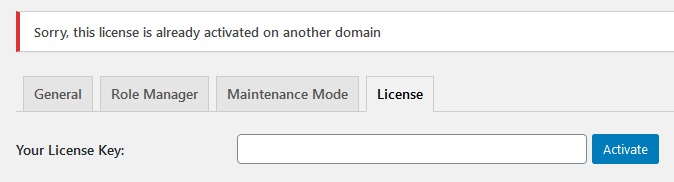
-

Hi,
Yes, in such a way is working the Brizy Licensing system. Each site you create with Brizy should have its own license key. Therefore, for each site, you create with Brizy you have to generate a new license. An exception is a Personal license where you have the same license for all 3 sites.
Best regards,
Sandra0 -

Sandra
I dont think this is the case. I have just purchased a Personal license.
I have two sites ... www.domain.com and staging.domain.com
I can see in my Brizy account that I have only 1 license key that should work for 3 sites.
When I enter the license into the main site, this is registered in the Brizy account section. See below:
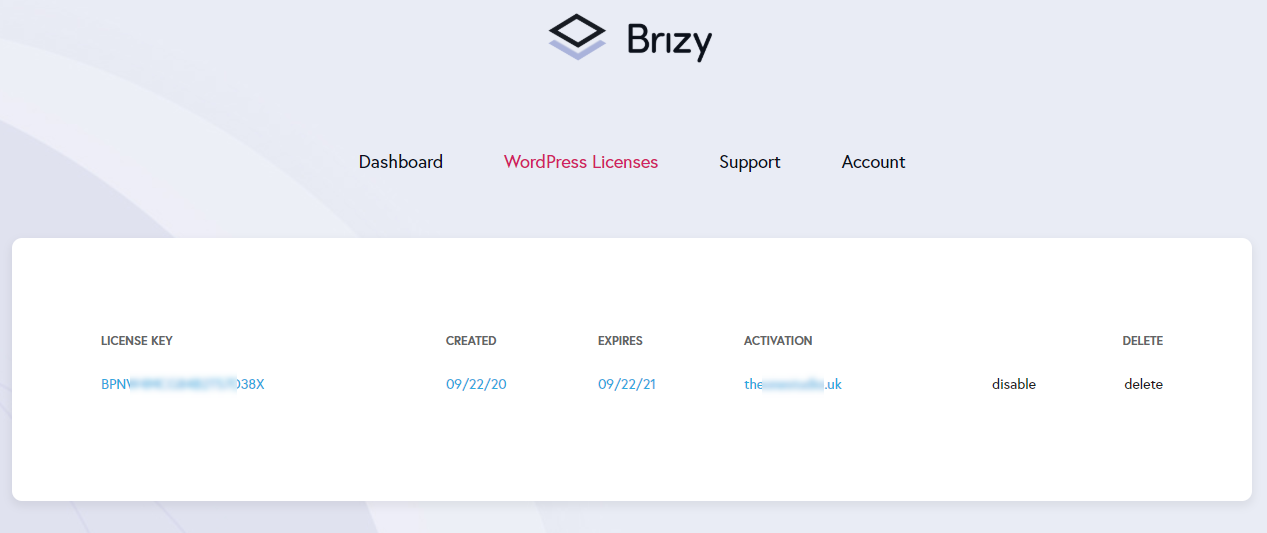
But when I go to add it in my staging site, it tries to access the main site to activate .. if I am not logged into the main site it gives me an error stating the page could not be accessed.
I am unable to add the license to the second site. There is also no capability to use the license to a staging.
Brizy support responded to me stating I should generate a license .. Where?? There is no option, and you cannot use the license on multiple sites as explained.
I am stuck now as I need to use Pro features and cannot.
Could you please help.
Jay
0 -
Sandra to illustrate what happens.
Brizy Pro is already activated on the main site www.domain.com
- I open up WPADMIN > Brizy Settings on staging.domain.com
- I enter the license key
- The browser now changes its page from staging.domain.com Brizy settings page to https://domain.com/wp-admin/admin.php?page=brizy-settings&tab=license
- It shows the following:
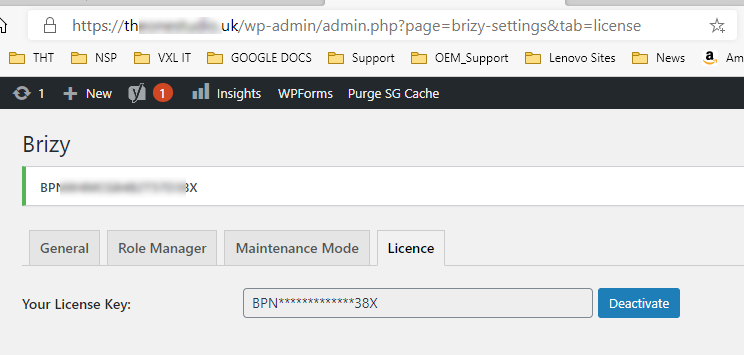
- Clearly, it should not do this.
- When I go back to my Brizy settings on staging.demo.com I see the following:
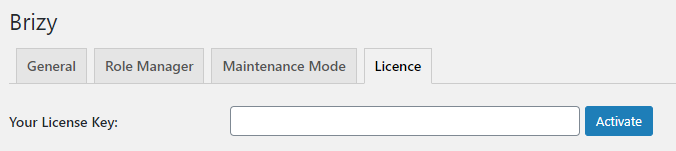
- Pro is not active.
- If I go to add a Popup it shows that I need Pro.
Also, I would expect to see the staging.domain.com listed in the licenses page in My Account.
It is not.
This is broken!
Jay
0 -

Already fixed.
0
Please sign in to leave a comment.
Comments
4 comments