Upload image dialogue not opening

I am trying to edit a page and have deleted the background image of one of my sections but when I try to click the Upload button to select the new image, nothing happens (i.e. the upload dialogue screen does not open).
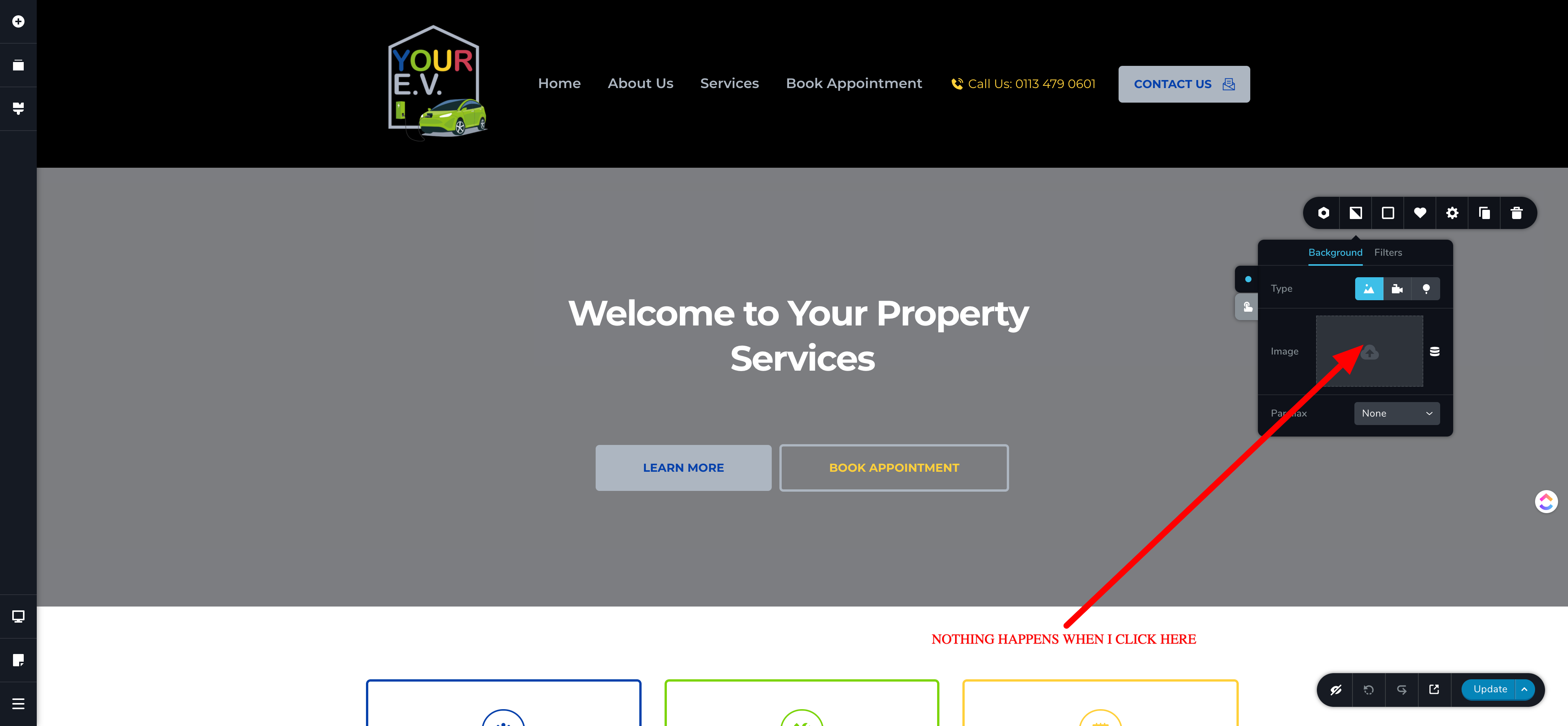
I have tried different sections and the same thing happens. I have also tried adding a new section and I have the same issue.
Please advise urgently, as I need to complete this work for my client.
Matt
-

Hi,
It is a bit strange issue. When did you encounter this problem? What were your actions before happening this issue? Could you please make sure you have the latest updates for Brizy Free (2.0.7) and Pro (2.0.4)? Also, could you please temporary deactivated all plugins (except Brizy Free and Pro) and activate a WP default theme? Is the problem still present on the editor?
Best regards,
Sandra0 -

Hi,
I'm running into the same problem. Was there any solution found?
0 -

Hi Caitlin,
If you have the latest Brizy version (Brizy FREE 2.0.13 // Brizy PRO 2.0.6) - disable all plugins and switch to a default WordPress theme. Let me know if it worked.
Thank you,
Regards, Natalia
0
Please sign in to leave a comment.
Comments
3 comments