Brizy cloud header menu in mobile is not showing up

Hi there,
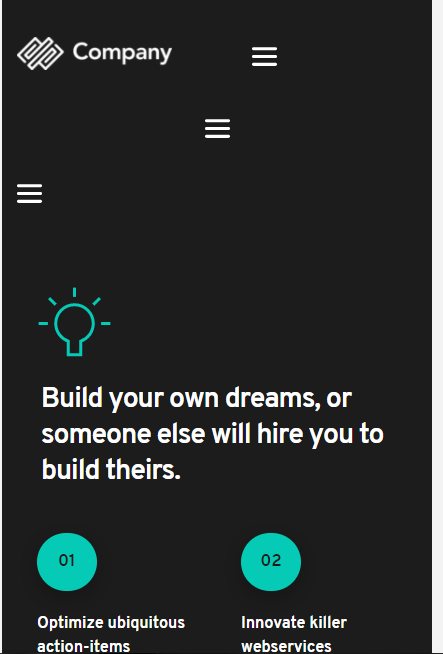
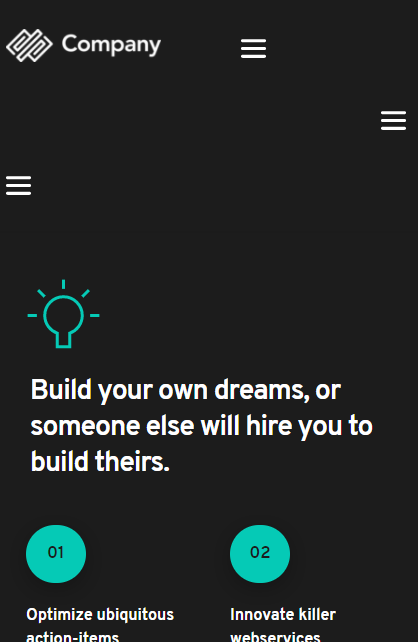
I have difficulties in setting up the header menu in mobile and have no idea to get the menu to show up in mobile properly.I have tried switching on and off the hamburger menu but it still doesn't work have attached the screen shots would appreciate any help. This is my website .
https://lime3500352.brizy.site/
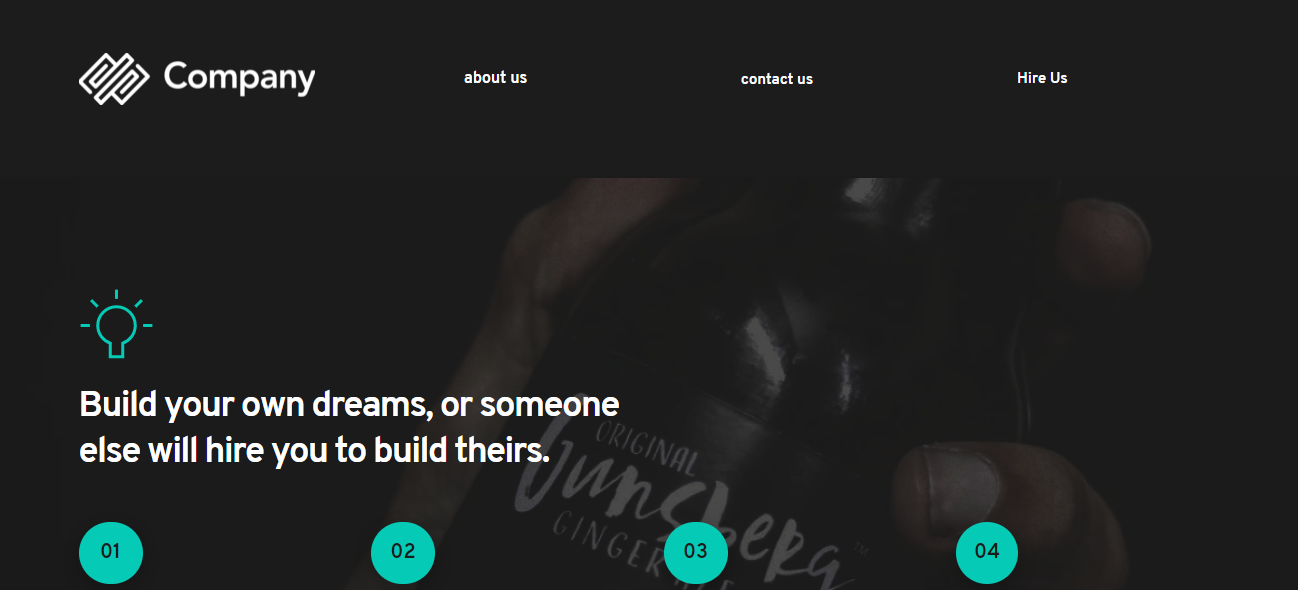
desktop website header screen shot
Mobile site view with hamburger switched on
Mobile site view with hamburger switched off
I want my header menu to be like this website in mobile view where all options under a single menu
It has the same desktop view as my website. I just want my header menu to be like the site to be flexible in both mobile and desktop. Would appreciate any help here.
-

Hi,
I investigated the site https://lime3500352.brizy.site/ and I found that the "About us" "Contact Us" and "Hire Us" are 3 different menus. See here. For this reason, you see in the mobile view 3 hamburger menu. To solve this inconvenience I suggest creating 1 menu and there add these 3 Custom Links. After this, in the header remove 2 Menu elements and in one menu element select the Menu that contains these 3 Custom Links.
Thanks!
Best regards,
Sandra0 -
Hi,
Thanks for the reply i did create a menu and did what you described but i'm unable to link the menu items to the specific blocks.I have linked them in the menu but it doesn't seem to work.It takes me to contact form block if i click about us and contact us.
here is the site - https://lime3500352.brizy.site/
Appreciate the reply.
0 -
Hi,
You have to change the URL link for the menu items and indicate those block you want to be linked when you click on "About us", "Contact us" and "Hire us". The process is the same you made for the first menu item.
In this article, you can find how to create a Custom link or Anchor. In the same way, you have to create 3 menu items in the same Menu.Best regards,
Sandra0 -
Hi, I done that already. I did it as discribed in article but it seems to not work.
0 -
Hi,
Could you please send us a screenshot with how did you configure the menu items? On what blocks do you want to link them? Did you set the Block name to all of these blocks?
How did you configure the menu items from those menus you created for the first time?Best regards,
Sandra0 -
Hi ,
I am attaching screenshots below for your reference below
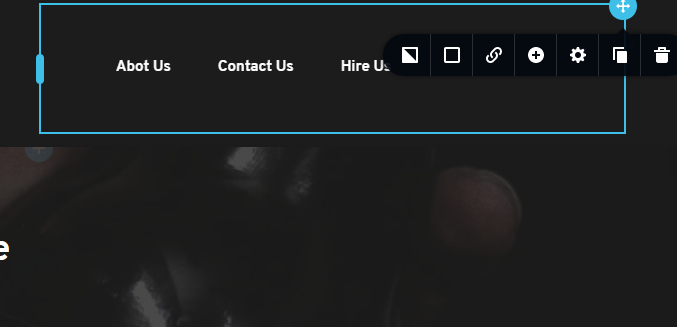
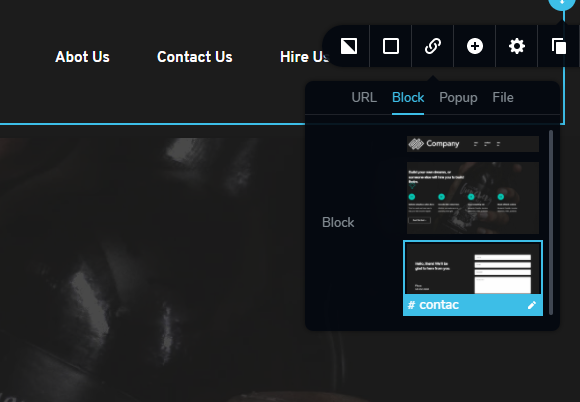
In the above images you could see the link box that appears where you could either put the link or a page link. That's how i was able to direct my links to the block as i was using separate menu for about us, contact us etc and each text as a separate link box for us to direct them to blocks or pages but now all comes under one menu and there was only one link box
So the only way to link them is through using this method
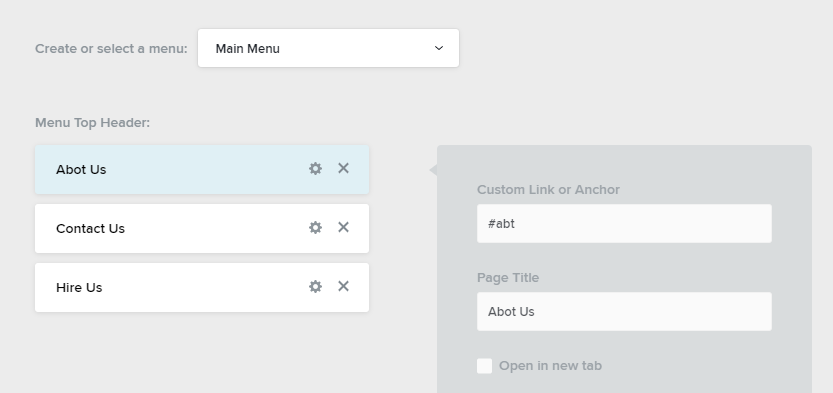
but as soon as as i save all this and access my site i have come across that problem.
Hope this issue gets solved soon
0 -
Nevermind. I have solved it seems to be the issue of sticky header menu.Took me some time to figure out. Thanks for the prompt support would appreciate more brizy cloud support docs.
0 -
Hi,
Let us know if we can help you with something else and we will be happy to help you!
Best regards,
Sandra0 -

OK, have my site about the way I want it, but I cannot get a menu to display on the mobile version and on the desktop version can only get a menu on three pages..any help is appreciated
0 -

Hi Benjamin,
Thank you for contacting us.
Sorry, I'm not sure if i have understood you well. Please see this video, it will help to do the Menu in Cloud, this one is for the Submenu in Clouad. Also, if you have a menu on the desktop then you should have it on the mobile too, please see here. Let us know if we can help you with something else.
Best regards, Nelea.
0
Please sign in to leave a comment.
Comments
11 comments