Changing the color setting of the response message for a form in Brizy

Hi,
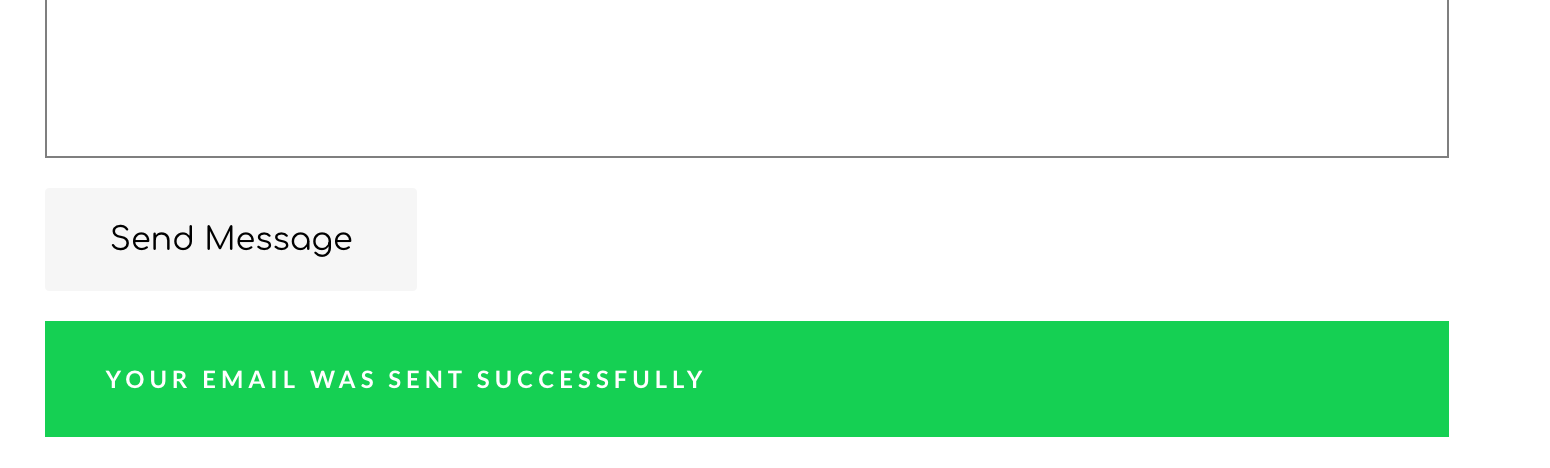
In both Brizy Cloud and Brizy WordPress, currently, when you use a contact form and send a message, you get the response/confirmation message in the Green background color. This color doesn't go with the colors/themes of all three websites that I have with Brizy Pro. I am not able to find any option to customize this message as well as its background color. How do I change the color to something more neutral like light gray?
Thanks!
Rima
-

Hi, Rima,
I'm sorry but at the moment isn't possible to change the background colour of this box. You can try adding a Custom CSS code for changing it. For example, you can add this code, here on the column where is added the form:
.brz .brz-forms2__alert--success {
background-color: grey !important;
}Thanks!
Best regards,
Sandra0 -
Thanks for the code, Sandra. It works.
Would you also be able to tell me how to change the success message? I want to customize this message.
Best regards,
Rima
0 -
Hi,
To change the Success message, you have to click on the Submit button, select the "Link" option and then go to the "Message". Here you will find a field for Success Message and one for the Error message. See here.
Best regards,
Sandra0 -

Hi Sandra,
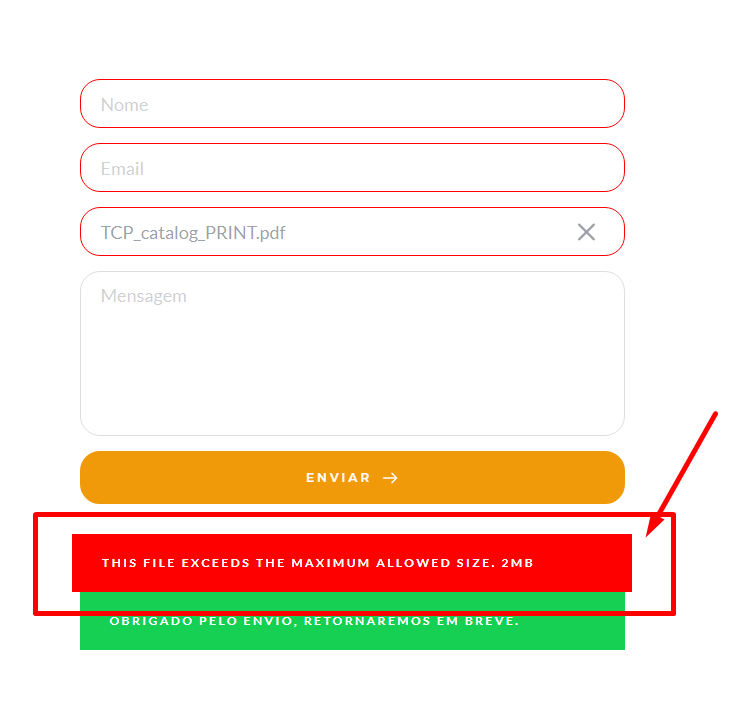
I need change this text too, how I do this?
Thnx.
 0
0 -
Hi,
Unfortunately, at the moment, it isn't possible to customize the "This file exceeds the maximum allowed size. 2MB" but I informed our team about this request and they will make a decision about this feature request.
Thanks!
Best regards,
Sandra0 -
Ok thanx,
Have a way maybe to translate this?
0 -
You can try to translate it with the Loco Translate plugin but I can't guarantee that will work. We had the same inconvenience with the other labels but our team already add the flexibility to customize them. The same we will create for this message too.
Thank you!
Best regards,
Sandra0 -
Thanx Sandra,
You are the best.
0 -
Hi Bruno,
Thank you a lot!
Best regards,
Sandra0
Please sign in to leave a comment.
Comments
9 comments