Woocommerce Categories Element Align Centre does not work

When inserting a Woocommerce category element, the Centre Align does not work correctly. The products are always Aligned to the left.
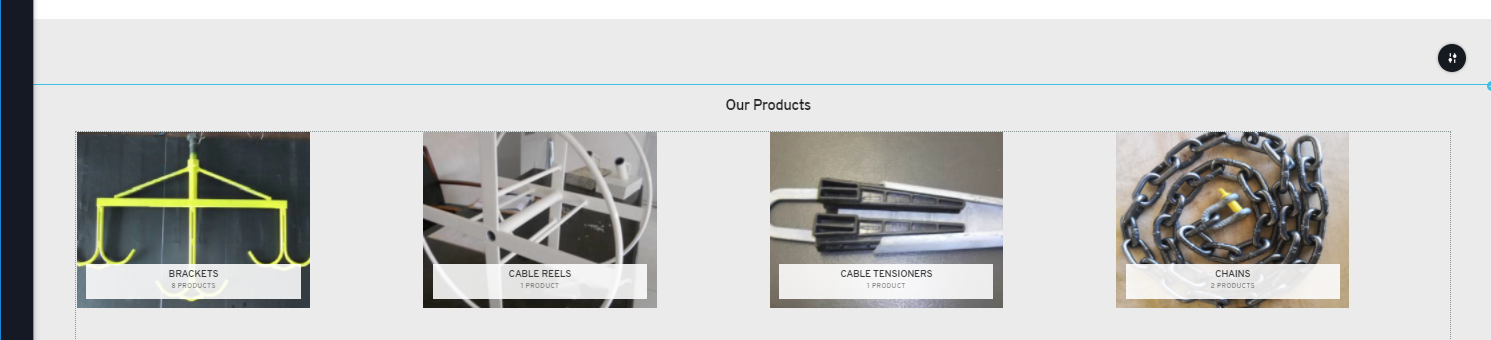
When you change to left align or right align, the products stay in the same position.
If you change the Width to anything less than 100%, the Left and Right Align start working, but the centering is still not exactly working correctly.
I've uploaded a video on my website to show the issue:
https://beetledigital.com/wp-content/uploads/2020/08/Video_2020-08-29_214529.wmv
-

Hi, Dennis,
Unfortunately, I couldn't open the video you send to us because of its format. Anyway, at the moment isn't possible to customize, style or edit the content from WooCommerce from this reason you can't align the text inside the Category WooCommerce element. When you click to align to centre - in such a way you align the whole element and not specifically the tet inside the Category WooCommece element. See here.
Best regards,
Sandra0 -
Ok, the video you shared is pretty much the same video I sent to you. So it looks like the workaround at the moment is to resize the element to be less than 80% in width and the centreing works a little bit.
0 -
Hi,
Yes, this is what I want to say to you. When you align to centre the WooCommerce element - you align the whole element and not the components that are inside the element because at the moment it is an embed code from WooCommerce that we are imported in Brizy pages and for this reason, it isn't possible to style them or align them.
Let us know if we can help you with something else.Best regards,
Sandra0
Please sign in to leave a comment.
Comments
3 comments