menu bar completely disappears in mobile setting

hello brizy team -
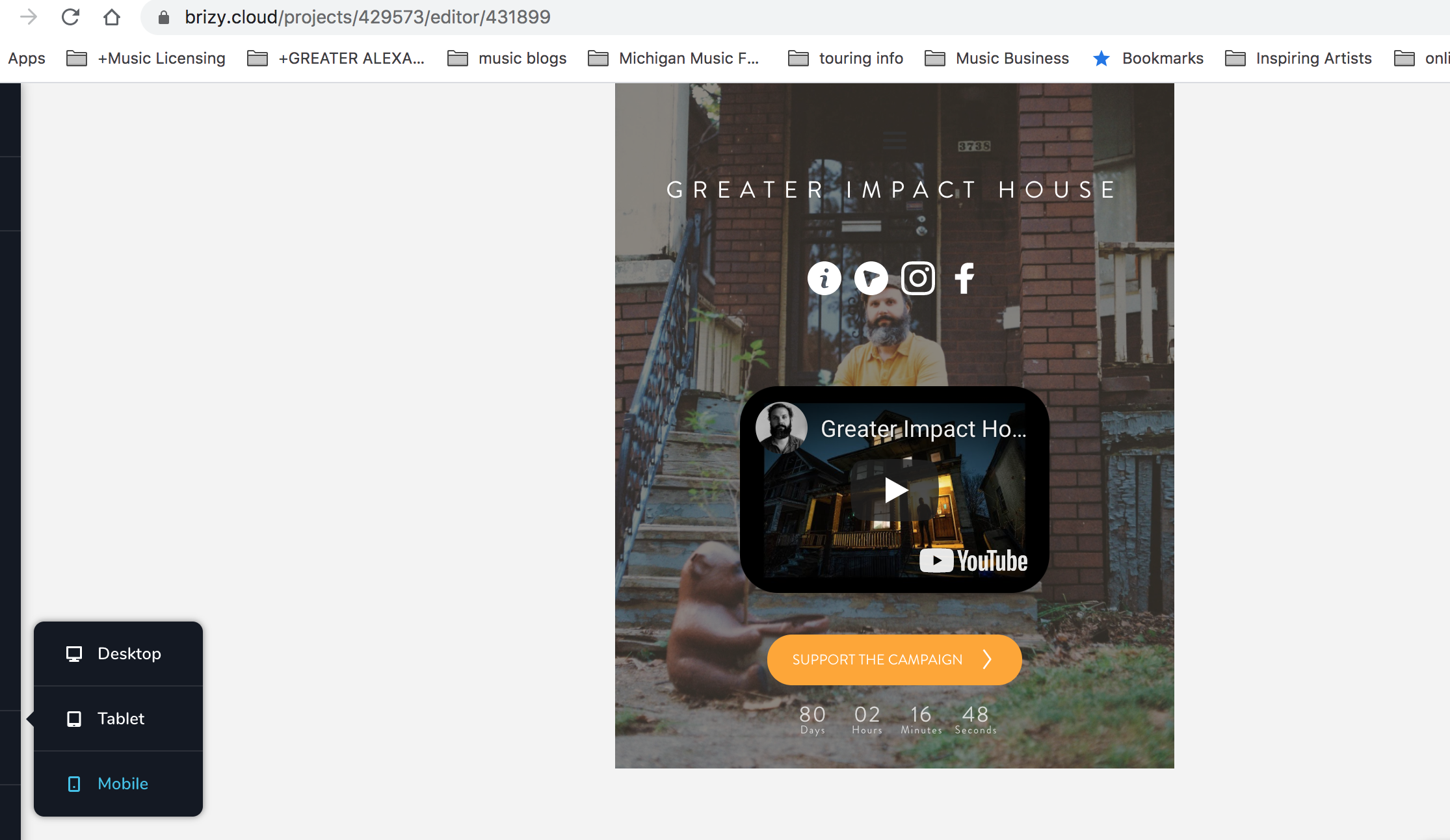
My menu bar completely disappears in mobile setting. I switched it from hamburger to text.
It appears on the home screen and the pad screen but disappears on the phone setting.
Also, update!
my website is now secure. I switched my TTL to automatic instead of what it was defaulted at (60 min)
http://www.greaterimpacthouse.com
-

Hi,
I suppose that the menu element is hidden in the mobile mode. Could you please activate the Hide mode and check if the menu is blurred? If it is blurred this means that it is hidden for this mode, therefore, you have to deactivate the Hide mode. See here.
Best regards,
Sandra0 -
Hey Sandra -
Tried the deactivate/activate. Still not showing up.
https://share.vidyard.com/watch/W5TaPHbNtWc6qWmirRHg8V?
0 -
solved it!!
0 -
I went back and deactivated the menu and reactivated hide to blur in desktop and ipade mode. Menu hamburger appeared in mobile mode after.
0 -
Great to know that all is fine now!
Let us know if we can help you with something else.Best regards,
Sandra0
Please sign in to leave a comment.
Comments
5 comments