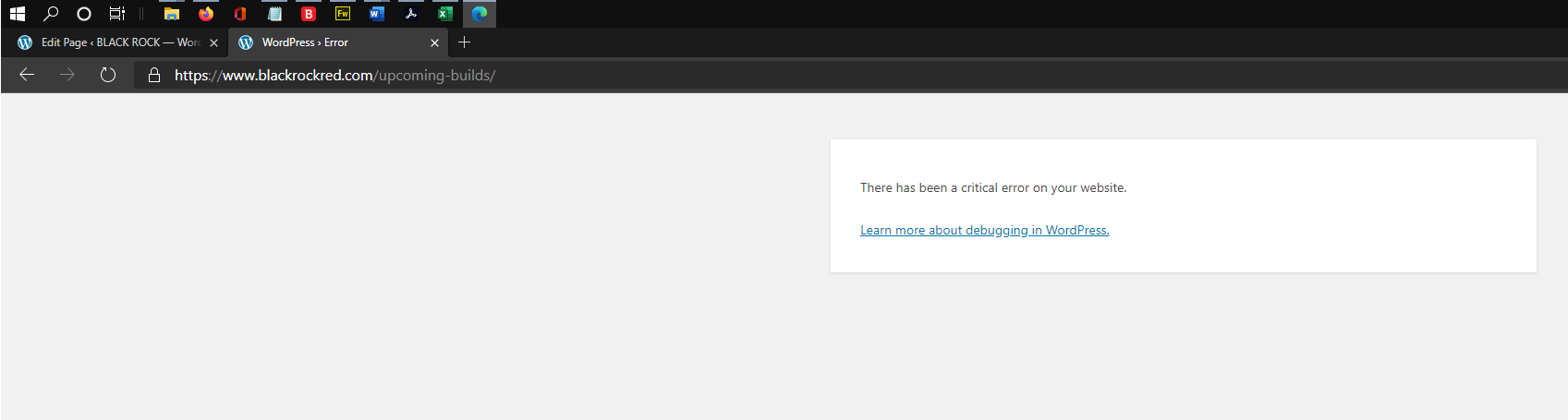
"There has Been a Critical Error on Your Website"

Hi everyone! I receive an occasional error entitled: "There has Been a Critical Error on Your Website." Since it only happens occasionally I cannot turnoff my WordPress security to check if it is that specific app that is in conflict with Brizy. Here is a list of apps I have besides Brizy Pro, can you tell me if one of them is a problem for Brizy and could be causing the problem?
1.) Breeze V.1.1.7
2.) iThemes Security Pro V.6.6.4
3.) Brizy Pro V.2.0.1
Moving from https://www.blackrockred.com/ to this page https://www.blackrockred.com/upcoming-builds/ is where I saw the problem last.
I love Brizy, it has really given us a professional website without code! Thank you!
-
 0
0 -

Hi, Mitchell,
Could you please try to clean the browser cache? I tried moving from https://www.blackrockred.com/ to https://www.blackrockred.com/upcoming-builds/ but all seems to work fine. See here. Also, could you please try opening the site in another browser?
Thanks!
Best regards,
Sandra0 -
Sandra - Hi again. Thanks for your help! I did try to open the Website in a freshly downloaded version of EDGE. I cut the address of the page https://www.blackrockred.com/upcoming-builds/ from Firefox 80.0 (64 bit) and pasted it into Edge and pressed enter an received the critical error message on the freshly installed Edge browser. That is what is so concerting. I am glad that it did not happen to you.
0 -
BTW, your "here" link is not working for me.
0 -
Hi,
I'm sorry for the link. Seems that the video wasn't uploaded correctly. Now, I tested 4 different browsers and on all the site was working fine and I couldn't reproduce the issue. See here:
Chrome browser - https://jmp.sh/ZfO1Jnz
Firefox - https://jmp.sh/zfTleJN
Safari - https://jmp.sh/StKrgfe
Edge (for Mac) - https://jmp.sh/brjcPtyBest regards,
Sandra0
Please sign in to leave a comment.
Comments
5 comments