Images have stopped displaying

Hi,
I am working with Brizy wordpress builder (updated to most recent versions 2.0.6 and pro 2.0.4) on this site - https://bit.ly/3aHAlX1
Since I updated to latest version, I'm having problems with the images on site. Today the images have stopped showing on my site. In the code inspector, I am getting 404 errors for the files yet they are in the correct place when I examine folders in Filezilla.
Yesterday the images were displaying but took an unusually long time to load.
This problem is happening on global blocks, page images and blog post images. Woocommerce product images are showing.
Thanks,
Orla
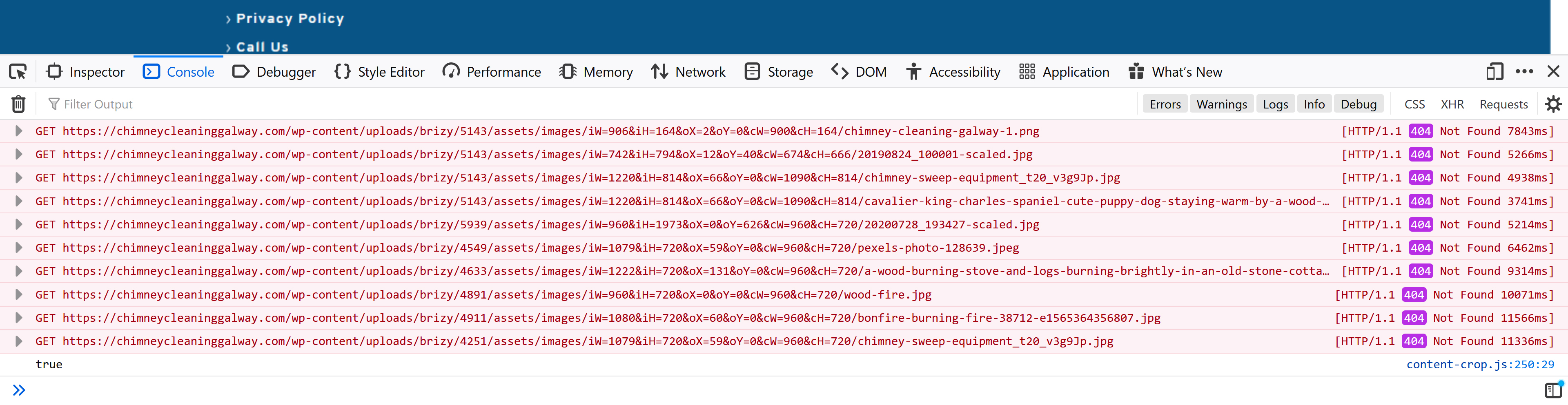
-

Hi,
Did you make some other modification beside updating Brizy plugins?
How did you upload images in the Brizy editor? Did you make if through WP Media Library? Here can be a problem with the theme or a plugin, could you please deactivate all plugins and activate a WP default theme? Also, here can be a problem from the server, could you please go to the WP media library and check if you can see all images? If you can see them, select an image and try o edit it, for example, to rotate it. All is working fine?
Thanks!Best regards,
Sandra0 -
Hi Sandra,
I have gone through theme and plugins. I have found that there was a conflict with security plugin. Once it was deactivated, the images have returned!
Thanks for your help.
Orla
0 -
Thank you too for checking.
Let us know if we can help you with something else.Best regards,
Sandra0
Please sign in to leave a comment.
Comments
3 comments